


249Xeno
Members
-
Joined
-
Last visited
Everything posted by 249Xeno
-
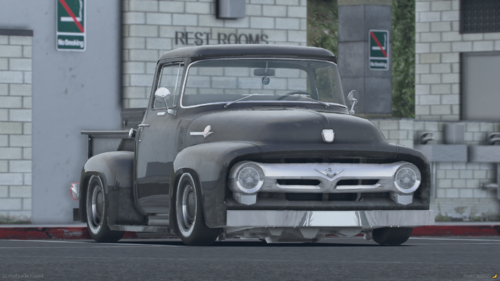 I have not download this yet and I will soon. But I am digging it. If you can add more old vehicles, would be nice. If you make old days police vehicle, that would even be better and amazing.
 -
 I use this for my CHP siren. It sounds a lot more like how CHP sounds and because I live in Cali, I get to hear their siren a lot. I Checked out those other ones and it does not sound a bit like CHP siren, they uses Whelen wave version. If you can add that siren into your vehicle.ace, I will consider of using your siren =P
 -
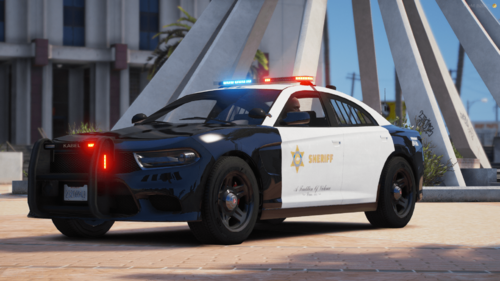
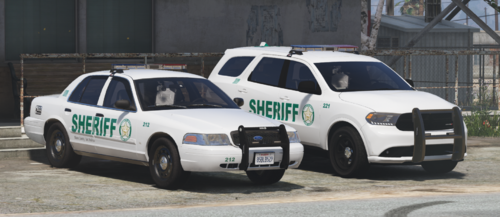 Im not sure if anybody told you, but the angle of the "Sheriff" is slightly off. You may want to straighten it up a bit.
 -
 I can tell it is just an image, but it can be useful. Again, quite difficult and I don't know if showing the location of others is very realistic. <<--- Yes, it is realistic. Before I left my department, our laptop showed where the officers were at in distance and who was the closest to assist us and I believe the department is still using it too, to this current day. It's fine if you can't do it. It was just a suggestion. I know LSPDFR controls the spawning point of AI, but there are loops around everything. Offtopic... Am I able to add more charges to the "ArrestOptions" because when I did it last night, it kept telling me an error until removed? I checked the coding and placement of everything and it was corrected. Do we have an option to add in?
- 217 comments
- 22 reviews
-
Also. For the Map part within the external police computer, will it show you where the player is located? Because couldn't see my location in there. I think it would be a great idea if the map could show where all the AI officers are as well as yourself. It would be cool too if the AI near you would be the one that comes to assist you rather them porting to you. Especially when they are porting and hitting Ai drivers.
- 217 comments
- 22 reviews
-
yeah, I know, and that's what I did... Also, when we do the arrestOptions or citationOptions. Does it go through the default folder within the EPC or the one that is in the EPC folder, but not in the default? because I don't want to make changes to the arrestOptions and add to the wrong one. I also wanted to know if I can add new charges in the “ArrestOptions?” I attempted to do that but it gave me errors regardless after I look over everything to make sure it is correct. Is this a set where I could not do any changes to it or add new charges?
- 217 comments
- 22 reviews
-
Nope, its not in there. I had to look through readme and saw the link that you put in there so I could download it.
- 217 comments
- 22 reviews
-
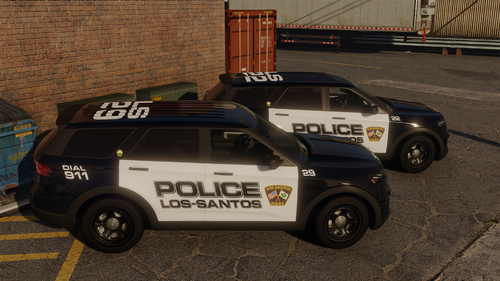 I tried some of the ones that I had and it didn't fit it the right way, so that is why i asked you about it. Could you tell me what years of the car so I know what to get and use your texture?
- 10 comments
- 1 review
-
I downloaded this plugin and I noticed that the "Node.js server" is missing. All I see is the exterior within the plugins/LSPDFR and the EPC in the main directory.
- 217 comments
- 22 reviews
-
-
 @OfficerMorrison Its been a while now and I know that you are very busy. But I am following up on what you said about updating this callout, is there a time frame for you to update it? because its very backup on the out-of-date since API had changed a lot for lspdfr due to GTA v updates.
- 160 comments
- 20 reviews
-
 Heli Assis is way out of date... that should need an update if players are using it as well this needs a major update too. It is 2023 and it's about to be 2024. The last update this plugin got was in 2016.
- 176 comments
- 46 reviews
-
 Don't you think it should get at least another update? your post was on 7/13/22 and it's about to be 2024. I am pretty sure it is over due for a renewal update right?
- 138 comments
- 34 reviews
-
 So, This mod's last update was on March 12, 2020, and its like 2023 now. Will this get a new update? GTA V has been updated as well.
- 781 comments
- 85 reviews
-
😁🥰
-
@UnknownBastion So after I did what you told me regarding drag and drop a new lspdfr into the main directory and restart my computer. It was still crashing, so I went a head and did a verify integrity and it said that it was missing two files. I went ahead and did another verify integrity just to check that it was not a mistaken and it downloaded two files into my main directory. I did a third one and it said that all my files were verify and all cleared. I restart my lspdfr and did not get any crashes regarding that isses, aside from Sleepless.Rage.fiber which Cyan told me to check my plugins and I fixed that too.
-
awesome! thanks. I will go over everything over again and check them one by one. I am pretty sure it is because I may have corrected some sentences on the config/ini that may have caused the crash as well config .xml files too.
-
I been having issues with this and I can't seem to figure out what is the cause of it. I have been doing a bit of research on it and not many correct answers out there and I'm not sure what else I should do. Drop another copy of lspdfr in there and hope for the best. or something else? Does anyone have a clue on how to fix it? I also had attached my log with this part so the whole thing can be seen. From the look of it, it seems like one of the codings was not correct and the system can't read it. idk.. I am still learning coding C#, so still new. RagePluginHook.log
-
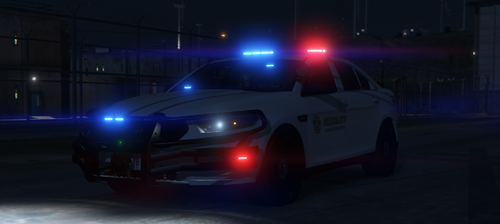 Because he was pissed at the moderators in here for backing up Emergency Distributors scam and gotten away with it. So Rabbit left LCPDFR which i am glad that hes back. I love Rabbit's car over E.D. and on top of that E.D. car now crashes the game too.
 -
OMG!!! are you back?!?! Its soo great to see you back!
-
 I am good. I deleted the car off my list after testing it ingame.
 -
It is fixed. I did not have any more issues after I dropped a new lspdfr manually and as well did a verify integrity through Steam for GTAV. No exceptions were made either.
-
I was going to ask the same thing. But you can always make copy and paste your other ELS and name it the same as the vehicle. It should work.
-
Okay. so how do you want me to go about it to stop it from crashing? because I am getting an error message from SHV stating my ELS.asi had crashed. I did not have any more issues with my RPH after I dragged and dropped the lspdfr manually and restarted my computer. including conducting verified integrity. I also observed that two files were installed into my gta main directory while I was verifying integrity.
-
I didn't ignore your advice and I went ahead and did what you told me. I downloaded another lspdfr and did a manual drag and drop and restarted my computer as you asked me. That's incorrect. SHV is not stable, I had crashes several times from SHV regarding my ELS.asi, and still allows me to play the game but unable to use my ELS until I log out of the game and log back in again. This has happened multiple times already. "Then why make a post about this? If I was in your shoes, I would be taking my advice and trying what is offered to me. I want your game to work just as much as you do." - I did take your advice and did what you asked me, but I know that the exceptions will not work. You ONLY add that in if your game still crashing and gives you the same error. My game runs fine aside from that one crash regarding the "RPH Plugins." I do not tell others to do that unless I am sure it's the anti-virus that is blocking the RPH from accessing the game. I know, because I do support and help others in CJ's Discord have gotten players games back up and running again as well as looking at their logs, what they installed into their main directory, plugins, openiv, as well other stuff. I wasn't going to post this issue to you guys if I knew how to fix it, but this is the first that I saw this error... I knew exactly that the RPH Launcher was the main issue and its a given too. "Origin: Rage. RemotePlugin" It's not i am be-letting you, it just that after doing support and reading so many logs, I know what is the cause of the crash of my game. I apologize for any rude remarks or being rude to you. It is not my intent to do any of that and I am also grateful for your advice which I will listen to, just that if I know that certain step does not work, I will call it out. Once again. I apologize for any rude comment I have made.





