


249Xeno
Members
-
Joined
-
Last visited
Everything posted by 249Xeno
-
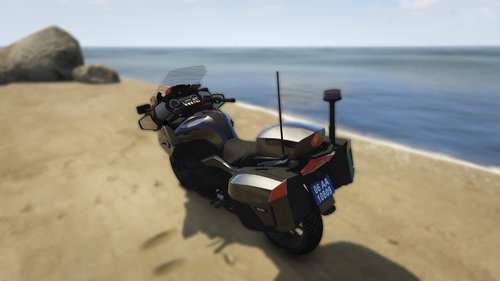 The reflective is off. I see a blue light flashing but red is the reflection, which doesn't look right. It should be blue and not red.
 -
-
-
-
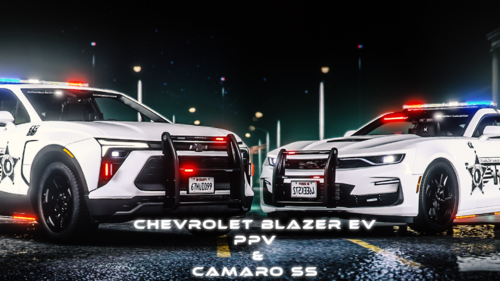 Is there a template for the 2023 camaro?
 -
 what did you guys add to the audio? its installing so slow and what worse, the update pursuit is even slower. How big are you guys making it to be?
- 637 comments
- 51 reviews
-
-
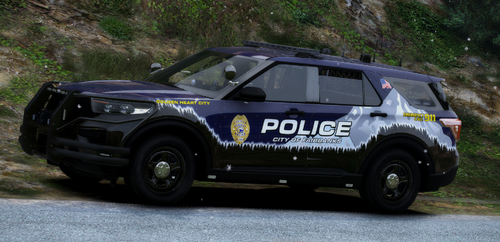 that skin looks amazing!
 -
It crashed back to the desktop without any error. I even looked at the RPH log and I do not see any error, did verify, nothing wrong there. Plugin files are fine too. I also went ahead and look at the Openiv log, no error shown within the log as well
-
So I have an issue and Its hard to explain, but I will try my best. I just finished re-install lspdfr and openiv. I made a file copy of my dlc's vehicle from my previous lspdfr in openiv to start fresh. I attempted to add my add-on vehicle back into dlcpack, but certain would not allow the game to load into the game. The game would crash right where the last plugins loaded. I could hear at least two to three dings as if LSPDFR would normally load, but I didn't see it and then the game crashed. Mind you that I have gameconfig, heap, and packfile installed. I also have SHV installed too. I have attempted different ways, such as changing the add-on car names, checking the carcols, and as well carvariation too. I did verify integrity and everything is fine with 536 verified. I cannot also enter GTA V through Steam as well when that add-on car is installed. I had google a way to fix that or YouTube it too but no answer. any idea or solution?
-
-
 Go into the vehicle .ytd and extract the "...sign_1." Once you do that, make sure that you have Krita, Gimp, or Paint.net to open it and do a paint in there. Most of the time, the skin is made within .dds, so you would need Gimp to paint it. Do an extract file (not save as) and extract it to where the file was located. Place it back into the ytd as a replace and save.
- 476 comments
- 18 reviews
-
-

- 1
-
-
 does it work right? were there any bugs? glitches? or anything?
 -
Has anyone tested this out?
-
 Best of luck on whatever game you decide to mod next, but not many games allow you to do that. Do you have stores that you can head into and maybe buy food and drink? If not, then the dev did not factor in the plugin. I don't use this plugin at all since I dont need or even want to use it myself. Most modding requires patience and if you don't have that, it is pointless to do it because you will mess up somewhere if not focus on getting it done right.
- 277 comments
- 32 reviews
-
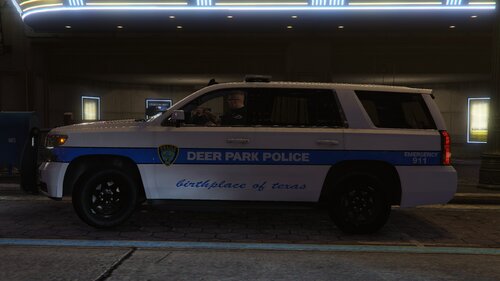 EWW no! You use E.D vehicle for your livery?! I like your skin bro, but I would never EVER touch that SCAMMER car.
 -
-
.thumb.png.6a00de2b637a2c81ecf0f8ca9ab60387.png) awesome! I can make skins for it now
awesome! I can make skins for it now -
-
no template for ELS?
-
There should be an auto-saving so players cannot lose their spot when the game crashes. Also, for those of you who are having an issue with Grammar Police, please drag and drop a new one into your LSPDFR (Main Directory >> Plugins >> LSPDFR). Also, check your custom file and make sure that everything is corrected. [General] Callsign="your callsign" Language="en-US" AgencyCodes="IMMERSIVE" EnableSpeechRecognition=true
- 277 comments
- 32 reviews
-
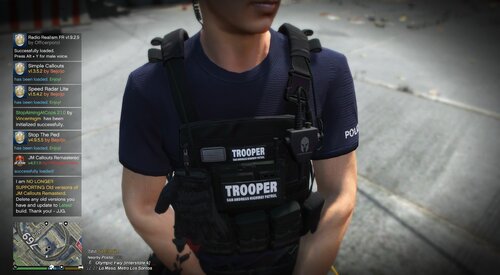 I did that and saw it...
 -
what vest is it for?
-
-
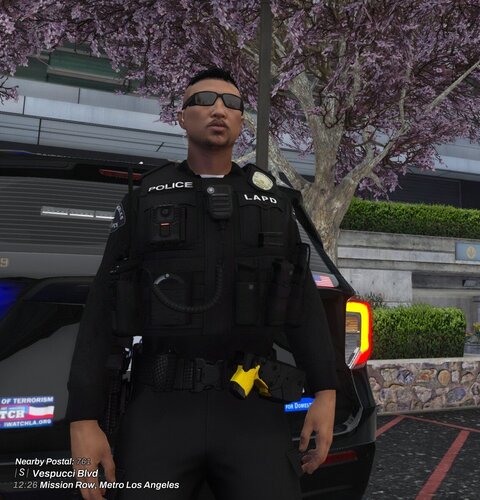 If you can do that for Trooper and Highway Patrol, that would be awesome.




.thumb.png.d375769a0ff2131936b594b7e2ae91ac.png)
.thumb.png.6a00de2b637a2c81ecf0f8ca9ab60387.png)

