


249Xeno
Members
-
Joined
-
Last visited
Everything posted by 249Xeno
-
-
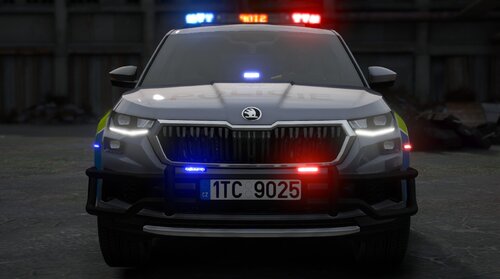 is there a template?
 -
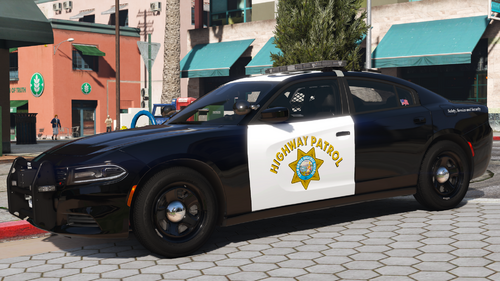 I was messing around with the color and saw this on the slick top. Could you tell me what this is and why the front visor has red and blue in one visor?
 -
-
beautiful car. I like it. But the TA is in the wrong color. It's darkened Amber, not yellow. Other than that... I love your CHP.
-
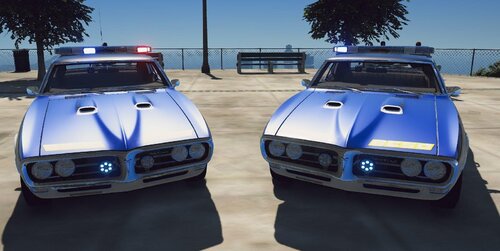 So, after testing the vehicle in SP. I can't use this vehicle with DLSv2 on SP since it was not set for that. I don't know what I can do or showcase this vehicle because the takedown does not work right. I tried to add extra to the vehicle. meta and that made the takedown lead-up in game ver disabled them in the component in the vehicle mod. I will have to put it away since I don't use LmL. The vehicle is great; I love it because it runs like an RL engine through the DLC packs I use. I give 4/5 because I love the car and the lightning on it.
 -
I see there is a number "400" on the hood. What is that for?
-
.thumb.png.17f63a270b181df7d28c484b44adfd8a.png) This unique. I didn't expect this in the book lol...
This unique. I didn't expect this in the book lol... -
is there a template for the vehicle?
-
I like the video
-
Okay. i suppose I'll have to save it in the trainer since its only FiveM style. Appreciate for replying back 😃 I like an old model and using an old model for GTA V.
-
.thumb.png.9bfbbabf8ae1d57a153a2e10c1993dea.png) interesting...
interesting... -
is it DLS v2 compatible? or just FiveM ready only?
-
The takedown is kinda weird. The vehicle looks great, but I am confused with the takedown. why is it on the side and not the front only when I don't see ally lights are on. Is it possible that takedown now shines on the side and not just the front without ally lights on or a spotlight?
-
This is an interesting model. Is it generic or was created with a model?
-
 i got a question. Is there a way that we can prevent Ai's vehicle from attempting to pass another vehicle or user vehicle in the same lane? and also properly merge into another lane or wait until a vehicle passes, then merge into the lane and/or until then lane is free before entering that lane.
- 366 comments
- 32 reviews
-
I love it! this is the most amazing plugins, along side with ClearTheWayV and Traffic Suit.
- 366 comments
- 32 reviews
-
-

- 1
-
-
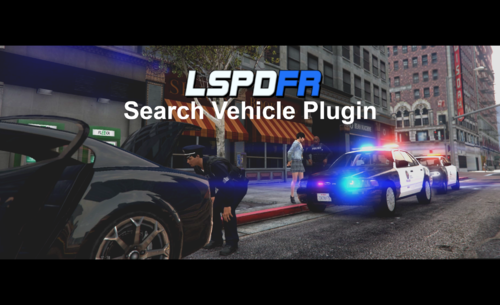 but each location has its own items/materials correct? not like searching front back and trunk which show the same items?
- 72 comments
- 6 reviews
-
@ziipzaaapM16A4 I have a question regarding this plugin. When searching a vehicle, will it only find contraband in a certain area, or will it find the same thing regardless of what vehicle you open? and not a different item? What I am getting at is... for example, I can search the driver's side and find nothing, but when I search the passenger side. That is when I see something illegal, or if I search the trunk, I will find something else that is not on the driver's or passenger's side.
- 72 comments
- 6 reviews
-
 it doesnt feel like anything changes and I can go and patrol anywhere. My callouts are all on the highway, will that affect anything with this mod?
- 277 comments
- 32 reviews
-
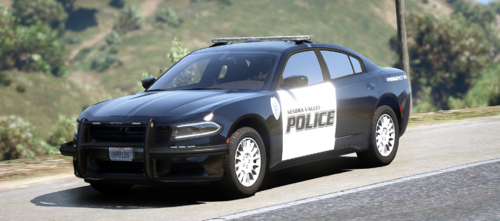 is this a non-ELS or DLS version? FiveM ready will not work well with DLS for SP. It would be nice to have grill lights I have tested this model. Its a FiveM ready, not DLS style.
 -
Can you make a video of how you installed it into your main directory? I believe it may conflict with some other plugins that you had installed into your main directory and/or Openiv. I also have this in my directory, but I have not experienced any sort of thing within my game. However, I would like to see what is the cause of it and how we can resolve this troubleshooting.
- 366 comments
- 32 reviews
-
-

- 1
-
-
i can assure you that it isn't the plugins. It is something else that he installed that caused this reaction with his Ai vehicle because I played my game and arrested several Ai and non of it does this. It must be something else unless he has a tesla that we do not know about.. maybe one of those self driving vehicle like in San Francisco, California
- 366 comments
- 32 reviews
-
-
- 1
-
-
You have an AI vehicle. This does not happen in my game, so it's funny that it happens to you with an AI vehicle driving without any AI in it. I don't think it has anything to do with @RCrw notik plugins. But at the same time, this should happen to those who use this plugin.
- 366 comments
- 32 reviews
-
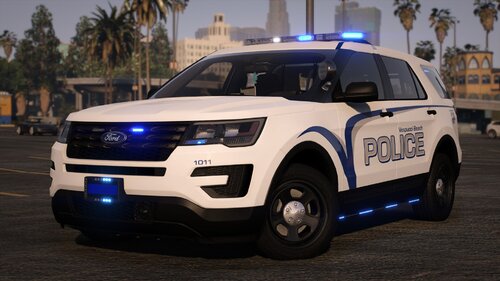 yours next lol

.thumb.png.17f63a270b181df7d28c484b44adfd8a.png)
.thumb.png.9bfbbabf8ae1d57a153a2e10c1993dea.png)
