
0pheIia
Members
-
Joined
-
Last visited
Everything posted by 0pheIia
-
-
 thank you so much for your support! I will have to apologize though, the photos provided in the showcase. Are not photos taken by me. They were taken by SliceRider. Here is his youtube channel so you can reach out to him. https://www.youtube.com/@slicegaming-lspdfr
- 72 comments
- 6 reviews
-
 Thank you for your support with vantage striker! Im sorry to hear that your having that issue. I haven't had this issue on my end. Can you dm me or leave your discord user in this comment section? I would like to reach on there to investigate further :)
- 18 comments
- 2 reviews
-
-
-
-
theres a link to customanims in the readme at the top where all the requirements are listed :) please make sure you read the readme all the way through.
- 72 comments
- 6 reviews
-
 is anyone else having a problem with the keybinds not working? Edit: Got it working again, found out my ini was busted.
 -
-
-
ahhh my mistake, im not sure honestly. You would have to message slice rider about that. He took the screenshot photos. He has a youtube channel "slicegaming" I think. You should post a comment there or see if you can find him on lcpdfr. Alternatively you could find a free one on lspdfr or buy pacific pigs ultimate prop pack (what I use).
- 72 comments
- 6 reviews
-
all radio animations displayed in the screen shot are public and posted inside of the radio roleplay package.
- 72 comments
- 6 reviews
-
-
 Thank you for this. I really didn't wanna make this myself😭
 -
Thank you for supporting RR. Unfortunately, I do not know how to make animations. But you can still get more by going on Tebex or other online stores hosting fivem assets and purchasing paid or downloading free animations there. CrunchyCat also has some more animations that you could use. Radio Roleplay is heavily customizable, so you can manually add more animations by yourself through the ini file.
- 72 comments
- 6 reviews
-
-

- 1
-
-
I see, in this case, I'll just include this option in the next update. Thank you for bringing this to my attention. I understand not everyone wants everything a plugin may have to offer. I hope you have a nice night.
- 72 comments
- 6 reviews
-
-

- 1
-
-
Mmhm. Do you use first person very often? This is very minor idk if I'd implement this. Can you see if it is possible for you to tweak the fov / settings for your first person camera through the DVFP menu?
- 72 comments
- 6 reviews
-
I'll look into adding a feature to disable it. But can you explain more about the issue your having? I use DVFP and I haven't noticed any issues in first person.
- 72 comments
- 6 reviews
-
-
- 1
-
-
 i really like the animations used in the photo's. where did you get them from?
 -
 This is so long overdue, in my end, but this is definitely one of the best plugins to ever hit this website. Then he did an even bigger drop by adding AI voices to it. I truly love this plugin and everything that comes with it. Thank you so much double hook for creating such a gem. Very grateful to have had such an opportunity to play with such a peak plugin.
- 321 comments
- 16 reviews
-
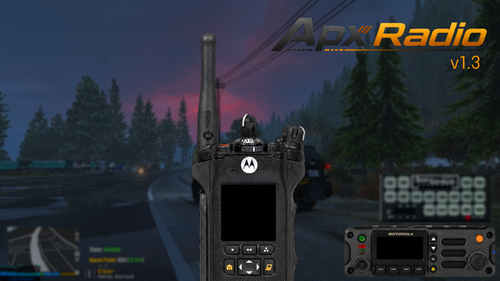 how come this is marked as a Visual & Data file and not as a script or plugin?
- 67 comments
- 8 reviews
-
lol you always point this out when people forget 😭😭 thank you I'll correct this in a future update.
- 18 comments
- 2 reviews
-
-
- 1
-
-
thank you for reporting this. I thought this was fixed because the anim dictionaries were different. The beta testers didn't report this issue unfortunately. I guess the temporary hotfix while we investigate would be to use GamePlayFixesV and disable your cellphone through there .ini. Or use the FreeMyController mod, a user on this page reported that works. In the latest version it works. Make sure you follow the readme and install things correctly. You'll be able to utilize all the animations as explained in the description :)
- 72 comments
- 6 reviews
-
your welcome. come back to the website and let me know what you think. after setting it up and playing for a bit.
- 72 comments
- 6 reviews
-
the readme included in the file has it linked at the top. where I've listed all the requirements. But you could find it on 5mods.
- 72 comments
- 6 reviews