Mustu
Members
-
Joined
-
Last visited
Everything posted by Mustu
-
 Oh. My. God. *Jizz in my Pants starts playing*
 -
You don't need to have L1s or L2s, unless you're planning for it to still be high def.
-
LOL.
-
Turn Vsync off and witness pure amazement ;) ((70 FPS))
-
I'm trying to make an unmarked Explorer, but the lights on the interior light bar won't flash up! Only the little TIR3 modules and headlight wig-wags will work. I also have the fog lights flashing red and blue, but they won't show up or flash at all. The car looks just fine in OpenIV, but not in game. I have screenshots of my hierarchy, OpenIV pic, and in-game pic. Open IV: Zmodeler Hierarchy: In-game Pic (imagine TIR3s are flashing, I didn't get it at the right moment):
-
^^^ This! I suggest you read up about GTA's hierarchy before you try modeling. I can help you with that if you wish.
-
-
It's because you haven't imported any of your vehicle_generic textures, and by the looks of it, you haven't imported any of the vehicle textures either.
-
+1! I can't agree more. It's really ridiculous, and I believe in a majority of the models just being released unlocked, while the super rare ones shouldn't.
-
Hmmm.. Pretty good!
-
Well, I never get texture loss without 1.0, and my game is totally smooth. I am getting a GTX 760 and probably some new RAM as well as a PSU for my birthday (Feb 12) so that should probably add a little more power into that. As for the other members, we did a 1.0 patrol and about 40% of them couldn't get it at all. Their computers ran just fine with .95, but I think that's caused by their computer quality, which annoys me a lot because all our videos look crap pretty much (except for mine :P).
-
Hmmm. Thanks! I'm surprised they haven't made it compatible! So what's the point of 1.0 then? SP is so boring...
-
As you guys know, I'm in the Irvine PD clan with a couple of other people, but they've all been complaining about 1.0 in multiplayer. I figured sooner or later we eventually have to upgrade because .95 probably will be too out of date especially with new members coming on, it'll be a hassle for them to uninstall 1.0 and reinstall .95. The issue with this is, my Chief and Assistant Chief have been complaining of lag issues with 1.0 (which I also encountered myself) and major instability issues. Since then, 1.0a has come out, but I don't know how drastic the improvements are and whether they help with lag and/or instability. To give you an outline on what was happening to me before, read the following: Lag. I went from 70FPS to 30/45. Texture loss. 1.0 (NOT 1.0a) had caused a lot of texture loss, and in order for the issue to be completely resolved, a game reinstall would be required. Instability and more crashing in MP. Does anyone else experience this? We seemed to randomly crash during testing patrols, and we tried to get in as many pursuits, traffic stops and calls as possible to put it through a stress test as well. That failed miserably though, and I don't know if that's fixed in 1.0a. The reason I'm not testing it for myself is because I don't want to install a minor update, experience the same issues, and be forced to reinstall my game. It's a waste of time. Anyone have any advice?
-
I would reall love to rate your work, but OpenIV pictures is just like judging a book by its cover. People say not to. Get some in-game screenshots or video footage. Also, if you're going to take OpenIV, get rid of all those lines. It's distracting and the car isn't all that clear. To make it a super cool kickass model, add a honeycomb pattern to it, and pay attention to the close details. Again, the pictures aren't clear, so I can't tell if you've done the honeycomb and precision touch-ups.
- 2 comments
- 1 review
-
So you're asking for those bars? It's not really that hard to make them. In fact, Hilth0 walked me through scratch modeling a part (thanks so much) and it doesn't seem hard to make those bars. I'll see what I can do...
-
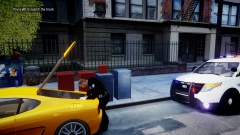
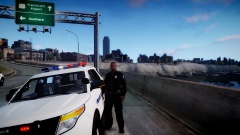
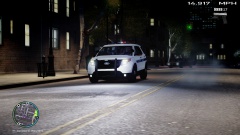
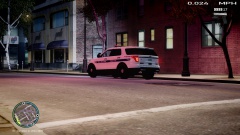
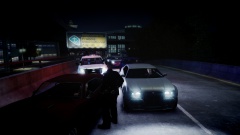
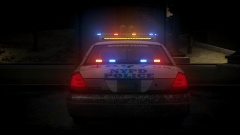
All the pictures taken from the Irvine Police Department Clan patrols!
-
-
-
-
-
-
-
NicolaiB: "It doesn't happen in ELS V7, but I'm assuming that V7 does not work for you. Before V7, ELS lights used two different settings in a file called "visualsettings.dat", the lights are "turned off" (as in they're not lit up, they still "flash") if the engine is switched off. You can fix it if you edit a setting called "car.defaultlight.emissive.off" in "visualsettings.dat". Replace the numbers with the same number that's used in the line above. That way ELS lights will be as bright when the engine is turned off as they are when it's turned on. You can also avoid shutting off the engine if you press "f" to get out instead of holding it in when you want to exit a car."
-
All in the main directory.
-
Okay. Well first of all, you have to check if the car is actually ELS enabled or not. If that isn't working, download my custom ELS configuration here: http://www.mediafire.com/download/fjuk27971c09fwn/ELS.zip (hopefully that'll work)