


This is it
Members
-
Joined
-
Last visited
Everything posted by This is it
-
when your in gta 4 press the ''home'' key on your keyboard and a menu will drop down, just hit sign in and it should work. I have a x-box live gold membership so i have no problem, but ther are others on lcpdfr who do not have an x-box
-
Well, maybe there is some program on your computer causing this, i'm not a computer wiz but i'm sure another lcpdfr member can help you out.
-
Okay, well what are your pc specs? post them here
-
okay download and install the latest patch. 1.0.7.0 just google it, see if that works.
-
okay what patch do you have?
-
I like it... maybe i can borrow KevinDV's bearcat... that might be useful
-
I will be in this baby: If anyone wants to join me, let me know, I got 4 seats.
-
I just disable the trainer if I want to use my ELS lights. Just go to: Options pg.2 on SNT and hit disable trainer. You can re-enable the trainer by pressing rctrl+ralt+e
-
Do you have: any trainers? or mods? A mod may cause this problem. What version of GTA 4 are you using?
-
-
-
I don't know about the poly on these cars but I love these: http://www.gta4-mods.com/vehicles/2012-chevy-impala-9c1-f12436 http://www.gta4-mods.com/vehicles/2010-ford-mustang-shelby-gt500-final-f12007#download http://www.gta4-mods.com/vehicles/porsche-911-gt2-f3992 http://www.gta4-mods.com/vehicles/2012-bmw-m5-f10-f12480
-
cp702 has it. All you will do without the manual siren will make peds say ''what the fuck'' and ''chessy vagina''.... happens to me a lot
-
Well: 1 post this type of thread in the support section next time 2There are not different patterns for different siren tones, unless you edit the els.ini file i think.
-
''Hey, so I was reading the install for this and kept noticing that you say "rebuild and save!". What exactly do you mean by this? Sorry if its a stupid question, never really added anything on too a game before :('' When you go into spark iv there are 2 buttons in the upper-left corner 1 says ''Save'' the other ''rebuild''when you import any car/ped mod, you FIRST click on save, then rebuild. ''Yea! Downloading now!...a question, who key must be used, apart from G, for different styles of sirens? thanks.'' Just ''G'' hold it down for diff. siren tones
- 126 comments
- 54 reviews
-
Not movies for me but TV shows, like Cops, SouthLAnd, NYC 22 and World's Wildest Police Videos. That show was great!
-
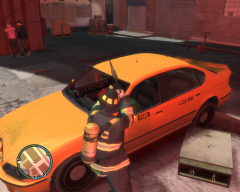 Is that an axe that the ff has in his hand?
 -
Yeah, I just said that because thats what I did when I had a LCPD Tahoe in the polpatriot slot and a FDLC Tahoe in the police slot.
-
Back up most of your game The Snow Mod replaces ALOT, and I have failed multiple times trying to install that mod. I wish there was a automatic installer like lcpdfr
-
If your friend has different mods your game may crash. But if you have the same mods, and nothing different your game should not crash.
-
You can use a differebt slot for a SVU ex: Police but the handling will be screwed up.
-
Love the clothes! Thanks for all of your help guys!
-
Yeah I believe there was 1 in the making but they stopped it due to a lack of coders. There is a Paramedic mod by the Team Neo group but its not the best(My opinion)
-
Thanks!
-
well that doesn't help Thanks!

