


This is it
Members
-
Joined
-
Last visited
Everything posted by This is it
-
That can be caused by numerous things, a car mod or mods, a script mod, a ped mod. Basically any mod can cause that, try putting in the original files that you had before you modded the game. gta-downloads.com has a list of file backups
-
That mod would do it... if you get rid of it the AI would return to normal..... but wait i forgot, the AI are complete nuts without any mods
-
I can see that... lol
-
Do you mean lightbars on police cars? If so: http://www.lcpdfr.com/page/tutorials/index.action/_/vehicle-modification-tutorial/basics-of-adding-materials-importing-models-correct-hierarchy-and-exporting-in-zmodeler-r25 Z-modeler: http://www.zmodeler2.com/ If you mean how to make the car lights work, use ELS: http://gtapolicemods.com/downloads.php?do=file&id=196 Edit: Michael V. you beat me to it...
-
Sorry missed that part, i'm only human. Try deleting SNT and re-installing it, when I installed SNT i left the dsound in that lcpdfr installed and it works, I had the same problem a few months back and leaving dsound.dll alone fixed it.
-
Go to launchgtaIV.exe right click it and run it as an administrator, if it doesn't work then do what Faracus said about using dsound.dll
-
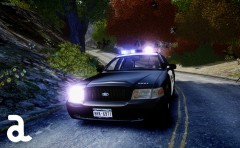 Great car!
 -
Try re-installing the car that you changed the texture with, if this works you can put the texture you want back on the vehicle, just know where to put it. And remember to save and rebuild the archive in spark iv or open iv.
-
Well, i'm thinking it has to be the car mods, ELS v6 isn't as stable as 5 but that's what i use, and i never crash from it. Try installing a fresh copy of your vehicles.img, if you don't have a backup gta-downloads.com has a backup that you can use. If that doesn't fix it, ELS or LCPDFR is the cause, try deleting lcpdfr from your scripts folder and ELS from your main game folder and see if that fixes it... Or you could just re-install your game, because that always fixes it ;)
-
Can you post pics in-game of the skin? Usually people are more interested when they see what it looks like in-game.
- 5 comments
- 6 reviews
-
Its a bit buggy, as many people have already said, most the calls spawn in the ocean. But it is still a great script!
- 129 comments
- 44 reviews
-
Try lowering your graphics settings, and be aware of high-poly cars that cause a lot of lagging.
-
Does it give you a error? If so post what is says here. EDIT: It may be one of your car mods, try installing different cars and see if it helps.
-
-
Same, I want a mod like that too, FDNY textures would be awesome. As soon as I come across a mod like that you will be the first to know.
-
Don't think so but I heard something about a FDLC mod similar to LCPDFR, but it hasn't been released yet, its been a long time in the making though.
-
I was able to download it.. I can send it to you, but you need winrar or winzip to open the files
- 10 comments
- 7 reviews
-
-

- 1
-
-
-
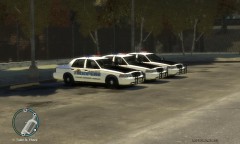 Nice cars +1
 -
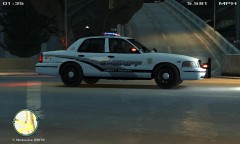
From the album: Patrols
-
-
-
-
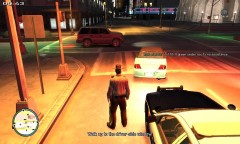
From the album: Patrols
-
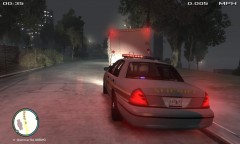
From the album: Patrols


