


This is it
Members
-
Joined
-
Last visited
Everything posted by This is it
-
No NYPD is not included. But I'm making a big NYPD pack its going to include Auxillary, Traffic Highway Patrol and regular textures!! CVPI, Charger, Taurus(although they don't use them) 2012 Impala, Tahoe and those vans that they have! I will link the cars in the readme so you know where they are.
-
Awesome mods!! Can't wait for ModKing224's pack is the NYPD going to be in there?
-
Yeah it was just a quick thing I did i have done better. Thanks for the idea :)
- 2 comments
- 4 reviews
-
It looks cool maybe if you color it different or add more decals more people may download it :)
- 2 comments
- 4 reviews
-
-

- 1
-
-
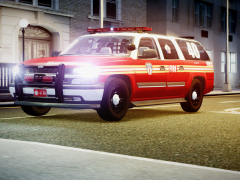 Yeah where did you get that from?
 -
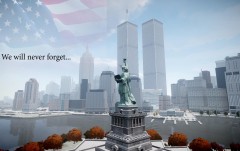 Amazing!
 -
Hey Tim when I release my Mega Texture Pack on 4/30 make a slot up there for me.
-
A Quick mod a civilian Dodge Charger with some skull decals. Feel free to edit/use decals on your own. No readme included. Have fun! 4/30/12- Mega Police Pack- includes Liberty County Police, Nassau County NY HP, CHP LAPD and more!
- 2 comments
- 4 reviews
-
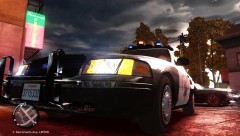 Graphics are great! Nice CHP cvpi
 -
-
-
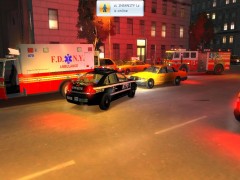 Not 300 lol what part of manhattan do u live it uptown? downtown?
 -
I don't think it will replace anything. It replaces ur pistol when u press the tazer key put u get ur pistol back.
-
 MVA in Manhattan link
 -
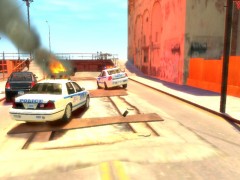
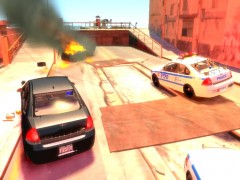
From the album: NYPD
Civilian picture of the fire, with a NYPD cvpi, a 2012 impala and a undercover car. Crossing the street when it happened, the civilian was not injured. -
From the album: NYPD
The MVA in my FDNY album has a story to it. Officers patroling around Coney Island heard a loud explosion, a blue merit exploded and officers responded. They realized that it fit the id of the merit from the MVA in Manhattan. There were witnesses there but they didn't see any men who fit the description. Two civilians were brought to Long Island College Hospital with minor injuries. -
WELL THANKS 4 GIVING EVERYONE MY ADDRESS!!!! please no 1 stalk me... lol but i don't think lcpdfr members will stalk me. Yeah mine going 2 do a NYPD pack as well as other packs/textures.
-
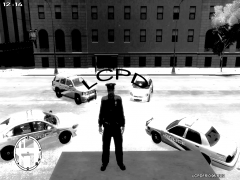 I like them! The 1 on the bottom left is an impala right?
 -
FDNY pack? im not doing that an NYPD 1 only (that 1 in the pic isn't mine. Didn't even test mine yet) FDNY Amb. is a skin mod to GPM'S SSanchez's ford f350 and the fire truck is Lt.Caine's changed the text. on it for personal use glad u like it though! Greetings from NYC!!
-
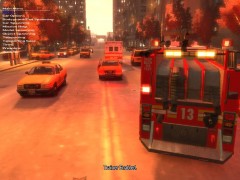
From the album: FDLC/FDNY
MVA-- police en route. -
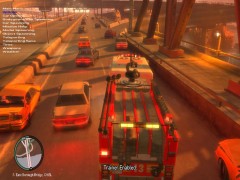
From the album: FDLC/FDNY
Responding to an MVA in Manhattan. -
-
From the album: FDLC/FDNY
A MVA with the driver of the taxi dead. Witnesses say a blue merit with 2 men and 1 women inside cut the taxi off, causing him to slam into another car-into a wall and spinning out. Police are looking for the merit. FDNY Engine 13 first responded and EMS unit 070 also was in the area responding. A traffic NYPD car passing by stopped and tried to help the driver. When the FDNY got there, the officer directed traffic. -
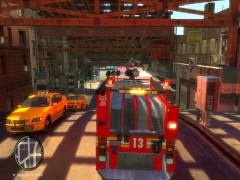
From the album: FDLC/FDNY
Responding to a very bad MVA in Manhattan. -

