



.png.21c42c10539be5c9a4695b9f1f08fd95.png)
cherryaerie
Members
-
Joined
Everything posted by cherryaerie
-
You'll need to update both your game and RPH, you have an older version of RPH compared to the game, which that version cannot support. You can download the latest version of Rage via the LSPDFR download, and by verifying the integrity of your game files via Steam or Epic Games for the game itself.
-
From the album: New LSPD Fleet
-
From the album: New LSPD Fleet
-
From the album: New LSPD Fleet
-
There is something invalid regarding your police transport (policet) model. Undo any recent changes you have made to this vehicle slot, such as meta changes.
-
From the album: Aeries Florida Gallery
-
From the album: Aeries Florida Gallery
-
-
-
-
-
From the album: New LSPD Fleet
-
From the album: New LSPD Fleet
-
From the album: New LSPD Fleet
-
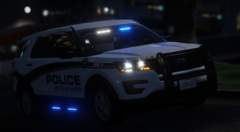
From the album: New LSPD Fleet
-
I will be responding to this from now on, please just quote me instead so I get the notification here instead of responding here and direct messaging, as it just is getting confusing. Make sure you are installing the RageNativeUI.dll and RageNatuveUI.xml into the main game directory, not anywhere else. You've provided me with a log that is telling me the same exact thing as the last one did.
-
Drag and drop the log into your reply, it is named RagePluginHook.log and it is in your main game folder.
-
Have you downloaded the updated AdvancedHookV that is provided in the ELS download? If you are on 3258, you will need the new version.
-
I've responded to your direct message, but next time do try to keep it to the original forum post. I kinda got confused reading several of the same messages regarding the same issue. It is the result of not having RageNativeUI installed properly, or you have an outdated version.
-
Provide your RagePluginHook.log from your main game folder.
-
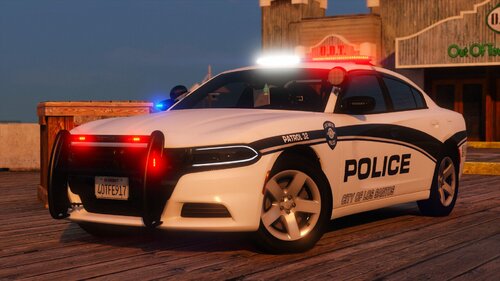 This is the perfect change from the current black and white LSPD pack I've been using for a few months now, always love the vehicles. 🙂
 -
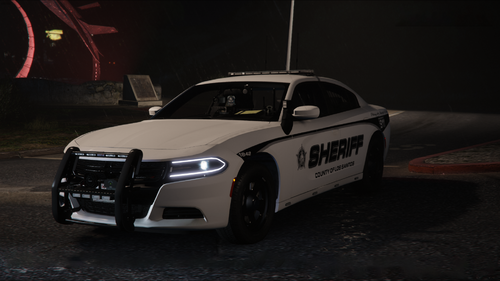 Rabbit never fails to impress, all vehicles are phenomenal, though I will say I was shocked by the cyber truck, that's a new one 😂
- 90 comments
- 12 reviews
-
-

-

- 2
-
-
I am sure everyone knew this, but thanks for trying 🙂
-
I am unsure of what value, but you have a value set in your Immersive Events .ini file that is lower than its required minimum. Make sure all values are at least the minimum required value.
-
Make sure you are replacing the right file, which is typically named along the lines of "sign_1", in both texture (ytd) files.
.thumb.png.2dde6de0042b025b695ed82f6d2c1e50.png)



