


Michael21107
Members
-
Joined
-
Last visited
Everything posted by Michael21107
-
For the first time since the issue began (as far as I remember), the garage worked—but only once and while off duty. Trying to use it again from the inside—also off duty—didn’t work, resulting in a black screen load. RagePluginHook_08122025_191112.log
-
@cherryaerie My question was about the weird LSPDFR (and possibly RPH) behavior, but I’m not pursuing a fix anymore since I followed your advice and got another 100% game save, which obviously unlocks the entire trio. Thank you!
-
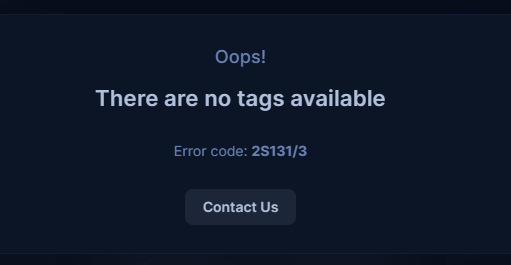
There are two remove tag buttons (green circle): Tags can't be added: Note: This is a behavior of an older topic. This new topic does not show anything regarding tags. Edit: I just realized I could’ve already reported the tag-adding error, though I have no clue how related they are or how fixable the current issue is: https://www.lcpdfr.com/forums/topic/133235-lspdfr-support-has-no-tags/

-
-
-
 I have v1.2, but the DLL still says 1.0.0.0.
 -
-
-
 This is an issue where the plugin expects a different name of the file; if you rename it to FritoQCsCallouts, it should detect it properly. In the next update, the INI will be named as yours is, and will be created for you if not detected. If whatever thing causes more than minor issues, please let us know, as the update can be sped up if necessary.
- 24 comments
- 4 reviews
-
-

- 1
-
-
- lspdfr callout
- rph
- lore
- non-lore
-
Tagged with:
-
 Hey, could you please integrate the Callout Interface?
 -
And what is the name of your INI file?
- 24 comments
- 4 reviews
-
- lspdfr callout
- rph
- lore
- non-lore
-
Tagged with:
-
Hi, please share the RagePluginHook.log file from your main GTAV folder.
- 24 comments
- 4 reviews
-
- lspdfr callout
- rph
- lore
- non-lore
-
Tagged with:
-
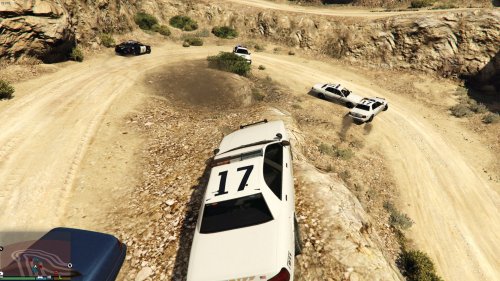 Seems to be working fine for me. The only issue is that vehicles that spawn with the plugin loaded remain invincible even after the plugin is unloaded.
 -
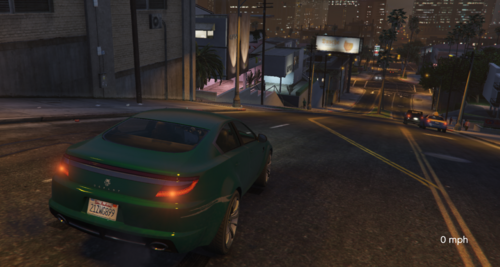 Please (re)name the DLL (AssemblyName) to 'Simple Speedometer' and just change the version in the AssemblyInfo like everyone else.
 -
-
-
.thumb.png.b9e18d9931090871b064059f2c315cf8.png) @RicyVasco Just for the next update: the included RNUI (v1.9.2) is outdated now (v1.9.3 was released a few days ago).
@RicyVasco Just for the next update: the included RNUI (v1.9.2) is outdated now (v1.9.3 was released a few days ago).- 660 comments
- 18 reviews
-
-
 hey, is there a way to contact you outside this website, please? i have problems using the site logged in
 -
-
-
 @andy22296hey, any chance you could add a guide on how to do it when one has already modified the meta file?
- 15 comments
- 1 review
-
 thanks a lot for such a quick answer I thought this was the mod that changes ELS.ini, but thanks anyway
- 64 comments
- 10 reviews
-
-

- 1
-
-
-
 you dont need either of those, just one has to be available for calls and he will receive them randomly
- 38 comments
- 2 reviews
-
-
- 1
-




.thumb.png.b9e18d9931090871b064059f2c315cf8.png)

