Koykoy
Members
-
Joined
-
Last visited
Everything posted by Koykoy
-
Hi, is it possible to remove reflective liveries? I keep noticing that every reflective liveries-supported cars has 2 textures on it. The first is the default livery_sign and the reflective_livery. I tried changing the livery_sign and deleting the reflective livery but it'll come up messed up. I tried putting my livery on the reflective_livery but when I try to load in-game, the colors won't match or it's messed up. When I try to delete the reflective livery, it'll just mess up the whole textures. Won't even load the livery_sign. Is there a way to fix it? AFAIK you can only edit reflective liveries via ZModeler and since I was not the creator of the pack, I don't have access to it.
-
 click vehicle components 1. You can find it on vehicle mod menu using simple trainer
- 325 comments
- 53 reviews
-
 I thought I was the only one. It won't show up for me as well. Was working on the last version
- 636 comments
- 75 reviews
-
 Anyone notice that some of the clothes won't load anymore after the newest update? It's probably has something to do with the update as I noticed it added new clothes. The insignias doesn't load anymore as well. I'm using Steam version.
- 2,349 comments
- 238 reviews
-
Nvm. Managed to get it back working. Was lucky to get the .exe files and the ones from update.rpf before it got fully updated.
-
I opened my PC and didn't notice that Steam was updating GTA V. I managed to pause it at like 80% and I immediately when to RPH and clicked the back up game version. I checked the GTA V main directory and found a "GameBackups.rph" file which is about 1GB. How do I use this? Can't launch the game at Steam as the update is still not finished. Should I let it finish the update and revert my game version? If so, how? Would appreciate some help here.
-
Does anyone find a way to change the keybindings on changing textures? I don't have numpads so there's no way for me to change it than going to the apartment or changing it via simple trainer. I can only change the keybinds for the menu.
- 636 comments
- 75 reviews
-
-
 Not a fan of B&B but damn this looks good. Might keep these cars. Good work!
- 119 comments
- 11 reviews
-
-

- 1
-
-
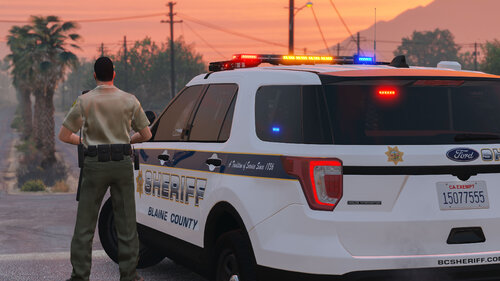 This definitely is the most best looking FPIU on this site. The interior is so good, perfect for playing FPV. Thank you for this! Maybe a '18 charger and CVPI soon? I'm thinking of replacing the 3 LSPD cars with yours should you ever release one. 🙂
- 75 comments
- 9 reviews
-
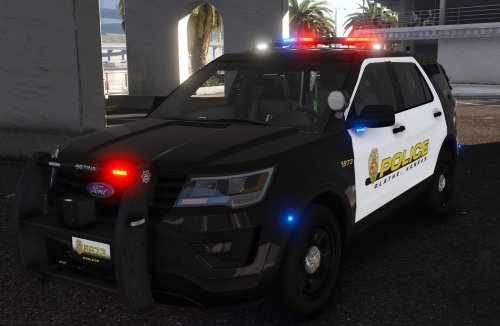 I tried making a custom livery for it, but when I open the game, the base color is set to matte. Any fix for it? I installed the vehc mesh that's included in the file but still no luck. Would appreciate any help
- 24 comments
- 5 reviews
-
-
This just recently happend. I'm using ELS and when I press the honk button, it causes massive FPS drop. When I long press the honk, it freezes for like 1 sec and goes back to normal. I can't spam the siren button. Also when I'm on stage 3 lights and I go out of my vehicle, it stutters for a second. I tried removing most of my plugins. Mostly my callouts. But still no luck. My plugins: EUP CompuLite LidarGun StopThePed UltimateBackup ALPRLite AutomaticSirenCutout Custom Pullover ELS And some add-ons and replace vehicles. I also have scripts that is not LSPDFR stuff so I don't think it messes it up. I use VisualVanilla for my graphics mod. Did I do anything wrong here? I tried reinstalling ELS and the XML files but no luck. This has been bothering me as I'm able to get to 70-80fps and would suddenly drop to 5FPS or something. I'll try to provide a video but I'm at work right now. Any help would be greatly appreciated, thanks much!