



JM Modifications
Members
-
Joined
-
Last visited
Everything posted by JM Modifications
-
 Pure bad ass. Great work. 5/5
 -
Astro with another bad ass plugin. Works great!
-
-
 Ignore what i've said about the damage system. It's just the default GTA V base.
- 445 comments
- 16 reviews
-
-
 If you want it to keep crashing on you, that's your decision. I am not responsible for your game/game files. It's HIGHLY Recommend to have Callout Interface 1.4.1 installed cause it relies on that version of that mod.
- 352 comments
- 25 reviews
-
That's what your Rage Log says. If it says corrupted memory means you're modding files while in game which causes the crash. There is no other explanation but that. Next time, join Venoxity's discord and create a ticket.
- 445 comments
- 16 reviews
-
-

- 1
-
-
Issue is that you were trying to modify the game files while in game. Make sure you install simplectrl before you launch the game. You can't modify game files while the game is running. That's your issue. Check my tutorial out for the proper way: https://www.youtube.com/watch?v=VPXCbu0_7bE&ab_channel=JonJonGamesOfficial
- 445 comments
- 16 reviews
-
-
-
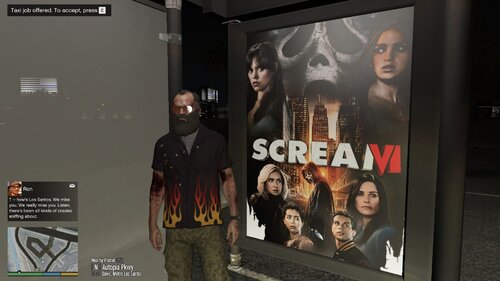 Info: This movie poster bus stop ads replaces the default GTA V bus stop ads. I will be adding more in the future. Any Suggestions are welcome. Make sure you back up the files first before installing this mod. REQUIREMENTS OpenIV Installation GTA V/mods/x64h.rpf/levels/gta5/props/roadside/v_utility.rpf/ Install & Showcase by @GeoffreyGamer: This file contains 3 folders (as of now) and goes into the same directory path in the installation path in the readme file! The images and logos used are property of their respective owners. No Copyright Infringement intended.
 -
-
Ok. Yeah, make sure to have that installed cause it relies on Callout Interface 1.4.1.
- 352 comments
- 25 reviews
-
-
-
.thumb.jpg.090734a51854d25c87128010b5898bde.jpg) sorry for the late response but I will do that as a separate mod. This will likely to be released in November. 🙂
sorry for the late response but I will do that as a separate mod. This will likely to be released in November. 🙂 -
-
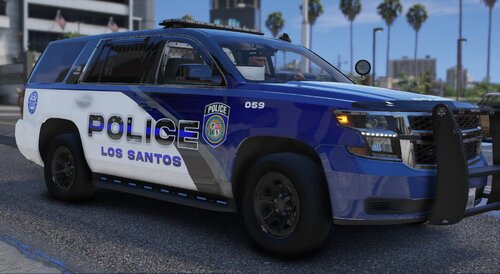 awesome pack.
 -
-
-
-
i believe it's this mod https://www.gta5-mods.com/maps/satellite-view-map-latest-working-on-v1-61-or-1-0-2699-0
- 445 comments
- 16 reviews
-
For best experience to get these callouts, patrol around Vinewood Blvd to Maze Bank to Vespucci Beach. Some other callouts is just randomized locations.
- 352 comments
- 25 reviews
-
-



.thumb.jpg.090734a51854d25c87128010b5898bde.jpg)
.thumb.png.e3bf002b373d17b026eaf89a45a32aa8.png)