




Carrythxd
Members
-
Joined
-
Last visited
Everything posted by Carrythxd
-
-
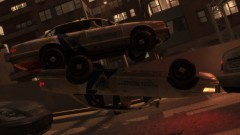 Nice shot :P
 -
Damn! Thats a perfect idea, it would be much more realistic if you actually had to drive the suspect to the station and then after that book him in like you said.
-
-
Exactly... Usually you end up waiting 5mins that they show up on the scene if they happen to come ofc. And then Idk if other ppl have this same problem but sometimes when I call for the Prisoner Transport the cop car comes and then the cops jump out of it and the suspect disappears and then the cops just jump back into their cruiser and takes off... And yea I agree with you about that second idea!
-
Could it be like 10-15secs? Coz 25 secs is pretty much to add to every video you make.. And watching a 25secs long intro everytime you start watching a vid is kinda boring.. Other than that the intro looks epic! :D Nice work :)
-
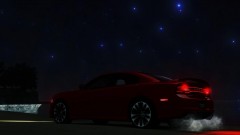 Oh for those looking the car, you can download it from here: http://www.gta4-mods.com/vehicles/2012-dodge-charger-srt8-v20-f18588
 -
Holy cow :O That looks damn epic! Gotta try that out :)
-
If it doesnt come for PC I'll be very very sad :( But when its released for consoles I'll buy it for 360 & PS3 :)
-
-
From the album: Carrythxd's Pics [IV]
Also sorry about the darkness, damn Fraps made it dark like hell :( -
-
Thx :) Day 30 is now up! :D Day 31 is now up :) And Merry Christmas everybody! :D
-
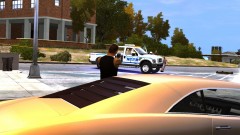 Hehe :) I like it, looks excellent on the car :P
 -
From the album: Carrythxd's Pics [IV]
Well, I did Kill Him :=) -
-
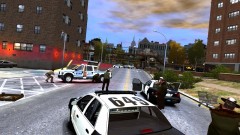
From the album: Carrythxd's Pics [IV]
Taking some fire from the suspects... Alot actually -
Well.. If I had waited for the LCPD I'd be still waiting for em.... Day 27 is now up :D Day 28 is up :)
-
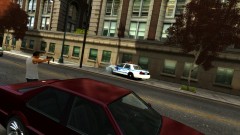
From the album: Carrythxd's Pics [IV]
The 2013 BMW M6 is a VIP car and the 2012 Ford Focus St Estate is by BritishPoliceMods (EricJames2011) -
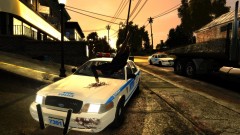
From the album: Carrythxd's Pics [IV]
The 2013 BMW M6 is a VIP car and the 2012 Ford Focus St Estate is by BritishPoliceMods (EricJames2011) -
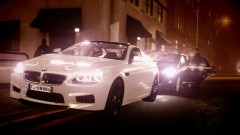
From the album: Carrythxd's Pics [IV]
The 2013 BMW M6 is a VIP car and the 2012 Ford Focus St Estate is by BritishPoliceMods (EricJames2011) -
-
-
I recommend watching in Fullscreen HD. If you have questions or suggestions please ask it in the YouTube comments or in the comments section below. http://www.youtube.com/watch?v=kA5LG6zuF0w&list=PLgmqmjZfdrfVoAmV-fI29tsgjEwNsVxww&index=1&feature=plpp_video More Grand Theft Auto Tutorials: http://www.youtube.c...I29tsgjEwNsVxww
-
I recommed watching in Fullscreen HD. If you have questions or suggestions please ask it in the YouTube comments or in the comments section below. http://www.youtube.com/watch?v=uOPC3z0fADQ More Grand Theft Auto Tutorials: http://www.youtube.c...I29tsgjEwNsVxww The flames are pretty usefull if you're making a video and you need to set a house on fire. Of course you want to adjust 'em a little bit better what I did lol Text tutorial if somebody finds it easier to follow: 1. Open Simple Native Trainer and go to Object Spawning 2. Open Spawn Object by entering model hash or model number 3. Type in: 4079608389, a flame should spawn into front of you 4. Now you can move the flame using the Move Last Spawned Object option in Trainer 5. If you want to clone the flame hit RCTRL + A (You can do this as many times as you want to) 6. Now you're done.


