




Carrythxd
Members
-
Joined
-
Last visited
Everything posted by Carrythxd
-
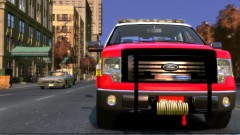
From the album: Carrythxd's Pics [IV]
FDLC Ford F-150 -
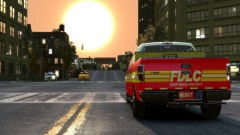
From the album: Carrythxd's Pics [IV]
FDLC Ford F-150 -
http://www.gta4-mods.com/script/lcpd-first-response-v095-rc2-f12141
-
Video tutorial: And text tutorial if someone finds it easier to follow: 1. Open Simple Native Trainer and go to Object Spawning 2. Open Spawn Object by entering model hash or model number 3. Type in: 4079608389, a flame should spawn into front of you 4. Now you can move the flame using the Move Last Spawned Object option in Trainer 5. If you want to clone the flame hit RCTRL + A (You can do this as many times as you want to) 6. Now you're done.
-
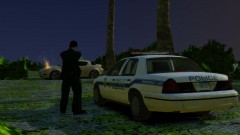 Hahaha of course :D
 -
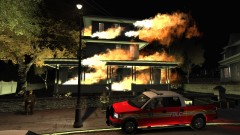 Well that is correct but I hard some a little 'heavier' equipment there too with me :D I also made a little video of this scene you can check it from here: http://www.youtube.com/watch?v=KKBw0Z5outk
 -
From the album: Carrythxd's Pics [IV]
Title says it all. -
From the album: Carrythxd's Pics [IV]
Responding to a House Fire in the FDLC Ford F-150 by Policefanatic. -
Thx everybody for commenting :D Also Day 15 is now up :D Day 16 is now uploaded :D Day 17 is up :) I had a little brake from FR vids there =)
-
For the first ones I used Fraps but now I use Bandicam. Day 13 available :) Day 14 is up now :)
-
Day 12 now available :D
-
Hey guys, This is a thread for all my LCPD: First Response videos. I only post the 4 newest LCPD:FR videos here. The older ones videos you can find from LCPD:FR videos playlist in YouTube. (You can find the link from my LCPD:FR videos Description.) Most of the mods used can be found from this topic: '?do=embed' frameborder='0' data-embedContent>> If you really enjoyed the videos please hit that Like button Here are the newest videos: Thank You and make sure to follow the thread or Subscribe to me on YouTube to know when the next Day is up! Also if you liked the videos maybe you could click that little green arrow below?
-
-
So yea lol a friend of mine told me to check it out :D So here it is!
-
Nice car but I dont rly like the rims... Anyways heres a vid I made: http://www.youtube.com/watch?v=micpJhoJv28
- 8 comments
- 13 reviews
-
Amazing car! :D Heres a vid I made: http://www.youtube.com/watch?v=cD-X3DesU6U
- 16 comments
- 14 reviews
-
-
Hey guys. This will be my new thread for all my LCPD: First Response videos. All of my videos will be posted down below so you guys can easily just click on a video that you'd like to see. All the Download Links are in the Description If you really enjoy the videos please hit that Like button =) Here are the videos: Day 1: (NYPD Chevrolet Tahoe '12) Day 2: (NYPD Ford Crown Victoria) Day 3: (NYPD Ford Crown Victoria) Day 4: (NYPD Chevrolet Tahoe '12) Day 5: (NYPD Ford Taurus Police Interceptor '11) Day 6: (LCPD Dodge Charger '12) Day 7: (LCPD Dodge Charger '12) Day 8: (Liberty City Sheriff Ford Crown Victoria) Day 9: (LCPD Chevrolet Suburban '08) Day 10: (Alderney State Police Ford Crown Victoria, 1 Hour 11 Mins Special Video) Thank You and make sure to follow the thread or subscribe to me on YouTube to know when the next Day is up!


