


visible25
Members
-
Joined
-
Last visited
Everything posted by visible25
-
the madcatz driver or microsoft one?
-
well theres your problem... its a LAPTOP haha -hard to game on those
-
1) it might be because of your RAM, Graphics card, etc.. ALSO make sure you updated to the latest patch (1.0.7.0) -plenty of youtube videos showing how 2) its VERY simple to get LCPDFR working, all you do is run the auto-installer 3) ELS isnt THAT difficult, but I'd suggest you watch videos, and read the README's 4) This is where things get hard. The first few times I tried to change the cars, I ended up having to reinstall my game (aprox 3 times) I HIGHLY suggest you make back ups before you do anything, and once you do change a card, make sure it worked before you back it up again (repeat everytime you go to make a change or after you make a change) And once again, i HIGHLY suggest you watch youtube videos. PS. People will say to use OpenIV I've tried using this and personally dont like it, I use SparkIV and love it!! Search "how to replace gta iv cars with sparkiv" -something will come up Goodluck and pm me if you need anything
-
first off, sorry if this has been answered - i skimmed the search i did and nothing came up so recently I bought an xbox 360 wired controller from gamestop (US store to buy games and supplies). Now my hopes were to find a Microsoft Xbox controller, but since they no longer make thos etc.. I had to buy a gamestop madcatz controller. I was told it would work just fine and dandy! All I 'had' to do was install the driver from microsofts online drivers and I'd be good. WELL I got home, plugged it in and it worked perfectly! (windows 7 auto installed the driver) So I played for awhile, and shut my computer down. I tried using it today and for some reason, my computer wont recognize it!! I've installed the drivers from BOTH microsoft and madcatz and it still wont work. any thoughts on what I could do? My driving isnt great, and comments on YT can totally back that up! Thanks, Visi
-
here is one picture:
-
hey everyone, been looking at pictures lately and I've noticed certain pictures in which there are TONS of criminals on the streets! is this hardcore or something else? (I think someone had mentioned something about typing 'ppm' into the computer?) if you have or know of a video of this type of gamemode, PLEASE post it here! Thanks in advance!
-
I'm sorry! I apologize for the inconvience
-
Installation component 'LCPDFRModels' error'd! at System.IO.__Error.WinIOError(Int32 errorCode, String maybeFullPath) at System.IO.FileStream.Init(String path, FileMode mode, FileAccess access, Int32 rights, Boolean useRights, FileShare share, Int32 bufferSize, FileOptions options, SECURITY_ATTRIBUTES secAttrs, String msgPath, Boolean bFromProxy, Boolean useLongPath) at System.IO.FileStream..ctor(String path, FileMode mode, FileAccess access, FileShare share, Int32 bufferSize, FileOptions options) at System.IO.StreamWriter.CreateFile(String path, Boolean append) at System.IO.StreamWriter..ctor(String path, Boolean append, Encoding encoding, Int32 bufferSize) at System.IO.StreamWriter..ctor(String path, Boolean append, Encoding encoding) at System.IO.File.InternalWriteAllText(String path, String contents, Encoding encoding) at System.IO.File.WriteAllText(String path, String contents) at G17MediaSetupEngine.Installation_Components.tazershit.beginComponent() at G17MediaSetupEngine.UI.Interface.wizardControl1_SelectedPageChanged(Object sender, EventArgs e) at G17MediaSetupEngine.UI.Interface.wizardControl1_SelectedPageChanged(Object sender, EventArgs e)
-
I'd gladly play it on 1.0.4 if it were ever available!
-
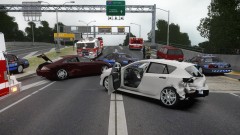 ah bummer. okay thanks!
 -
doesn't that interfere with your LCPDFR computer? or not?
-
enb settings?
-
thanks supper! +1
-
are you using any ENB? if so, how did you get it to work and not interfere with the computer?
-
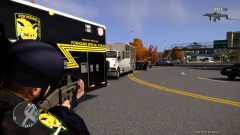 what enb is this?
 -
so earlier in the day I was playing LCPDFR .95 rc2 with ENB .079 on, and everything was working perfectly! Then I noticed that when I hit 'e' to open the computer, it briefly opened before going away and leaving the ghost image of the sign in and such. (just the lettering) this is something I've gotten used to. Then, while I was browsing around the forums here, I saw someone had said they got it to work on 1.0.7 using enb .082! so I found a download (above) and copied every file into my gtaiv directory. started gta and all was going well until it finished loading and was about to allow me to play. the screen went from the loading pictures, to black with the bottom right corner saying "loading-story complete" and then it stopped working. what else do you need? ***EDIT**** ive never saved on duty (or tired to)
-
what do you mean two different topics? the other one was locked by JAM-Justin and he told me to post in the support section in hopes of generating a reply!
-
For the record, I know LCPDFR STRONGLY DISCOURAGES the use of ENB (due to script issues) but if I could get any sort of support, it'd be most appreciated! (ps sorry if this is the wrong section, moved from GTA IV Support -per JAM-Justin35's request!) Okay, so I recently learned that if I installed ENB settings .082 that the LCPDFR computer would no longer come up as a ghost image! So I googled around and found .082 ENB that said would work for GTA IV patch 1.0.7.0 (the one I'm currently using) however after I downloaded it inside it were files for common,pc etc... ALSO there were two other files 'TBoGT' and 'TLFC' (or something like that) anyway I ignored those and copied over the other files and started up GTAIV! Everything was working fine until it said "loading-story complete" the second that was done loading (before I could even see the game) it froze and crashed. can anyone help me, I know it's not recommended to use lcpdfr with enb but I like how it looks. thanks! Link to the ENB I downloaded http://www.gtaforums...howtopic=446572
-
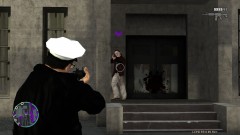 HOWD YOU GET THIS??? (hardcore)?
 -
PM will be sent with all info **If anyone else would like to attempt to make a skin for me, that'd be great** thanks!
-
ah, so a wireless with the plug 'n play cord won't work? @JAM okay, thanks for moving it!
-
first off, let me say if this is in the wrong section please let me know and I'd be happy to move it! with that out of the way, I've got a couple of questions 1) If I already had a CVPI picked out, would someone be willing to make a skin for it for me? (I have pictures I'd forward along to you) 2) Can someone link me to a good video showing how to install the First person script mod? I love driving with the perspective of actually being in the car itself, however with most of my cars, the sight is off and I get 1/2 clear view, 1/2 obstructured view. 3) I've tried to use my 360 controller with GTA: IV/ LCPDFR (to make my driving better because its horrible) but it's not working at all. Is this possible or are people just messing with me on YouTube? \ Thanks in advance!
-
This is perfect! I've got my own build here, but if you wouldn't mind going the extra step and maybe putting the price of most items there? (if able, I'm aware that Memory will change) Awesome job tho!! +1
-
you could just download FRAPS and screen shot using that!
-
what does the mouse senseitivity have to do with this issue? and to answer your question, no I haven't tried that


