


McAwesome6934
Members
-
Joined
-
Last visited
Everything posted by McAwesome6934
-
I may be wrong, I was going off of this http://puu.sh/8VbwV.png
-
This Impala is locked. The only person who can edit this model the person who made it (hlsavior).
-
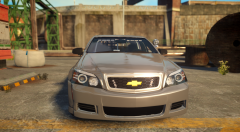 I like that a lot!
 -
Oh, my bad bruh.
-
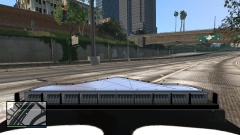 Any framerate, texture or crashing issues?
 -
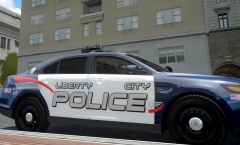 Only thing I could think of is moving the Liberty City closer together, and maybe putting a unit # on the quarter panel. Oh yeah and a badge somewhere(:
 -
Is this gtiiv or whatever?
-
Looks awesome, if you are on the fence about releasing it, I say yes!
-
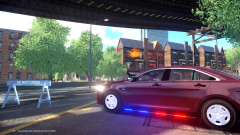 Not a fan of HG2 runners, but looks nice on your FPI(:
 -
Did you install the scripthook files provided in the download?
-
Do you not know how to read.... He clearly said he was re-uploading it.
-
Did you put the scripthook files in, that were provided?
-
![[TEASER - DAY #8] Aerial ladder feature (exclusive video preview #2)](//s3-gallery.int-cdn.lcpdfrusercontent.com/gallery/album_547/sml_gallery_2101_547_1184861.png) Here's the big question, will you be able to climb up it?
Here's the big question, will you be able to climb up it? -
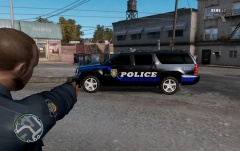 That's not the model you are using. As bueno said, the SUV in the picture is a Suburban.
 -
NickieB made some, I assume you are talking about the Amarillo based ones. Nic123 also made some, they have pretty much the same ones as cj24 except a tahoe, silverado. '?do=embed' frameborder='0' data-embedContent>> '?do=embed' frameborder='0' data-embedContent>> Just kidding, I just remembered the pack you are talking about.. (:
-
Okay content, I will hold off on subscribing until you get an ENB, because your game looks crappy. Also you should make longer videos. This is purely my opinion, and I think you have some potential.
-
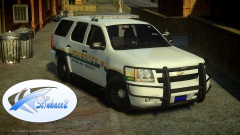 I love wraparounds! and that liberty looks nice as well (:
 -
Yes, vehicles, weapons, and peds are all client side.
-
What about it, it looks fine?
-
OH MER GOD, I WUV U!
-
The fact that no one said they will do it :/ It makes me feel unwanted and lonely :/
-
:/ No one loves us enough to make it though
-
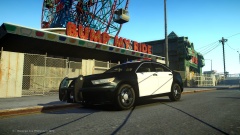 Release! This is fucking sexxxxxxxxxxxy <3
 -
Love the design, but the blue text and the black outline blend together and make it difficult to read.
- 3 comments
- 1 review
-
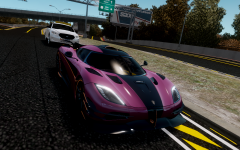 Is there any lights on that police car, or does the driver just know to pull over ;P


![[TEASER - DAY #8] Aerial ladder feature (exclusive video preview #2)](http://s3-gallery.int-cdn.lcpdfrusercontent.com/gallery/album_547/sml_gallery_2101_547_1184861.png)
