gnat326
Members
-
Joined
-
Last visited
Everything posted by gnat326
-
Did you do the first mission of the game before trying to start LCPDFR? If not, then this may be the problem. For whatever reason, you have to do the first mission of the game (driving to Roman's apartment) before playing LCPDFR.
-
Okay I think this is the age old ELS and LCPDFR issue. See, the two mods don't know how to work with eachother in-game, so when LCPDFR tries to turn on lights for backup units, it doesn't work right and the game crashes. If you want to use ELS, then try what I do: leave police and police2 as non-ELS, so you can still call some kind of backup, but you can have the other cars as ELS. i.e. only my fbi, noose, and polpatriot are ELS enabled.
-
-
If you are using ELS, do your best to not call in those cars for backup. LCPDFR and ELS don't really know how to get along with eachother, so when LCPDFR tries to spawn a backup car and turn on the lights, it won't always work out.
-
Download and install GFWL (Games For Windows Live). Just run a quick Google search and you'll find it.
-
I don't think this is a problem with how many cars are using it at once (though that is a posibility), I think it is a case where LCPDFR and ELS don't know how to respond to eachother. LCPDFR tries to turn the lights and siren on, and it does not always go well with ELS enabled vehicles. That is why I have my police and police2 slots non-ELS. You cannot have them on wig-wag mode only...You can turn them on with the takedown lights however by hitting 'L' (default). You can change the keys in ELS.ini. For example, my main lights and secondary lights are 'Home' and 'End,' respectively. The AI uses the horn for sirens (default 'G'). ELS also uses this for it's siren, and it is recomended that that particular key is changed.
-
Download the Diagnostics Tool here. Run that as an Administrator and post the results.
-
Just as a follow up, the issue was resolved. Apparently it was solved by running the game as an Administrator.
-
Google Games For Windows Live, download it, and install it.
-
Hmm...Interesting...It sure sounds like a corrupted savegame. If you delete your savegame, and start a new game, does it still crash?
-
I don't know if this is the exact problem, but nowdays you can't even run Windows (XP?) on 1 GB
-
If you are getting an error along the lines of Access Denied, then run the game as an administrator. If it is not starting at all, (no error message), download and install Games For Windows Live (GFWL). If I am thinking that you are crashing at a different point than what I just described, please let me know hehe.
-
Run everything as administrator. Also, if nothing happens when trying to start the game, download Games For Windows Live. Just do a quick Google search.
-
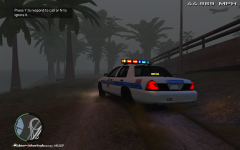 Oh its an Aerodynic...Wierdest lights on an Aerodynic I've ever seen lol
 -
Hm..Interesting...Are your GTA folders Read-Only? To check this, right click the folder and hit Properties. At the bottom will be two check boxes. Make sure that both are unchecked.
-
At this point, the only thing that you can do is to change the ELS keys.
-
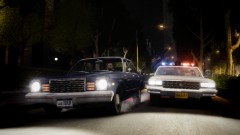 Man your pics are amazing...I wish I had your system lol
 -
Okay. So what exactly are you doing when it crashes? i.e. arresting someone, pulling someone over, etc.
-
Do you have ELS? And if you do, are your police and police2 vehicles ELS-enabled?
-
The problem would be the 'police' and 'police2' vehicles being ELS-enabled. To stop the crashing, replace them with non-ELS cars.
-
Do you have ELS, or any other mods? (Mainly ELS...) If you answered yes to this question, are your 'police' and 'police2' slots ELS-enabled? If yes, then this is probably the problem. When LCPDFR tries to turn on ELS lights, usually it won't work quite right, and thus crashes the game. If this is not the case, though, I think we may need more information. What are you doing when the game crashes?
-
Maybe, but he also has Windows XP, which greatly reduces the RAM used by Windows, so he may be able to get away with it.
-
 Ah. Thx.
 -
Actually, last I knew, that link will not work. Try this for the diagnostics tool.
-
The issue most likely stems from ELS. The only solutions are to not have ELS-enabled police and police2 slots, and dont call for backup that uses ELS. LCPDFR and ELS don't really know how to work with eachother, and this causes a lot of crashes.