


Slimory
Members
-
Joined
-
Last visited
Everything posted by Slimory
-
-
I like how you gotta a +1 and didn't even get a reply back lol, you could check GTA4-Mods.com
-
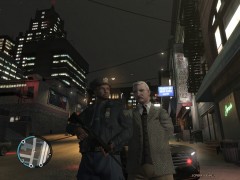 Is that Michael Graves being arrested? LOL
 -
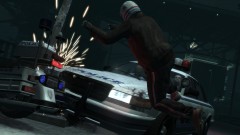 and of course AI Police 1- Niko-0 lol
 -
Sorry, no one can help you with that, it's copyright infringement, meaning it's R*s property, that could be big trouble if someone does, your gonna have to do a reinstall, sorry bud.
-
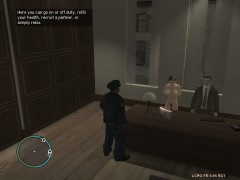 I shot his ass when he was walking around the office lol
 -
Agreed with Bid96, it does stand out that's for sure :D
-
I get about 25-30 FPS and about 2 1/2-3 hour's game time before any crashes PLUS i use ELS (which is very buggy) these are my spec's: Operating System: Windows 7 Ultimate Processor: AMD Phenom ™ X2 555 RAM: 4GB Hardrive: 500GB Graphic's Card: Sapphire Radeon 6790 DirectX Version: DirectX 11 i am running the game on high setting's at all time's, no idea how, apparently my computer gear "isn't very good" and i would only get MAYBE $200.00, and i get no lagging, go figure.
-
Next time for the curvy part's, you could use line curve, that look's like a size 10 curve would be perfect for the top part's.
- 8 comments
- 4 reviews
-
 hmm, pretty sure that would be jail time LOL
 -
crown vic's are little different, first try painting over the spot's you want to put decals on first THEN worry about the rest
-
That's just laziness, just paint over it, we all have to do it lol
-
-
why not just download it again?
-
to start off you could try editing an existing one?
-
I would have just put the state trooper logo on the yellow line, but nice work all the same
-
you could just turn all your setting's down, first try medium setting's, then go lower see if it help's
-
Don't crown vic's already have a supercharged V8 engine? @SWAT Officer Boxer pretty sure i'm gonna cry when i no longer see them on the road, however, a 2012 Dodge Charger Supercharged V8 HEMI i could live with :D i don't really like the older model charger's, but then again, Charger's should have NEVER been put on the road as a family car :dry:
-
these textues are specifically for EFLC as the files are different, still wanna help?
-
yeah i used it on patch 7 in IV doesn't work with EFLC though
-
it's very sad, crown vic going out of business, they could still make money off reselling them, i'd buy one with erection in hand :D
-
my stomache sank :(
-
my main focus at the moment is just the road textures, then i'll think about doing the road sign's, you have EFLC?
-
Well i dunno what it is, but new fancy road textures bring's out the cities different colour's and gives it some livelyhood, so, i am currently in the process of editing the road textures for every road and island, also i have basically glorified bohan by editing all the sign's that say anything about bohan and give it, it's own police force so, once all of my textures are complete i will release them if you want them, i'll be releasing them city by city, it'll take alot of time, so please be patient, i'll be posting with updates. i have to re do them all as i had alot of issues with EFLC and IV and didn't save them, note that these are for EFLC simply because the problem's i'm having with IV. i'll post pic's in the next update.
-
I wasn't trying to say you were going to do that or critisizing what your trying to do, i'm just being respectful to people who died in 9/11

