


GamerCop23
Members
-
Joined
Everything posted by GamerCop23
-
-
-
That looks really cool! Would it work if I replaced the GTA IV original fbi guy for Luis?!
- 9 comments
- 13 reviews
-
Not if you all have the same ones, but occasionally will anyway. Hi, I can't open your PM or send you one so email : fbo194@gmail.com
-
-
Hi, I was wondering if you could make a skin for this model for me if you're not too busy: Skin: Blank with orange stripe A picturehttp://www.lcpdfr.com/uploads/monthly_01_2013/post-48262-0-71572800-1357236245.jpg. Thanks
-
I am not too sure, with me I only have it because I have to, and I have to keep al graphics on extremely low anyway, but there must be someway, try googling it. I am glad that it now works for you and have fun playing!
-
Like the CVPI and Chevrolet but the charger's bonnet could do with some work! (Voted)
- 9 comments
- 8 reviews
-
I highly recomend using a commandline, unless you have exceptionally high specs because Rockstar ripped GTA IV badly from console, to PC and it means the settings are all on exceptionally high, and can't be changed without it. Once you've done that, then customize your graphics to your system. Hope this helped.
-
-
That's pretty awesome, I am glad people are still doing original cop cars! 5star.
- 3 comments
- 3 reviews
-
Add me guys: I am often on LCPDFR teamspeak (ts.lcpdfr.com) and want to play! GFWL: Officerfbo194 (capital "O")
-
-
If everyone has the same mods (Cars, ELS, LCPDFR) then it should be okay!
-
I think there is another way, not sure though, either spawn the vehicle until you have the right skin or use Sam's Area Livery Mod (ALM), which means the cars have certain iveries to certain places. (Can be found on LCPDFR.com database.
-
Strange, well I hope you can get it sorted out! Try asking people on Teamspeak if they want to play.
-
I can play on original GTA IV if you want?
-
Yeah things like towtruck, policehelper, ect; although fun aren't required to run LCPDFR obviously, but do slow it down. No problem!
-
No, you're not the only one! I sometimes have similar problems! Here were/are some of my solutions: -Commandline (you've already done; but experiment with different ones) -Low poly-cars --non ELS cars are much better (but I understand ELS is much cooler and I am using it right now regardless!). -Run GTA IV as ADMIN using the "Launch GTAIV"(copy to Desktop). -Lower texture settings (water, view distance, textures, etc). -Minimize lots of unnecessary script mods. -Install mods one at a time ( a pain, but probably worth it). Obviously avoid using ENBs, etc. I am running it on 6gb (5.80gb usable) so just experiment! I hope these helped a little bit Regards fbo194 :)
-
-
I sometimes have that problem. The lights fro me are still "moving" in the lightbar and ELS is still "on", but no flash effect. Try turning your siren off/and or TA before getting out. Hope this helps! BTW: Officerfbo194 is my games for windows --add for MP!
-
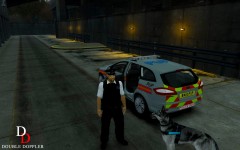 Love it!
 -
I have got it working! Thanks for the help!
-
No I don't think so, as Tom said it is fine out of game, and nothing happens in game with them.
-
Out of game, yes but in game I am not sure because I can't see it; and that is when they can't here me; in game.


