


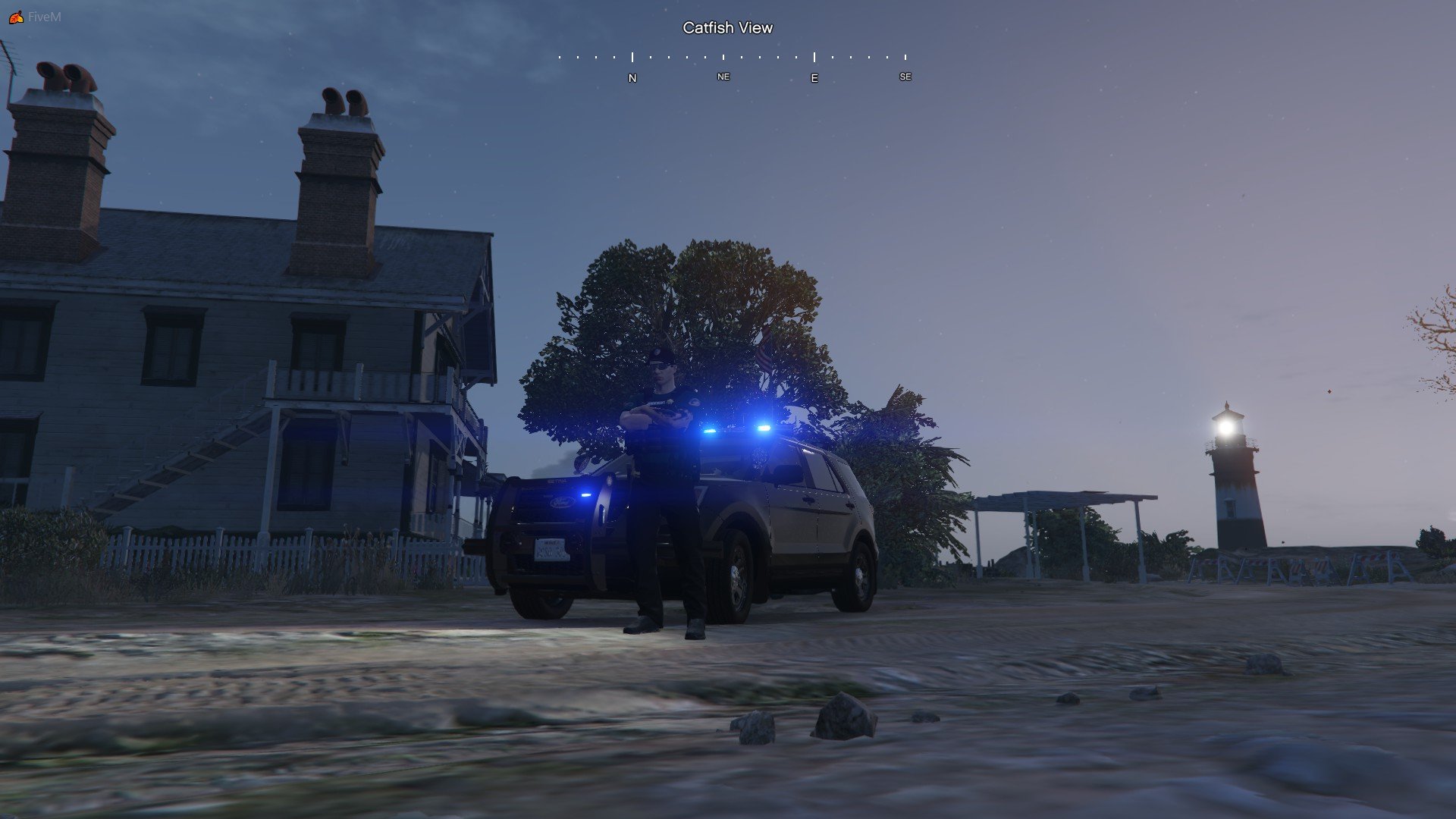

ZackP
Members
-
Joined
-
Last visited
Reputation Activity
-
 ZackP reacted to Scorpionfam for a file, [ELS][Addon/Replace] Blaine County Sheriff's Office Mega PackHello peeps!
Got this pack for you based off of Door County Sheriff, WI.
This pack uses a full code 3 lighting setup with both hardtop and slicktop variants.
Includes 30 cars which makes this my biggest pack as of now so i hope you guys enjoy!
It also has K9 Variants for all the puppos
I WOULD HIGHLY RECOMMEND USING THE ADDON VERSION OF THIS PACK FOR THE BEST EXPERIENCE!
How to toggle ALPR's
Using some kind of mod menu. enable extra 10
(you may need to fix the car)
- Features -
ELS Controlled Lighting
Park and Response Pattern
Horn Override
Code 3 Lighting Setup
Toggleable ALPR's
Top glass color options
Optional All Blue
Slicktops
K9 Variants
Unmarked Variant
Realistic Interior and Wiring
Slideout Trunk
⛖ Question & Answer ⛖
Q. Will there be a FiveM version? A. Short answer, No.
Q. The pack doesn't work? A. Double check, Especially if no one else is reporting the same issues
Q. The Lights wont work or stays on? A. Make sure your ELS is working correctly and you installed the correct XML
Q. What format will the files come in? A. These files will come as a Addon and Replace
Q. Are these cars going to have reflective liveries like your last one? A. No
- Vehicles-
Addon Only 2008 Charger - BC08CHGR
Addon Only 2008 Charger Rotator - BC08CHGRROT
Addon Only 2011 CVPI - BC11CVPI
Addon Only 2011 CVPI UN - BC11CVPIUN
Addon Only 2011 CVPI Rotator - BC11CVPIROT
2013 FPIU - BC13FPIU
2013 FPIU K9 - BC13FPIUK9
2014 Tahoe - BC14TAH
2016 FPIS - BC16FPIS
2016 FPIS K9 - BC16K9FPIS
2016 FPIU - BC16FPIU
2016 FPIU K9 - BC16FPIUK9
2018 F150 - BC18F150
2018 F150 K9 - BC18F150K9
2020 Durango - BC20DUR
2020 Durango K9 - BC20durk9
2020 FPIU - BC20FPIU
2020 FPIU K9 - BC20FPIUK9
2020 Tahoe - BC20TAH
2020 Tahoe K9 - BC20TAHK9
2020 Tahoe UN - BC20UNTAH
2021 F150 - BC21F150
2021 Tahoe - BC21TAH
2021 Tahoe K9 - BC21TAHK9
2022 Express PT - BC22PT
2022 Silverado - BC22SILV
2023 Charger - BC23CHGR
2023 Charger UN - BC23UNCHGR
2023 Ram 1500 - BC23RAM
2023 Ram 1500 Slicktop - BC23RAMSLICK
Having texture problems?
Check your graphics setting and make sure your Direct X version is on DX11. Anything lower and it will bug textures.
HOW TO INSTALL REPLACE VARIANT
Navigate to GTAV - mods - Update - x64 - dlcpacks - patchday24ng - dlc.rpf - x64 - levels - gta5 - vehicles.rpf
Drag and Drop the YTD and YFT Files from the folders of the cars you want to install
For the XML files place them in GTAV - ELS - pack_default
And your done. go ahead and load up your game!
HOW TO INSTALL ADDON VARIANT!!!
Navigate to GTAV - mods - Update - x64 - dlcpacks
Drag and drop the "C3 BCSO Pack" folder
Next Navigate to GTAV - mods - Update - Update.rpf - common - data
Open dlclist.xml and add the following line
<Item>dlcpacks:/C3 BCSO Pack/</Item>
For the XML files place them in GTAV - ELS - pack_default
And your done. go ahead and load up your game!
If you have any issues feel free to join the Rocket Mods Discord https://discord.gg/6xHyEE9
Looking for different liveries that will fit this pack? Check out these!
As always....
DO NOT rip or republish my work (Don't be one of those people)
DO NOT Unlock ANY of my models
You are ALLOWED to EDIT the YTD files of the vehicles BUT CANNOT use the textures included on other vehicles WITHOUT my permission.
and if able give me credit if this car is used in yt vid or stream(Helps spread the word)
-
ZackP reacted to ApparentlyRohan for a file, MTFO: Move The F*** OverMTFO
Enhance traffic control and AI behavior when you are responding to a call with your lights and siren active. MTFO aims to create a more realistic and immersive experience by making the AI drivers react in a more intelligent and 'human-like' way to your sirens, rather than swerving all over the place.
Disclaimer:
GTA AI is extremely temperamental, and you may encounter some edge cases and odd AI behavior; these issues will be addressed in later updates. Please report any problems 😁
The best place to get support or suggest changes would be on Discord.
Features:
Extensive customization of AI actions via the MTFO.ini file. Configuration is reloaded when going on/off duty.
Opticom Intersection Control: As you approach intersections with traffic lights, this feature will automatically turn the light green in your direction. This can be disabled via the EnableOpticom setting in the configuration file.
Intelligent Yielding: On highways, vehicles traveling in the same direction as you will switch lanes if they are blocking your path, if no lane is available they will attempt to come to a smooth stop on the wide of the road. They will attempt to find a safe space to pull over if you are in the furthermost right lane.
Oncoming Traffic Braking: Vehicles in the oncoming lane will slow down or come to a stop as you pass them on highways, rather than aggressively swerving. This is controlled by the EnableOncomingBraking setting.
Dynamic Intersection Clearing: When you are approaching a major intersection (with traffic lights or stop signs), cross-traffic will be instructed to stop, clearing the way for you without having to navigate around other vehicles. Toggled via EnableIntersectionControl.
Around Player Overtaking: When you are stopped, vehicles behind you will attempt to safely overtake your vehicle rather than getting stuck behind you. This is particularly useful during traffic stops or when you are stationary on a roadway for any reason. This is managed by the EnableAroundPlayerLogic setting.
With the update to v4, the custom yielding now primarily functions on freeways/highways to make yielding more realistic in these scenarios. Please do not use your old ini; replace it with the new one; it will not function properly with v4, as I have rewritten the majority of the codebase.
UPDATED SHOWCASE: Thanks to @BlueLine Vibes
https://youtu.be/yYFjruw2yeQ?si=l1x4acViG_rKxI_9
LEGACY VERSION: Showcase, thanks to @amenbrother
LEGACY VERSION: Showcase of the vehicles stopping for you thanks to @Scorpionfam
-
ZackP reacted to Dag403 for a file, NEW CALLOUT INTERFACE TEXTURE!!MAKE SURE TO READ THE README IF YOU'RE UNSURE ON HOW TO INSTALL THIS!
UPDATE: As suggested I have added California plates!
New texture for Callout Interface!!
Remember to back your files up, as I'm not at fault if you lose or damage any files in your game.
Don't forget the matching grammar police radio texture!
Thanks to OPUS for all his hard work!
https://discord.gg/t5vKkYCvCA
-
ZackP reacted to MSTB Developments for a file, Brighter Emergency Lights by MSTB Developments NEW VERSION 2.5Brighter Emergency Lights by MSTB Developments
Are you looking to take the visual experience in Grand Theft Auto V to a whole new level? Look no further than the free mod "Brighter Emergency Lights" by MSTB Developments. This mod elevates the game's visual effects to a whole new level, making the emergency lights in GTA V shine brighter and more impressively than ever before. With Brighter Emergency Lights by MSTB Developments, police and emergency vehicles transform into glowing symbols of power. The enhanced light effects make the streets of Los Santos and Blaine County feel even more realistic, creating an intensified atmosphere during your pursuits or rescue missions. As an additional bonus, MSTB Developments offers 24/7 online support for all mod users. If you have any questions or encounter any issues, the developers are available round the clock to assist you and ensure you get the most out of "Brighter Emergency Lights".
FREE SUPPORT & INFORMATION
https://linktr.ee/mstbdev
DONATE NOW
https://www.paypal.com/paypalme/mstbdev
INSTALLATION (DRAG & DROP)
You need OpenIV (Download via Browser)
1) Start OpenIV
2) Follow path: GTAV\update\update.rpf\common\data
3) Drag and drop the "visualsettings.dat" in
----------------------------------------------
Copyright © 2026 MSTB. All rights reserved.
Developed with ♡ by MSTB Developments
Designed by MSTB Developments
Powered by MSTB Developments
-
ZackP reacted to Kiko05 for a file, Tint RemoverReview: Hey guys, are you trying to combine your mp style character with sunglasses and with a bodycam overlay, but there is the damn tint of your sunglasses because of the first person mode? Well here you go, there is a quick way to disable the tints for the mp charaters. If you want to do the same with your ped characters, you can find avaiable mods for them. This mod just support the mp characters, like EUP or LSPDFR based character.
Installation: 1. Open up your Open IV, enable the Edit mode in the right corner.
2. Locate the following path in Open IV: mods\update\update.rpf\common\data\effects\peds
3. Replace the file called "mp_first_person.meta"
Thats all, have fun! ^^
-
ZackP reacted to ns5x for a file, Railroads EnhancedThis mod overhauls the many rail crossings around the map and adds more railroad related props where they're needed.
Features:
Fixes the lights not flashing on the rear-side of rail crossings lights Greatly increases the brightness of rail crossing lights Additional lights, signage and gantry models All crossings have been improved with the addition of more lights, barriers, props etc New signals & buffers in places where they're missing
This mod does not:
Remove any world props Fix the crossing barriers getting stuck when running at a high framerate
NOT compatible with "Los Santos Rail Improvements"
There are a couple of crossings which Rockstar 'forgot' to add any actual functionality to them - ie. the lights don't flash nor do cars stop. I tried to fix this but sadly I don't think it's possible. Instead, these crossings have roadworks or other warning signs setup around them to at least make them realistic.
Installation instructions included in the readme file.
Let me know what you think and if you have any feedback or improvement suggestions! If anybody can find the sound effect file for the railroad crossing bell, please let me know!
-
ZackP reacted to xKrazy for a file, LSPDFR custom loading screens + optionalsHello! This is my first ever mod so I hope you enjoy.
I originally made this mod for personal use but then decided to release it for anyone to use since I noticed there is a severe lack of mods that change the loading screens for LSPDFR users such as myself. This mod aims to fix that.
Before I go any further, I want to make it very clear that the art used in this mod is AI generated, meaning I did not create it and there are some issues in some of them as we all know AI art isn't 100 percent perfect. That being said, if you do not like this or are against AI in general, do not download this mod. As I said before, this was originally for personal use only.
With that out of the way, if you're still reading then you must be interested. Great! The installation is very simple. There is an OIV installation if you prefer that and there are also instructions for manual installation. Choose whichever works for you. There are instructions in each folder if you choose to install manually.
OPTIONALS:
This mod also comes with some optional (but recommended) features. I have included instructions on how to remove the GTAO news screen that is plastered smack dab in the middle of the loading screens when you start up the game. There are also optional files for changing the music that you hear on the loading screen. Currently, the only two options are the theme song from Cops (TV show) and the GTAIV theme song. If you have any other song suggestions that would fit with the whole cops theme, let me know and maybe I'll add it in a future update.
UNINSTALL:
If you are installing manually, I have included backups of all of the original files so you can uninstall that way. If you are installing via OIV, there are uninstallers for each feature of the mod, and there's also an OIV for a full uninstall if you want to get rid of it all at once.
And that's about it! I hope you enjoy this simple mod I have created.
FINAL NOTES AND DISCLAIMERS:
I highly recommend installing all files within a mods folder that way your original game files are untouched. Also, DO NOT under ANY circumstances play online with these modifications. You WILL be banned. I am not responsible if you decide to play online and are banned for it. I do not own any of the music used in this pack.
-
ZackP reacted to Law Enforcement911 for a file, LAPD Dispatch Audio OverhaulBringing you all the start of a major LSPDFR Dispatch overhaul, The aim of me creating this pack is to create the most realistic patrols out there. So far the audio pack replaces codes, streets, unit numbers, radio tones and more with real life recordings of LAPD dispatch!!!
By using my modification(s) you agree to the following terms
➤ Do not re-upload anything from the modification file on any downloading service without explicit permission from myself.
➤ Do not edit any of the files from the modification file and redistribute it on any downloading service.
➤ I am not responsible for damage that may be caused to your PC by installing, the use, and the removal of this modification. Follow the tutorial for a safe install of my modifications. Outdated videos may be expected as time goes on. You are responsible for backing up your files if anything goes wrong with your Grand Theft Auto V game.
➤ If used in a video/post on any social media platform where the public is expected to view it, please give the correct credits.
Having an issue??
I am extremely sorry to hear this! if you would like to report it here, please do not report this in the reviews. Instead, leave it in the comments and I'll do my best to diagnose the problem and, if necessary, implement a fix.
Future Plans:
I already have ideas for the next updates, I hope to release them at soon within the next month or so, make sure to follow this file to be notified when a new update is released. STAY SAFE!
-
ZackP reacted to arrexx for a file, [DLC/REPLACE] LSPD VEHICLE PACKDISCORD LINK : https://discord.gg/cJVhkQ2aAY
-
ZackP reacted to bakerxgooty for a file, TouchMaster TM4 Federal Signal | FiveM Ready | Studio RecordedUsing my real Federal Signal Touchmaster TM4 I recorded, edited & made a siren pack with it. recorded with my Shure SM-57 through the Federal signal AS124 speaker for crystal clear sounds.
Included:
FiveM Ready Version
Raw Tones
Vehicles.oac
Instructions
SIREN DEMO (NEWEST VERSION):
MY ACTUAL SIREN IN VIDEO USED FOR THIS RECORDING:
-
The vintage pistol is NOT compatible with StopThePed's realistic weapons system.
You will need to either disable that or use a different weapon.
Discord: https://discord.gg/AuJCUag
Features:
A hand-held speed enforcement tool Displays speed/distance in imperial/metric units Normal weapon-style aiming plus a zoom feature Works both on foot and in a vehicle Includes keybind for rolling driver side window up/down ProLaser 4 texture files courtesy of @Scaarus
Recommended:
Check out this weapon wheel mod by @Medicmojo
-
ZackP reacted to Echooo for a file, Clipboard! (and notepad)Ever wanted to start a clipboard or notepad animation for more immersion without having to go through menus? Now you can!
Features:
- Pull out a clipboard or notepad with the push of a button!
- Two options for what prop you want to use (which is changed via the ini file) a clipboard, or a notepad.
- If you press and hold the same keybind after the prop is pulled out and the animation starts, you put it away using the same animation, however, if you press the same keybind instead of holding it, it drops the props on the ground and instantly stops the animation. This is perfect for when suspects decide they want to pull out a weapon or start running, because you can quickly react.
- If you drop the props by quickly cancelling the animation, you can pick the prop back up by starting the animation again.
- Vehicle friendly keybinds! If you are inside any vehicle, the keybinds are temporarily disabled until you exit the vehicle. So you can overlap the keybinds with ones used for vehicles without issues.
Known issues:
- During testing, there were times where I noticed the props would not spawn when I try to pull out a clipboard. To fix this, I made the plugin check to make sure the prop is spawned whenever you start an animation, so if you ever notice that the prop does not appear, simply stop and restart the animation, that should fix it.
- I advise that if you need to use the quick cancellation feature, to make sure your character is stopped, if your character is running/walking when you use the feature, it makes your character stop running/walking for a second, as of right now I do not have a fix for this.
I now have a Discord server! Join it if you need support, want to see future projects I am working on, and more!
https://discord.gg/VZuCC3f83W
-
ZackP reacted to opus49 for a file, Callout InterfaceCallout Interface
A new way to interact with callouts.
Features:
RAGENativeUI menu front-end to start a callout Force a random callout via keybind Advanced MDT with multiple status buttons and tabs Callouts can be sent to the MDT while you're on another callout A fully functioning ALPR system with advanced camera layouts External license plate display
Support:
Discord Server | https://discord.gg/AuJCUag
Developer API | https://github.com/Immersive-Plugins-Team/CalloutInterfaceAPI
Recommended Callout Packs:
686 Callouts | link
Chaos Callouts | link
Super Callouts | link
New in Version 1.4.1
-
ZackP reacted to ByQzen for a file, MDT Textures For Callout InterfaceByQzen
INSTALLATION:
Copy all of the contents of the Grand Theft Auto V folder into the game's main directory.
Callout Interface
Criminal Justice Thank you.
-
ZackP reacted to Faya for a file, Immersive EffectsImmersive Effects by Faya
Discord Server (Fixed link) / Installation / Progress Board (Revamped)
Personally, this is my best and favorite plugin. If you fire your weapon, there will be a small camera shake each time you fire, simulating a recoil effect. A heartbeat will play when you're in a firefight, aiming at an armed person, if you've been injured, or even when you're being chased by a dog. The camera shake is also used for other features, such as a big car collision, loss of health, and more. Below is a list showing all features. If there is a feature you do not want, each one can be disabled individually in the settings.
Click here to watch a preview of some of the v1.3.0 features.
⚠️ The changelog is pretty big. I recommend you read it.
Visual Effect Triggers
- Firefight
- Vehicle Collisions
- Loss of health
- Reloading
- High-speed emergency braking
- Handbrake
- Jumping
- Falling
Audio Effect Triggers (So far, only hearbeat effect)
- Firefight
- Aiming at an armed person
- Hand-to-hand combat
- Severe injury
Menu
- Camera shake intensity setting
- Weapon recoil intensity setting
- Audio effect toggling
- Save, revert, and reset feature
Use X + 3 to open the menu, where you can change the intensity of the camera shakes or disable any audio effects.
-
ZackP reacted to SuperPyroManiac for a file, Turn Off That EngineSimple lightweight script that was requested multiple times by people who want a quick key to turn off their car engine.
Requires RagePluginHook
Installation:
Drag the 'Plugins' folder to your main GTA Directory.
Keybinds:
Default key to turn off the vehicle engine is C
By default there is no controller key set, it can be set in the ini file.
Known issue:
ELS Lights turn the vehicle on, and you cannot turn it off with the ELS lights on! This is just how ELS works, I can't fix it.
Regardless of the game version, I do not expect this will ever break.
For support join my Discord server!
Click Me!
-
ZackP reacted to AstroBurgers for a file, Riskier Traffic StopsWhat does RTS Do?
Riskier Traffic Stops (RTS) Is designed to bring more variety to your basic and mundane traffic stops.
Current Outcomes
The current included outcomes are as follows:
Get Out and Shoot - The suspect(s) get out and open fire on you and other officers
Flee - The suspect(s) flee from the traffic stop either in their vehicle or on foot
Yell - The suspect gets out of their vehicle and yells at you (3 Possible Sub-Outcomes)
Ramming - The suspect reverses into your vehicle before fleeing from the traffic stop
Shoot and Flee - The suspect(s) open fire on you from their vehicle and then flee from the traffic stop
Spit - The suspect spits at you from their vehicle
Get Out RO (Random Outcome) - The suspect exits the vehicle, and reaches. They might pull a:
Gun
Knife
Phone
Each has 2-3 sub-variations
Configurable in-game via the F4 menu -> RtsOpenConfigMenu.
Requirements
A legally obtained version of Grand Theft Auto 5
Rage Plugin Hook
LSPDFR
CommonDataFramework (CDF) — Included in Download
Fully compatible with ImmersiveAmbientEvents and RansomAmbience!
Need Help? Feedback? Join the discord
Source Code
(just jokes lol)
-
ZackP reacted to khorio for a file, KTFDO - Keep The F****** Door OpenDo not spread without my permission or I will TP your house.
KTFDO is a RagePluginHook plugin that stops the door from closing every time you leave your vehicle.
Requirements: a recent copy of RagePluginHook (0.41+)
Usage:
Open and close door normally: Tap the leave vehicle key once Open door and leave open: Hold down the leave vehicle key -
ZackP reacted to Faya for a file, Restrain The DeceasedRestrain The Deceased for Grand Theft Auto V
Copyright © 2025 Faya. All rights reserved.
Discord Server / Installation / Progress Board
When Law Enforcement Officers or military personnel kill suspects, they often handcuff the person for safety reasons when the suspect's death isn't confirmed yet; the suspect might be unconscious or pretending to be. You may restrain dead people you or someone else killed. If you don't want to do so, you can hide the restrain prompt and continue handling the scene.
TL;DR: Why bother to restrain someone dead?: In-game, a person lying on the ground is considered dead, however not in real life, the person could be unconscious or pretending to be dead. Law Enforcement does this all the time.
Hold T or DPad Right to restrain the ped.
Press H to ignore the ped, meaning the prompt will be removed for that certain person.
Features
- Restrain any dead ped
- Controller support
- Ignore ped feature
- Hide the restrain prompt
Inspired by a feature from Ready Or Not.
A preview of the plugin:
The prompt: (Low FPS is due to GIF format)
------------- 🔗Join the server --------------
Asking for support in a review is not allowed. Please message me here instead.
-
Dashcam V is a RageHook plugin that simulates emergency vehicle dashcams used in real life.
Note: An unfortunate downside to the method of centering the camera is that you cannot freely rotate it. In terms of immersion, however, it makes sense because most dashcams do not rotate. In light of this, the dashcam no longer replaces the first person vehicle view, so you can use it whenever you desire.
Features
- Grayscale filter: looks like the department's on a tight budget
- Two layouts: a regular dashcam layout and a remake of Sniper296's IVDashCam layout
- Remote view: view your vehicle's dashcam while on foot by pressing Ctrl + E or the Left Thumbstick + Left Shoulder
- Dynamic unit numbers
- Configurable settings: use the .ini file to adjust the following...
- Unit number/name
- Department name/colour/logo
- Imperial/metric
- Date format
- Layout style
- Remote view controls (both gamepad and keyboard)
- Grayscale filter
Installation
1. Download & install the latest RagePluginHook from http://ragepluginhook.net/Downloads.aspx if you haven't already.
2. Pick a folder. If you like the vanilla agencies, pick lore-friendly. Otherwise, pick real agencies.
3. Drag & drop "DashcamV.dll" and "DashcamV.ini" into the Plugins folder of your GTA V directory.
4. Using OpenIV, place the logos.ytd in update\update.rpf\x64\textures\script_txds.rpf (use your mods folder if you have it).
Find and open the file "startup.rphs". Once you open the file, start a new line and put the following...
LoadPlugin "DashcamV.dll"
This will make the modification automatically load when you start the game. If you do not want the modification to automatically load, launch the game and press F4. Once you see a panel, put in what you see above.
Known Bugs
- When entering a vehicle that you left on dashcam view, your view will reset
-
ZackP reacted to opus49 for a file, GrammarPoliceWelcome to Grammar Police! This plugin began as a replacement for VocalDispatch but has grown into much more!
Speech Recognition
Issue commands to the dispatcher using your microphone Includes a "hold to talk" feature that simulates a real radio Supports StopThePed and UltimateBackup out of the box Contains multiple sets of "10 codes" or customize yourself Request backup, run plate checks, accept callouts and more!
Non-Verbal Interactions
Use an on-screen radio to interact with the dispatcher Also includes a Officer Plugin Status style menu system Both systems are fully customizable!
Language Support
English French German Spanish
Technical Support
Discord Server: https://discord.gg/AuJCUag Unofficial LSPDFR Support Server: https://discord.gg/mJMKAd5
Tutorial Videos
Installation and Configuration: https://www.youtube.com/watch?v=dogzftjB3ZE Creating/Modifying XML Files: https://www.youtube.com/watch?v=H1_wwvzK9hc -
ZackP reacted to OJdoesIt for a file, Heli Assistance - Observer Mode, Customizable Searchlight, More FeaturesThis mod simulates the flight patterns of Southern California (more specifically, Los Angeles area) law enforcement air support helicopters. That is, they will orbit around a target entity or position instead of just hovering above. A spotlight will track the subject when night-time. You may also call for a backup heli anytime while on-duty.
A Must-Have For Realistic Gameplay!
Make sure to put HeliAssistance.dll and HeliAssistance.ini and HeliAssistance.pdb into \Plugins\LSPDFR folder.
Make sure you have the latest RageNativeUI installed. And make sure you have Spotlight installed.
API for Developers (for usage with v2.4.2)
Take a look at the INI at least once to make sure you are satisfied with the settings.
Special Thanks:
@alexguirre
@DiamondTKG
@NorthKing
@Echooo
LSPDFR Developer Discord
-
ZackP reacted to Officer034 for a file, Search Items RebornABOUT SIR:
Search Items Reborn is a complete overhaul of the Stop The Ped search items. Featuring over 900+ items to find in your standard search with variables of multiple items, Search Items Reborn looks to revamp and overhaul your searches and investigations.
Tired of finding used condoms and dildos on your peds? Want to find more realistic items? That is something I have wanted for a long time myself and here it is.
INSTALLATION:
Simple installation, just install into your GTA Directory and overwrite your existing Stop The Ped patdownitems and vehicleitems.xml's
FEATURES:
Over 200+ search items Variations of firearms to include if they are loaded and unsecured multiple variants of drugs, drug paraphernalia and other suspect items lore friendly items easy install
WEAPON CODES:
A new feature with 1.2 is short hand weapon codes! These replace the old long form names for the weapons to describe their status, such as where they are carried and their loaded status! These codes are going to be explained below:
GENERAL CODES:
These are the code to the far left, a U, L or OITC. These explain the loaded status of the weapon. I was debating on using military color coding such as Green Amber and Red status but decided the simple ULOITC works better.
U - Unloaded L - Loaded OITC - One in the Chamber
ON PERSON CODES
These codes are to describe the carry of the weapon on a person during a pat down
OC - Open Carry CC - Concealed Carry W - Waistband P - Pocket
IN VEHICLE CODES
These codes are to describe the carry of the weapon in a vehicle
CASE - Carrying Case O - In the open, in plain sight C - Concealed from view
SHOWCASE VIDEO:
Thanks to BenzoEffect for the showcase video!
REQUIREMENTS:
THIS MOD REQUIRES STOP THE PED by bejoijo! Obviously. Please download it from his website.
CLOSING STATEMENT:
Always looking for feedback and for suggestions! Feel free to edit this list to your own liking as well and be sure to adjust your Stop The Ped item chances in your stoptheped.ini or you will find way more drugs and guns on people than normal.
FOR ANY QUESTIONS OR ISSUES!
Please reach out to the Discord Server!
https://discord.gg/ECSgHjDj9R
-
ZackP reacted to BuddaRocks for a file, RadioRealism™ AlphaIT IS FINALLY HERE!
RadioRealism™ AlphaV1 - a BuddaModz™ Creation
The RadioRealism Project Aims to provide more immersion and realism to the police radio audio in LSPDFR. Currently this 'Beta Teaser' changes key radio audio files with custom edited, high quality replacement audio based on real world radio tones, squelches, key clicks, beeps etc.
Included in the Public Alpha Version 1:
→ Custom from scratch Radio Traffic audio File replacements for the entire resident folder; All audio files in the RESIDENT folder are now replaced with custom radio sounds created from real world radio equipment sounds and all files have been hand picked, and created from scratch by me.
Planned in the next version:
→ Recreate from scratch common general audio files with real human voices for the Beat, Division and Unit Type audio. Female voice will be produced first, Male voice to follow in future updates. Additionally, future stage updates will also include recreations of all other general audio such as conjunctives, crimes, locations, streets, etc.
Please make sure to visit my Discord for more information on where the project is headed and learn about the next stages of development to get an idea of how big of scope the project aspires to be. RadioRealism and RadioRedux will be the new standard in LSPDFR Radio audio.
My Community Discord can be reached via buddarocks.com
---------------------------------------------------------------------------------------------------------------------------------------------------------------------
ALSO INCLUDED for OPTIONAL INSTALL
NoHiss™ is an audio file replacement that removes the annoying hiss that sometimes occurs after the lspdfr plugin crashes. Follow same installation instructions below.
----------------------------------------------------------------------------------------------------------------------------------------------------------------------
PLEASE CHECK OUT THE BETA DEMO TEASER VIDEO To hear soem fo these tones in action (Updated video coming soon!)
INSTALLATION
***PLEASE MAKE SURE TO MANAGE YOUR BACKUP FILES. I AM NOT RESPONSIBLE FOR CORRUPT GAME FILES. ***
1) Unzip the contents to wherever to unzip yo shit.
2) To install, navigate to Grand Theft Auto V\lspdfr\Police Scanner\RESIDENT
3) Following the same folder path laid out in the download, copy the contents of the unzipped folder to the proper location (resident folder) and over write. Backup files are included. ***NoHiss Installation is same method as above.
PLEASE DO NOT SHARE, DISTRUBUTE, Re-upload or include in any other plugin/call out or mod audio files with out my express permission.
You May use these audio files in your monetized livestreams and video productions provided you honor the following guidelines:
a)Proper credit and linking be given in descriptions, and if so inclined, verbal plugs for the project would be appreciated to help me build awareness.
b)If you use the pack in a video or stream does very well for you, please consider donating to the RadioRealism Project and help it grow.
c) As always, your feedback is very much appreciated. Let me know what you think, and what improvements could be made.
*If you do not agree to honor these guidelines, then please do not download nor use my audio pack*
BuddaModz, RadioRealism and NoHiss names, logos, and images are Copyright/Trademark pending. All contents/properties of Buddamodz projects and related medias are Owned by and ©2017; BuddaModz/Br Entertainment. All Rights Reserved.
This project thus far represents months of hard work to bring this to the community. Endless hours of networking, editing etc have been invested into this project, not to mention the financial costs associated with securing raw audio files.
Please Respect my work as well as the work of others in the community, Enjoy!
-
ZackP reacted to Officerporci for a file, Radio Realism FRMore Realism To The Game
Discord for support: https://discord.gg/M8FwNY6JuD
READ THE "IMPORTANT.txt" file BEFORE INSTALLING
This plugin adds small but detailed enhancements to LSPDFR to improve your gameplay experience.
PUBLIC FEATURES:
If you encounter a missing audio file while playing
E.g. => file not found: MODEL_ELEGY2 => you can made a copy from MODEL_ELEGY_01 an rename it to MODEL_ELEGY2_01, creating a new audio file named like the missing one.
To report any bug, write on DISCORD. I'll be glad to help you as soon as possible.
REQUIRED and suggested contents:
MINOR PUBLIC FEATURES SHOWCASE
A special big thanks to Vincentsgm, Rich and others to help me in the making of.
Don't forget to subscrive his discord server: https://discord.gg/g82638j
"Please do NOT use REVIEWS to ask for support or suggest ideas, use comments or my discord https://discord.gg/M8FwNY6JuD"
DON' T STEAL AND/OR REUPLOAD THIS CONTENT WITHOUT PERMISSIONS.
------------------------------------------------------------------------------------------------------------
⚠️ NOTICE! ⚠️
"If you're updating to the new version named RadioRealism FR, remember to remove the old version named OfficerporciPlugin (all files). "
-----------------------------------------------------------------------------------------------------------
