Skip to content
View in the app

A better way to browse. Learn more.

LCPDFR.com

A full-screen app on your home screen with push notifications, badges and more.

To install this app on iOS and iPadOS
  1. Tap the Share icon in Safari
  2. Scroll the menu and tap Add to Home Screen.
  3. Tap Add in the top-right corner.
To install this app on Android
  1. Tap the 3-dot menu (⋮) in the top-right corner of the browser.
  2. Tap Add to Home screen or Install app.
  3. Confirm by tapping Install.

ByQzen

Members
  • Joined

  • Last visited

  1.    Police Driver reacted to a comment on a file: Police Driver's CLEAN MDT Texture's
  2.    ByQzen reacted to a comment on a file: Emergency Lighting System
  3.    ByQzen reacted to a comment on a file: Better Visuals
  4.    ByQzen reacted to a review on a file: MDT Textures For Callout Interface
  5.    FurkaNNN reacted to a comment on a file: Toyota Corolla 2018 [ELS] [Add-On]
  6. TLBgaming0330 started following ByQzen
  7.    ByQzen reacted to a comment on a file: MDT Textures For Callout Interface
  8.    ByQzen reacted to a comment on a file: MDT Textures For Callout Interface
  9.    ByQzen reacted to a file: Evidence Markers Model
  10. patvmru started following ByQzen
  11.    ByQzen reacted to a file: XScanner
  12.    ByQzen reacted to a file: SimpleCTRL
    • 403 downloads
    • Version 1.0.0
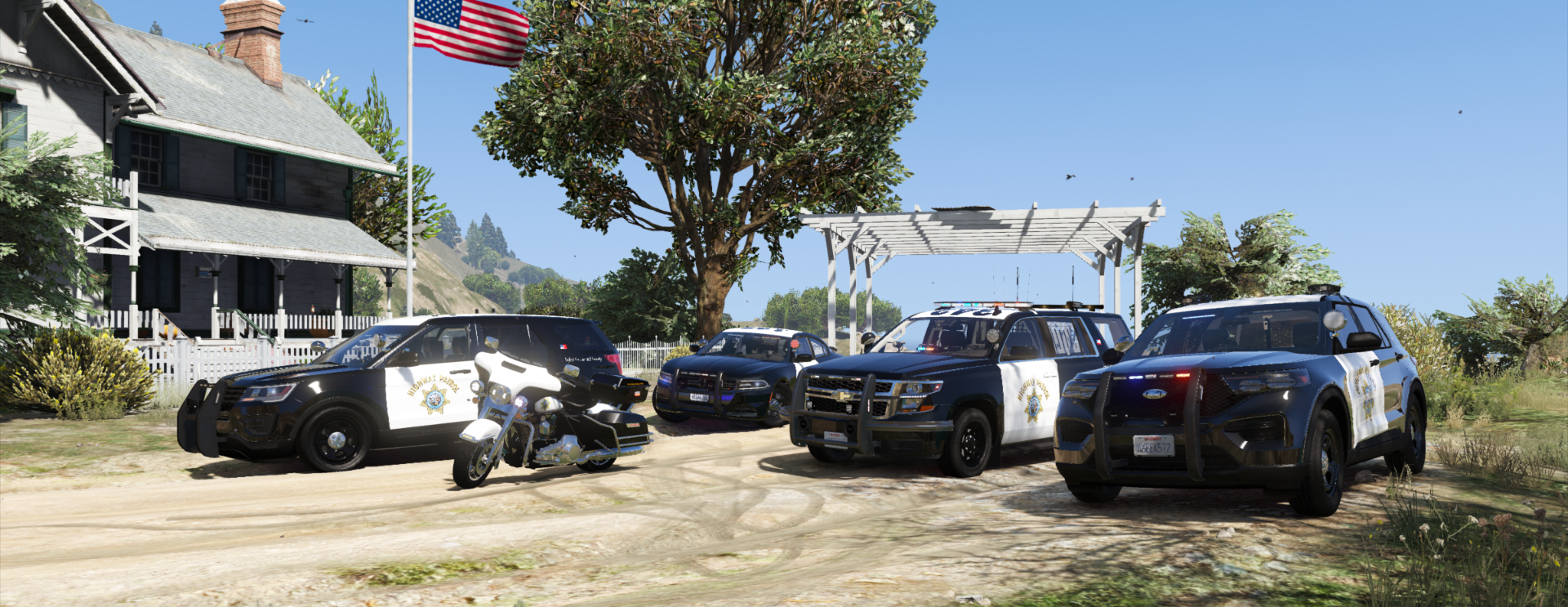
    --ByQzen-- 2020 Chevy Tahoe Livery
  13. Jay Wilson     Performed a traffic stop on a Pueblo Beige Granger with registration 05MKG452 in Grapeseed, Grapeseed Main St
  14. Jay Wilson     Performed a traffic stop on a Blue Silver Regina with registration 89XBB768 in San Chianski Mountains, Grapeseed Ave
  15. Jay Wilson     Finished responding to a Pursuit in Pillbox Hill, Alta St
  16. Jay Wilson     Responded to a Pursuit in Rockford Hills, Eastbourne Way
  17. Jay Wilson     Finished responding to a Pursuit in The Redwood Lights Track, Baytree Canyon Rd
  18. Jay Wilson     Responded to a Pursuit in Downtown Vinewood, Vinewood Blvd
  19. Jay Wilson     Finished responding to a Pursuit in Lago Zancudo, Great Ocean Hwy
  20. Jay Wilson     Responded to a Pursuit in Strawberry, Capital Blvd
  21. Jay Wilson     Went on-duty at Davis Sheriff Station in Mission Row, Atlee St
  22. ByQzen started following Lt.Caine
  23. Jay Wilson     Performed a traffic stop on a Matte White Sovereign with registration 27JRO930 in Braddock Pass, Senora Fwy
  24. Jay Wilson     Performed a traffic stop on a Dark Green BeeJay XL with registration 64HPZ737 in Pillbox Hill, San Andreas Ave
  25. ByQzen started following GeoffreyGamer
  26. ByQzen started following CriminalJustice
  27. ByQzen started following Matthew686
  28. Jay Wilson     Arrested Dyshawn Atwood in Sandy Shores, Algonquin Blvd
  29. Jay Wilson     Finished responding to a Suspicious Parked Car in Sandy Shores, Algonquin Blvd
  30. Jay Wilson     Responded to a Suspicious Parked Car in Sandy Shores, Alhambra Dr
  31. Jay Wilson     Performed a traffic stop on a Black Serrano with registration 87WKN348 in Grapeseed, Seaview Rd
  32. Jay Wilson     Finished responding to a Backup Traffic Stop in Grapeseed, Joad Ln
  33. Jay Wilson     Responded to a Backup Traffic Stop in Mount Gordo, Catfish View
  34. Jay Wilson     Performed a traffic stop on a Worn Black Biff with registration 45GIL268 in Vinewood Hills, Los Santos Freeway
  35. ByQzen started following Semih BICER
  36. Jay Wilson     Performed a traffic stop on a Black Bobcat XL with registration 06GIP675 in Grapeseed, Joad Ln
  37. do you have a sample picture?
  38. Jay Wilson     Finished responding to a Backup Traffic Stop in The Alamo Sea, East Joshua Road
    • 195 downloads
    • Version 1.0.1
    --ByQzen-- Ford F-450 Livery
    • 32,763 downloads
    • Version 1.0.2
    ByQzen INSTALLATION: Copy all of the contents of the Grand Theft Auto V folder into the game's main directory. Callout Interface Criminal Justice Thank you.
  39. Delete the contents of minimap.rpf. it will be empty.
  40. Hello to everyone. 😉 Installation: 1) Copy x64b.rpf, x64e.rpf and common.rpf to your mods folder Using OpenIV: 2) Drag and drop all minimap_sea_ and minimap_ to mods/x64b.rpf/data/cdimages/scaleform_generic.rpf/ 3) Drag and drop all minimap_sea_ and minimap_ to mods\update\update.rpf\x64\data\cdimages\scaleform_generic.rpf\ 3) Drag and drop mapzoomdata.meta to common.rpf/data/ui/ 4) Drag and drop minimap.rpf to x64e.rpf/levels/gta5/ 5) Drag and drop scripts folder to GTA 5 main directory 6) Enjoy!

Account

Navigation

Search

Search

Configure browser push notifications

Chrome (Android)
  1. Tap the lock icon next to the address bar.
  2. Tap Permissions → Notifications.
  3. Adjust your preference.
Chrome (Desktop)
  1. Click the padlock icon in the address bar.
  2. Select Site settings.
  3. Find Notifications and adjust your preference.