




Lennyy
Community Team
-
Joined
-
Last visited
Everything posted by Lennyy
-
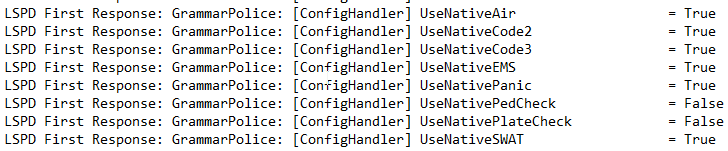
Double-check your custom.ini. Don't edit the default.ini. Alternatively, use the in-game menu CTRL+F2 for editing the natives, then hit save to config. Or you can ask the IPT discord server which created GP: https://discord.gg/rRfdF3hm. Some times GP is a bit hard to troubleshoot when you're not extremely familiar with it yourself.
-
And your main directory please.
-
You're most welcome!
-
Just get the latest version from GitHub when installing Bejoijos plugins. He never bothered updating the included one, hence the frequent crashes.
-
Something must've went wrong when editing your settings.
-
You're still on an old build of LSPDFR. Attach screenshots of your entire GTA directory, your Plugins folder and your Plugins/LSPDFR/ folder. Then open your Plugins folder, right click on the LSPDFR .dll and select properties, screenshot the details tab.
-
Download this version of RNUI and drag the .dll into your main directory. Hit replace when asked to overwrite files.
-
And when using GP it doesn't call for UBs backup? Can you attach a RPH log from a session where you used GP to request Code 2 / 3 backup?
-
Then launch GTA and RPH again to load LSPDFR.
-
Copy the content of the custom.ini and paste it here. Or you can attach your screenshots as you said above.
-
The bottom one.
-
Delete both and grab the new one from the manual LSPDFR download:
-
Please go on duty and force the crash again, then upload your log. In this log you haven't even started GTA completely.
-
Go to your Plugins folder and delete the two LSPD First Response files. Redownload the manual version and manually place the two files from the Plugins folder inside the download archive into your plugins folder.
-
Please upload it again, this ones unavailable.
-
Make sure there is no LSPD First Response.dll /.pdb in your game directory anywhere except the Plugins folder.
-
Please update LSPDFR by manually reinstalling it Your topic has been moved to LSPDFR 0.4 Support. Please post in the correct location in the future.
-
I'm asking you to upload it to this thread.
-
-
Add the RPH exe and the entire GTA folder as an exception to your antivirus, then restart your PC, not just shutdown and power on again. Then start GTA and only alt tab out of the game to start Rage when you fully loaded in game.
-
In the "lastest" folder https://www.lcpdfr.com/downloads/gta5mods/misc/24718-gameconfigxml-for-lml-or-manual-install-by-rde-team/
-
Take a look at this post for more information regarding the battleye service
-
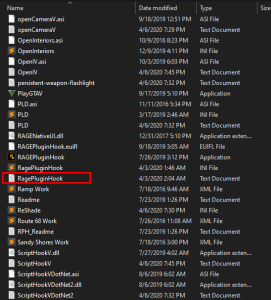
Attach your latest RagePluginHook.log. A text file found in your main game directory.
-
Attach your RagePluginHook.log. It's a text file in your main game directory.
-
Does GTA work without Rage at all? Your topic has been moved to GTA V Support, this is not LSPDFR related. Please post in the correct location in the future.


