




Lennyy
Community Team
-
Joined
-
Last visited
Everything posted by Lennyy
-
PluginTimeoutThreshold auf 60000 statt 10000 stellen.
-
Super, dass es jetzt läuft!
-
Erst GTA laden, dann Rage starten und gucken was passiert.
-
-
Komisch. Schick mir mal screenshots von deinem - GTA Verzeichnis - Scrips Ordner (Falls du einen hast)
-
Versuch mal deinen mods Ordner zu _mods umzubenennen. Versuch mal die Autos zu fahren und guck ob das Problem immer noch da ist (ohne gemoddete Fahrzeuge).
-
Was ist das Problem?
-
Hast du in letzter Zeit irgendwas an den meta Dateien verändert (handling.meta/vehicles.meta)? Hast du einen Trainer installiert (SimpleTrainer bspw.)?
-
Passiert das auch wenn du das Auto selbst fährst?
-
Exception message: Die Datei oder Assembly "RAGENativeUI, Version=1.9.2.0, Culture=neutral, PublicKeyToken=null" oder eine Abhängigkeit davon wurde nicht gefunden. Das System kann die angegebene Datei nicht finden. RNUI updaten: https://github.com/alexguirre/RAGENativeUI/releases/download/1.9.2/RAGENativeUI.zip
-
I'm glad I could help you! Have fun playing.
-
 A preview of the sound in game would be nice!
 -
-
Lies mal durch den Thread hier: Der SlimDX error ist mit das nervigste GTA Problem welches du haben kannst.
-
Die Datei oder Assembly "ScriptHookVDotNet3, Version=3.0.2.0, Culture=neutral, PublicKeyToken=null" oder eine Abhängigkeit davon wurde nicht gefunden. Das System kann die angegebene Datei nicht finden. Eines deiner Callout-Plugins benötigt ScriptHookVDotNet. Entweder deinstallierst du das Callout-Plugin oder installierst SHVDN. Ich würde zu zum Ersteren raten, da SHVDN dafür bekannt ist, Probleme mit RagePluginHook zu haben.
-
-
 Hi again. The MK2 weapons are indeed not part of the "normal" weapons.meta. It's located in mods\update\x64\dlcpacks\mpgunrunning\dlc.rpf\common\data\ai. I hope that clarifies it for you and let me know if it works!
- 30 comments
- 4 reviews
-
I haven’t touched the game in a while but I do believe that it’s either CTRL+F2 or F3 to bring up the menu and the C key to bring up the radio. You can always check your keybindings in the grammarpolice.ini (Plugins/LSPDFR/GrammarPolice/)
-
I didn’t include the mk2 carbine rifle with my mod by default. The featured comment shows you which lines to edit for different weapons to be accessible while driving a car. Just find the mk2 entry, swap the group and you’re good to go!
- 30 comments
- 4 reviews
-
That would be the .ini found in Plugins\LSPDFR
-
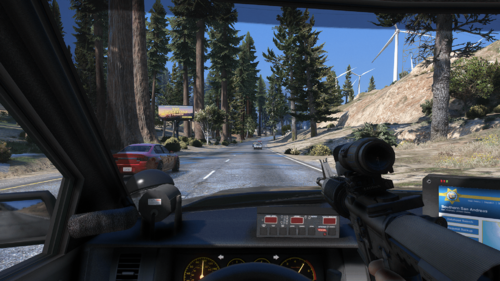
Thank you! This is the rifle I used in the preview pictures: https://www.gta5-mods.com/weapons/m4a1-eotech-acog-carry-handle-animated
- 30 comments
- 4 reviews
-
Exception message: Could not find a part of the path 'E:\Program Files (x86)\Steam\steamapps\common\Grand Theft Auto V\Plugins\LSPDFR\StopThePed\Localization.ini'. Dir fehlt eine Datei von StopThePed.
-
Looks promising to say the least. Can't wait for updates on this!
-
CalloutInterface throws an error. Make sure it's properly installed and perhaps reinstall it fully.
-
Upload your latest RagePluginHook.log please.



