




Charlie686
Members
-
Joined
Everything posted by Charlie686
-
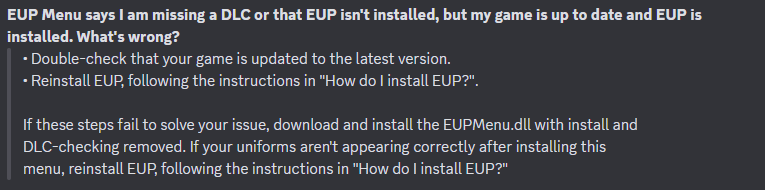
Hey, Take a look at this & try following all steps listed below.
-
 'starting' with a small plugin sounds like you have plenty left to do! :P Thanks for taking my feedback onboard. Best!
- 50 comments
- 5 reviews
-
-

- 1
-
-
- rph
- lspdfr plugin
- legacy
- rph
-
Tagged with:
-
Hey SteveOhByte! Before my comment, I just want to say it's great to see you back around. As someone with a popular callout pack now, I want to lend my thanks to you for making your awesome tutorials which I remember watching quite some time ago! If you didn't know already, you've inspired a lot of people with them. That aside, I was wondering if there is a reason you include your libraries in GTAV/Plugins/LSPDFR? Usually that directory is specifically reserved for the LSPDFR plugin .dll files themselves, and not others. Common libraries tend to go in the GTAV folder. For example, LemonUI.RAGEPluginHook actually instructs users to install that file to the GTAV folder ("Copy all of the files from the RPH folder inside of the compressed file to the root of your GTA V installation directory.") whereas you've included it in the Plugins/LSPDFR directory. Furthermore, other libraries such as NAudio.dll are actually used by other plugins - and installed into the GTAV folder. Moving these libraries to the GTAV folder would not require the user to have duplicates of the same file in different locations! All the best & happy LSPDFR coding again!
- 50 comments
- 5 reviews
-
-
- 1
-
-
- rph
- lspdfr plugin
- legacy
- rph
-
Tagged with:
-
Let me know! If you need me to clarify / explain anything else, I'd be happy to. 😄
-
Could you give this post another shot & explain what menu and what 'scroll to exept' means? Thank you! 😄
-
Hey there, Please attach your RagePluginHook log - a text document found in your GTAV directory. Thanks! 🙂
-
Hey there, Could you please attach your RagePluginHook log? This is a text document found in your GTAV folder. Thanks! 🙂
-
Hey there! Make sure that when installing NVE, you installed a gameconfig & the included LSPDFR compatibility patch found within the addons folder. Best.
-
I'm sidetracking a bit here 😅 but I would - as in my example - do the boolean check first. Your if statement contains important order of operations, and your code will continue to check the distance even if a pursuit should not be created. If you check if a pursuit should be created first, that means you are only performing distance calculations if you actually need them. Maybe that's not something you considered, but I would certainly recommend it nonetheless! 😄
-
Hey @Owen.butler17, Hoping I can lend some experience here! First up, Process() is looping, so unlike OnCalloutAccepted() and End() which are only executed once, Process() keeps iterating over while your callout is running. According to your logic, if the player is within 100f of the spawn point, you are continuously creating a pursuit & requesting backup. And that code keeps looping, and before you know it you've tried to request over a 100 backup units for your 100 pursuits & the game crashes! What you can do here to fix this is add a simple boolean (true or false) to prevent this code from executing more than once. At the top of your class, you can add: private bool IsPursuitRunning = false; And when you create a pursuit, you can set IsPursuitRunning = true; Then in your if statement, change it to include your boolean check: if (!IsPursuitRunning && Game.LocalPlayer.Character.Position.DistanceTo(SpawnPoint) <= 100f) I hope this helps you! 😄 Best of luck.
-
 Live reaction from the BETTER fanbase. The fanbase loves this new update. They have a very important message to share with BETTERTM :
- 109 comments
- 20 reviews
-
-
Hey there, It looks like LSPDFR cannot load due to something in your mods folder. Please temporarily disable it by renaming your mods folder to _mods. Let me know if you are able to load LSPDFR once this has been done. 😄 Thanks.
-
Hey there! The cause of your crash is because ManiacCallouts requires the plugin Stop The Ped. Please install it or if you won't / can't, remove ManiacCallouts. Other than that, an update to CombatEnhanced was released so you can update to the latest version. Let me know how it goes! 😄
-
 There is no speech recognition within GTAV itself - GrammarPolice just uses the Microsoft Speech Engine. From what I have seen, Opus is happy to switch to another engine provided it is free and supports other languages. If there is an alternative, Opus would love to know but there just isn't one that satisfies those two criteria. 😄 Hope that clarifies!
- 1,351 comments
- 82 reviews
-
Hey there, To initiate a pullover, you use LSPDFR not StopThePed. Making sure you are Code 3, you'll want to use your TRAFFICSTOP_START_Key which is Left Shift by default behind the suspect vehicle. 😄 Hope this helps!
-
Unfortunately this is not possible because the Speech Engine that GrammarPolice uses does not support Portuguese.
- 1,351 comments
- 82 reviews
-
I see! If your mods folder is causing the problem, I recommend reverting your recent changes in there. Unfortunately I have no way of knowing what specifically in your mods folder is causing this problem.
-
Hey Burek! So I've had a look at your log & I'm seeing a lot of invalid vehicle models for vehicles which should not be invalid. Examples include: I'd like you to try temporarily disabling your mods folder for me. To do this, please rename your mods folder to _mods. I'm curious to know if this solves your issue, so please let me know how this goes! Thank you. 😄
-
Hey there! Please update IPT.Common and install the new file into your GTAV folder. Enjoy Callout Interface. 🙂
-
Hey there, You need to update LSPDFR. Unrelated to your issue, please consider the following information as well. These plugins are outdated and not updated for recent LSPDFR versions. When plugins aren't updated for the latest versions of LSPDFR, they may begin to cause issues. For the smoothest experience, I recommend their removal. Arrest Manager [Available alternative: Stop The Ped] Force A Callout [Available alternative: Callout Interface] Officer Status Plugin [Available alternative: GrammarPolice]
-
Thanks for sharing a log file! Are you now going to explain your problem? "Error on startup" is not really an explanation. 😄
-
I'm not quite Opus, but I've got a solution! From what we've seen this issue can be caused by any external plugin/script that controls objects. Specifically, Menyoo is known to cause this problem. Please remove it & retry!
-
Renaming your mods folder disables it...and disables NVE. You 100% sure you got it fixed?
-
Hey there! Did you install the LSPDFR compatibility patch that is included with NVE?



