




Charlie686
Members
-
Joined
Everything posted by Charlie686
-
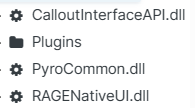
Thank you! Super Callouts & Ultimate Backup are installed incorrectly. They are LSPDFR plugins, and should go into GTAV/Plugins/LSPDFR. They'll be loaded when you go on duty. They are not RAGEPluginHook plugins, which go into GTAV/Plugins. They'll be loaded by RAGEPluginHook. You should move these LSPDFR plugins into the correct place. Note that file developers specifically structure their plugin downloads so you don't need to open up & install the .dll file directly. For example, take a look the image of the Super Callouts download. You just drag & drop all the files into your GTAV folder, and the file structure will put them in the right place for you. 🙂 This should resolve your problem. Let me know if you need anything else!
-
Hey there! Please upload your RagePluginHook log. This is a text document found in your GTAV folder. Thanks. 😄
-
 Thanks for taking the time to comment! In the next update this outcome is being removed. You need to call a taxi via Stop The Ped but that was an oversight by me because the plugin is not mandatory. Apologies for the confusion. I hope you are enjoying the rest of the pack.
- 311 comments
- 60 reviews
-
-

- 2
-
-
 So install that file which is included in the ExternalPoliceComputer download! 😛
- 217 comments
- 22 reviews
-
Thanks for sharing! With .meta files, you want to copy & paste the specific entry(ies) into your existing vehicles.meta file, rather than overwriting the file in its entirety. Glad you got it resolved! 😄
-
That's fantastic! Enjoy - and thank you Vincent!
-
Perhaps. The technical issue is that something is trying to be added to a dictionary, but already exists. That suggests it might be an internal issue but like I said, the only guy to know would be Vincentsgm! If it now works, that's only a good thing. 😄
-
Hey there! Looks like MegaphoneUI is crashing. Try a fresh install, and hopefully Vincentsgm can provide further guidance! cc @Vincentsgm
-
Have you modified your stations.xml file in GTAV/lspdfr/data (or installed an alternative one into GTAV/lspdfr/data/custom)? The stations are managed by that .XML file, so perhaps you'd like to install a fresh copy from the LSPDFR manual install. 😄
-
Want to share how you fixed it in case others have this issue? 🙂
-
Thank you everybody for 300,000 downloads! I know there hasn't been an update for a few months & while I cannot give a timeframe, I promise I haven't sneakily put this callout pack to bed. Even now, 686 Callouts still has hundreds of downloads per day & I receive lovely messages about my callout pack in my PMs / DMs. It's wonderful, and I appreciate all those who engage with my callout pack. I hope to begin working on this soon, but I've got no game-breaking issues to fix! Have a great Thursday, and thanks for sticking with me. ❤️
- 311 comments
- 60 reviews
-
-

-
- 2
-
-
You're welcome! Enjoy!
-
Hey there! Please update RAGENativeUI. Let me know how this goes. 🙂
-
Sorry about that! Can you launch GTAV for me without RAGEPluginHook? If you are able to enter story mode, what's the result of launching RAGEPluginHook once in-game? Thanks. 😄
-
The issue is caused by ALPRPlus being outdated. Removing it will fix that crash immediately. 😄 As a substitute, I recommend Callout Interface which has an in-built ALPR function!
-
I know I've read something about this, but don't remember exactly. Either way, it's coding related / how something functions behind the scenes. There's nothing you can do to solve it I'm afraid.
-
Hey, Please set the following in your lspdfr.ini: Main.DisableGameBlipHiding = true Let me know how this goes. 🙂
-
Hey there, Please rename your mods folder to _mods & retry. This will temporarily disable your mods folder. Let me know how this goes! 🙂
-
Hey! Can you guide me through how you are trying to replace the Sheriff Cruiser? And to clarify - 'sherriff1' doesn't exist, it's just 'sheriff'. Best.
-
Hey there, Thanks for reaching out! I'm not aware of any problems regarding Career Statistics. Here are some things to check: Make sure Career Statistics is enabled via your 686 Callouts configuration file (686Callouts.ini) Career Statistics are updated when a callout ends. Ensure you are allowing callouts to end / be ended. If the problem still persists, you could try deleting the XML file which stores your Career Statistics. This is located at GTAV/Plugins/LSPDFR/686Callouts/stats.xml & will be regenerated when you go on duty. Should this not solve it, feel free to get in touch with me via a ticket in my Discord. This doesn't sound like 686 Callouts, as there is no abandoned vehicle callout. Sorry you are experiencing this issue nonetheless.
- 311 comments
- 60 reviews
-
 It works fine. You probably installed it wrong & should try installing it again. Join the support server if you need further assistance.
- 446 comments
- 46 reviews
-
-
- 1
-
-
Hey there, Please rename your mods folder to _mods & retry. This is a diagnostic step and will temporarily disable your mods folder. Keep me posted! 🙂
-
Please attach an updated log.
-
Both your logs are very different. If you explained your problem in more detail, I'd be able to take a closer look! 🙂
-
Hey there! It looks like Lore Callouts' partner script is causing a crash here. Please temporarily disable it in the configuration file & try again! 😄 Keep me posted. cc @ZPhDevs


