




Charlie686
Members
-
Joined
Everything posted by Charlie686
-
It sounds like you've installed some XML files which have overwritten the default LSPDFR files. Have you? See if you can spawn the vehicle via the RAGEPluginHook console, accessible via F4 by default. Type "Spawn polgauntlet" - does it spawn successfully?
-
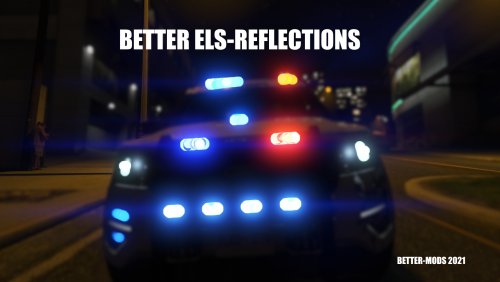 A real change, and a BETTER change.
 -
I never thought I'd see an analogy for LSPDFR involving soup! You really hit the nail on the head...or should I say hit the crouton in the soup? 🤪
-
-
Hey! What happens when you try to spawn it? And how are you trying to spawn it? Thanks. 🙂
-
I'm certain this has discussed before, so I won't go into too much detail but - LSPDFR is only as good as the community modders behind it! I don't imagine that LSPDFR was ever there to be the complete solution. It provides the tools for other people to dedicate time & energy to create mods for it -- which is not something that even the LSPDFR team have all the time. We're fortunate enough that there's an active development community and while I have no doubt in the development team behind LSPDFR, why not offload it to those willing? Sometimes it is only those apart of the community who can create ambitious plugins like GrammarPolice, computer systems you mention etc. You make out that 'needing' to install mods is a bad thing, but I truly believe it is the exact opposite! All of a sudden anyone can develop for LSPDFR, and users enjoy the freedom and choice when it comes to installing what they'd like in their game. Just my two cents! Hope you appreciate the perspective. 🫶
-
Thank you for sharing! Woop woop!
-
-
Hey there! Without EUP, LSPDFR uses the default ped models such as s_m_y_cop_01. With EUP, it uses mp_freemode models. I'm not too sure what the concern is here, but EUP doesn't replace the default ped models. That said, you can use EUP + configurations which allows you and your backup officers to use strictly EUP outfits. I hope this clarifies. 🙂
-
As you mentioned you've just installed addon vehicles, make sure you installed a custom gameconfig, Heap Adjuster & Packfile Limit Adjuster. These are frequently missed & can cause the issue you describe. 😄
-
So I did actually look quite hard but couldn't find an exact match, but these look similar so perhaps they'll interest you!
-
Hey! Please check the GrammarPolice FAQ which identifies all available solutions to this problem.
-
As someone who experienced the same problem, I can completely agree! Though I am not aware of any scripts/plugins that achieve this. I'm following the topic but if I have some free time & no alternatives are posted, perhaps I could make this for you. Best.
-
BETTER ELS Reflections just got even BETTER! All great things end with a finale, and I'm glad you've given this a final update Matthew! The fanbase appreciates it. 😎
-
That's great news. Thank you for sharing & enjoy the new models! 🙂
-
Hey there, Did you download the latest LSPDFR version, released on the 28th December? The patch notes include: Added improved support for the new police vehicles in the "Chop Shop" DLC. If you did - make sure you installed the 'lspdfr' folder (or just the 'agency.xml' & 'duty_selection' files in the lspdfr folder) because they contain important changes that permit the spawning of the new Chop Shop vehicles. Take a look at the below, from the new agency.xml file. It adds the POLICE5 & POLGAUNTLET into the ambient spawning. <Vehicle>police</Vehicle> <Vehicle>police2</Vehicle> <Vehicle>police3</Vehicle> <Vehicle is_dlc="true" use_modkit_liveries="true" livery_multi="1,2,3,4,5,18,24">police5</Vehicle> <Vehicle is_dlc="true" use_modkit_liveries="true" livery_multi="1,2,14,18">polgauntlet</Vehicle> And now have a look at the new duty_selection file: <Description name="Stanier Cruiser" fullName="Stanier Law Enforcement Cruiser">police5</Description> <Description name="Gauntlet Interceptor" fullName="Bravado Gauntlet Interceptor">polgauntlet</Description> If you didn't do this, that would explain your difficulty in using the new vehicles! Let me know if you still need assistance. 😄
-
Hey there! Thanks for the detail & uploading your log. I've taken a look, and these are my thoughts. First of all, when you are modding a game you are inevitably going to make the game more unstable. I usually say that 1 hour is solid playing time if you don't experience a crash, and in this log you played ~1h30m. That's very respectable, especially if you do get 2 hours as you mention! Playing time aside, in your log there is nothing to suggest a LSPDFR crash. You could rename your mods folder to _mods to temporarily disable it & see if there is an issue in there, but if you are playing for that long I doubt there's something causing problems - rather, you are simply dealing with a some instability because of the nature of modding. 🙂 While there is nothing to corroborate an issue with LSPDFR, here is some general information that you could use to try to increase game stability if you are seeking to maximise playing time. These plugins have an available update: Visit the file pages to download their latest updates. Callout Interface GrammarPolice Riskier Traffic Stops These plugins are outdated and not updated for recent LSPDFR versions. When plugins aren't updated for the latest versions of LSPDFR, they may begin to cause issues. For the smoothest experience, we recommend their removal. More Radio Chatter [Available alternative: XScanner] Safer Chases RPH These plugins have been identified as having issues: Please read the information below. Rich's Police Enhancements [Plugin has been discontinued and may not work as intended.] That's all I have for you! Hopefully this information is useful, but let me know if you need anything else. 😄
-
Hey there! First of all, thank you for considering 686 Callouts as by the sounds of it to be your first callout pack! I'm touched. As for your issue, let me guide you through the installation of 686 Callouts. In the download, you'll see: A plugins folder. A lspdfr folder. A file called CalloutInterfaceAPI. All you need to do is drag & drop these files into your GTAV folder! Don't overcomplicate it and try to open up the download beyond this, because that's all you need to do. 😄 As for Stop The Ped, it is a similar installation. Here is a quick whistle-stop guide: Open the Stop The Ped download. Drag & drop the plugins folder into your GTAV folder (like you did with 686 Callouts). Don't install the 'RAGENativeUI' file from the download, but install it from this link. (That's because Stop The Ped comes with an old copy!) RAGENativeUI.dll is the file you need; it will go into your GTAV folder. You are new to this - so don't worry if you get stuck or misinterpret these instructions. Just let me know if you need any help, but I hope I have made it clear on how to install both my callout pack & Stop The Ped. Enjoy them both!
-
-
Gosh, all this commotion! What I will say is that 686 Callouts is very stable - but as it has been said here, nothing is perfect and every callout pack can crash, I assure you! Even I'm aware of some remote issues with the latest version. That said - I am sure that eazbox is capable of forming their own opinions about my callout pack. Merry Christmas everyone!
-
Hey there! Could you attach a screenshot of your GTAV folder contents? Thanks. 🙂
-
That's awesome, thank you. Just so you're aware you haven't yet updated the information when you embed the site. Documentation for the Kittn API
-
Why should the user "probably" not install the fix?
-
WARNING! Plugin "LSPD First Response" was terminated because it caused the game to freeze (Freeze was caused by game fiber: Console Command Fiber For "ForceDuty"). Hey there, check this from the FAQ:
-
Hey there! Please attach your RagePluginHook log - a text document in your GTAV folder. Thanks. 😄






