




Charlie686
Members
-
Joined
Everything posted by Charlie686
-
LSPDFR won't require a fresh install but if you want to delete your plugins you can do so. To delete all models/vehicles just completly delete your mods folder and start with a new one 🙂
-
So you want a fresh start but don't want to delete everything? As in you want a fresh start for LSPDFR but not your vehicles etc?
-
Just experiment and see if you find a sweet spot. I find texture quality to make a difference
-
You might want to try lowering your graphics for when you play LSPDFR to allow more resources to go to running the required scripts etc..
-
You can do this to update it: Download the manual install of LSPDFR Open the plugins folder of the manual install. There should be 2 files Drag and drop these into GTAV/Plugins Make sure you are downloading the latest LSPDFR version!
-
Attach your RagePluginHook log - a text document found in your main directory
-
Yey! Glad to hear 😄 Any more issues let me know : D
-
Open the LSPDFR.ini file (GTAV/lspdfr) and set Main.PreloadAllModels to false.
-
Try reinstalling RAGE and putting the Plugin Timeout Threshold back to 60,000 --> See if that makes a difference
-
Attach your RagePluginHook log - a text document found in your main directory
-
Hiya, Make sure you aren't leaving any accidental indents in your dlclist.xml file. If it still doesn't work let me know 🙂
-
Yey! Glad to hear 😄 Any more issues let us know : D
-
Load GTAV normally until the siren loading screen plays and then ALT + TAB out to open RAGE. See if it still crashes
-
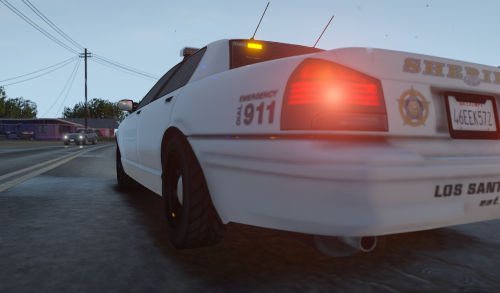 YES 😍 This really does make such a difference and I have always missed this feature with ELS. Such an easy installation, very simple but does just the job! And no issues so far (Only used in a car) : D
 -
If it isn't supported you probably do need to update Windows 😄
-
Hiya, Make sure you have all depenciens installated as well as other plugins that use PoliceSmartRadio such as PeterUCallouts. However, I don't recommend using PoliceSmartRadio as it is out of date and can cause crashes though the choice is yours 🙂
-
Annoying. Sorry I'm not aware of a solution to your Traffic Policer problem 😕
-
Attach your RagePluginHook log - a text document found in your main directory
-
Like @jbirnie said you are not running the latest version. From your log: LSPD First Response: [INFO] Running LSPD First Response 0.4.7 (0.4.7529.42382) ^You can see that you are running version 0.4.7. This needs to be updated to 0.4.8
-
An alternative speed radar plugin can be found here: https://www.bejoijo.com/post/speed-radar-lite
-
Hiya, Looks like you have a missing file. Manually reinstall LSPDFR
-
To add, you also have some out of date plugins. I strongly advise you remove them as they can cause crashes and create system instablity. They are in bold below:
-
You need to attach your RagePluginHook log - a text document found in your main directory Just drag and drop it here
-
This is a game crash - not an LSPDFR one. Do you get this often?
-
Send you RPH log



