




ghost128
Members
-
Joined
-
Last visited
Everything posted by ghost128
-
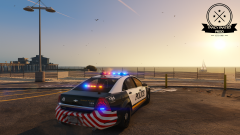
From the album: Fancy Panties Development
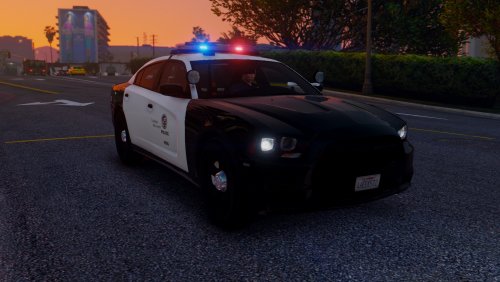
some detail shots of the current marked Caprice WIP which will be released soon -
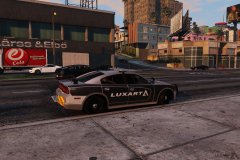 I guess it might simply means release within december 2016
 -
-
-
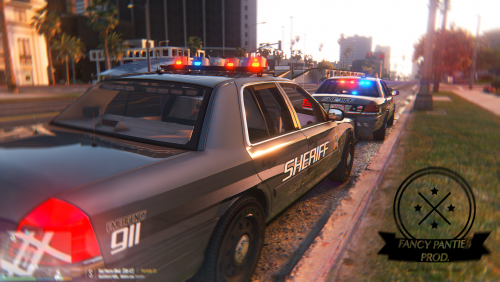 hi Arariel, should be fine to use it for "police" slot.. just be sure to rename everything in the REPLACE from police2(or police3) to police.. even though in the according carvariations.meta file furthermore.. Slicktop-version hasn't been removed police2 (Slicktop) police3(marked version)
- 108 comments
- 11 reviews
-
 this is just awesome!!!!! I've been waiting for this so long!! Just brillant alex:)
 -
it's because of the new bikers dlc.. I will update a new version with some minor improvements soon
- 108 comments
- 11 reviews
-
Sure just keep in mind to edit carvariations.meta and vehicles.meta for police4 to set everything correctly
- 108 comments
- 11 reviews
-
-
Hey guys, sorry that I haven't replied for a time.. I if was really busy the last days :-/... well I'm glad you already had found the solution for the "appearing bug" in near distance. I've tested it and it works flawlessly
- 108 comments
- 11 reviews
-
-

- 1
-
-
it's possible if you choose a high number of the sirenlightsetting for bxbugs car (e.g. 86 or so which possibly haven't been used by other mods) and after that you have to edit carvariations.meta for bugs' car. At the bottom you have to set the same number for the siren as you did before
-
sorry... I`ve forgot about that.. replace-only-version is now availble in download content ;)
- 108 comments
- 11 reviews
-
-
- 1
-
-
could anyone figure out if it's possible to use two separate sequence bpm's like for rotating lights and for els in one sirensetting? Everything what I had tried using unsync to bpm ether for LED or rotation looks like crap.. it would be so cool, if we could just set differnt and independet lightpatternspeeds
-
I've created a new beta version for you guys which had problems with the replace-version of police3 slot. Please contact me who had run into this issue and I will send you a beta-key for the download
- 108 comments
- 11 reviews
-
did someone also faced the problem that siren15 and siren16 doesn't allow lightsemissive material? I've looked for open sirenslots in my development car and had tried using 15 and 16 for two takedown lights. I haven't changed any materialsettings but ingame they are now not recognized as lightsemissive parts anymore but show their normal material like it would for mesh setting... that is quite confusing
-
-
-
 Just simply awesome work again :) keep on supporting the community with such great vehicles
- 56 comments
- 23 reviews
-
-
- 5
-
-
Well the double strobe effect already works for the corona but if I turn the time to night the environment light effect just shows one single strobe on the street or anything..
-
Could already someone figure out how to define in carcols a double environmental lighting if you already had defined that the according corona flashes also twice at beat? I just reach one single environmental lighting per beat right now
-
-
-
Awesome!!!!!! This looks pretty much like a slim ELS version ability to me 👍
-
-
Thx for the advise.. I had viewed some dlc packages and all implemented edits in extratitleupdatedata.meta but I will try at the next project.. We're all still learning ;) carcols changes will be listed as single textlines in next update
- 108 comments
- 11 reviews

