
ghost128
Members
-
Joined
-
Last visited
Everything posted by ghost128
-
 Unfortunately lspdfr crashes when your plugin is installed. Ingame it says that OfficerPorci Plugin was loaded sucessful but lspdfr unfortunately not anymore.
- 403 comments
- 24 reviews
-
 I've found a solution for the Problem: - Update Windows 10 to latest Version incl. .Net Framework versions - disable real time tracking in your Antivirus software - Make surr that you are logged in at Nvidia experience software .. hope this might help for somebody who has similar problems with the latest rage pluginhook and gta update
- 2,706 comments
- 242 reviews
-
it was already updated a couple of hours ago 😉... now I've tried seperately with and without ScriptHookVDotNet3 files but unfortunately this also has not helped... I'm really confused.. I really hate those gta updates... so much mess afterwards which really annoys me
- 2,706 comments
- 242 reviews
-
Everything is now exepted by anti-virus (ELS.asi , AdvancedHookV.dll, dinput8.dll...) Furthermore I've deleted now all necessary .asi files... no change to it There is also a crashreport file been generated when rage crashes... I've converted it to a .txt file so that you can investigate it as well.. crashreport.txt
- 2,706 comments
- 242 reviews
-
attached you will find the latest generated scripthook.log and rageplugin.log I already had done exactly what you mentioned above... I found out that it will load into story mode when I have ELS.asi installed in mainfolder but not AdvancedHookV.dll.. but come to the same. I'm really getting frustrated because I had tried so many different scenarios now and nothing really had helped with this 😕 ScriptHookV.log RagePluginHook.log
- 2,706 comments
- 242 reviews
-
I haven't tried running GTA without lspdfr and rage update but it also does not seem to care about lspdfr and rage, because even when I have lspdfr and rage unintalled, and I delete all other .asi's and just try to start gta story mode with ELS.asi in the mainfolder it'll crash at loading screen
- 2,706 comments
- 242 reviews
-
Hey guys, try to delete els.asi from the main folder. I discovered that there seems to be a compatabilty Issue atm. Unfortunately ELS won't work after this anymore 😕, but at least you can play.
-
The game crashes, while loading into Story Mode when the ELS.asi is in the main folder. I've tried your proposal and exluded the ELS.asi from Antivirus, but has not changed the result unfortunately. Rage is also not loading properly since the new update to 1.89... Rage is crashing directly at loading process telling me always that it's running already.. even it is not... Because of this rage isn't creating a Log file... 😕
- 2,706 comments
- 242 reviews
-
I have a similar problem after GTA has got his last update and I've tried your workaround, but unfortunately it hasn't fixed the issue... The only method for the moment is deleting the ELS.asi to get the game to load... but of course that disables all ELS features, what is not really what I thought of...
- 2,706 comments
- 242 reviews
-
I`ve found the soultion. A wrong command in dlclist.xml which I had edited after the update forced lspdfr to crash. Now it works finally again 🙂
-
hey guys, I`ve recently updated my GTA to the latest update (rageplugin and scripthook as well) but everytime when I try loading lspdfr the game crashes with this .log below... It seems not to be because of rageplugin because if I uncheck to load lspdfr in the setting of rage it works flawlessly... and if I load lspdfr over the console the game crashes everytime... can anyone help? P.S. I`ve already tried to disable antivirus and used the method of this thread but nothing made a change to it RagePluginHook.log
-
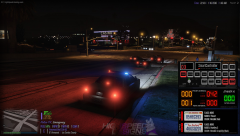 hm looks pretty interesting... but that's just fiveM content which non fiveM player won't will be delighted with right?
 -
same for me as well... no chance of getting it to work... :-/
-
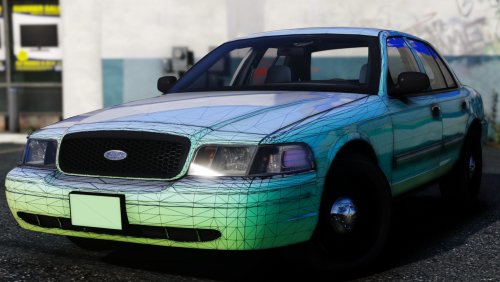 best crown vic dev model I've ever seen! Congrats 🤙
 -
-
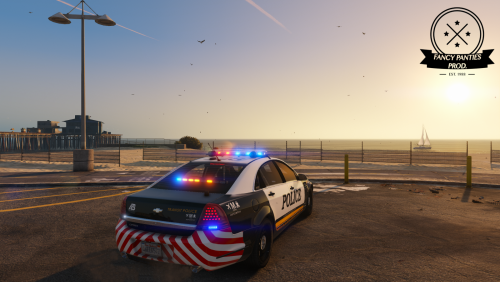 sry but I dont't understand your actual problem...: and sure it's not midpoly but alot of details forces an increase of the polycount.... the base which came from hum3d had without interior 487k poly and was reduced by myself dramatically. the car works flawlessly ingame so I can't follow your thoughts
- 34 comments
- 15 reviews
-
Yes, if you maybe had done any changes to FBI.xml be sure that dro2 mode is set for primary lights Inserat of leds, strb or dro1... furthermore follow instructions in readme file according to filesize in Required folder from the download archive
- 34 comments
- 15 reviews
-
-
-
-
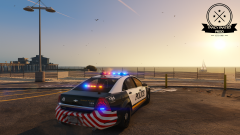
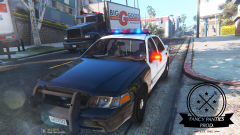
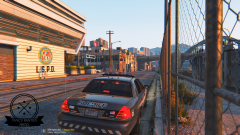
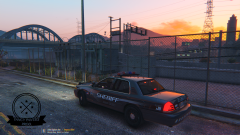
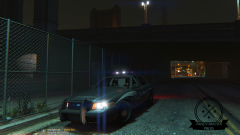
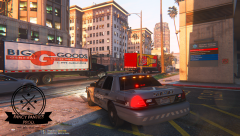
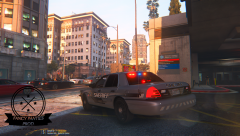
hi guys, I'm pleased to present you my latest WIP with a brand new Caprice model including one marked and a detective version of it. I'd put hundreds of hours into this project to bring it to life. It basically started with a bought model on humster3D which I had paid from my own wallet and developed almost 95% of all the equipment myself from sketch. The marked version delivers several liveries within repainatble ones, additional ALPR-System and lots of great details. I've made a Detective-version too with regard to Fiskey's L.S. Noire WIP mod. Please respect my work and don't upload the package without my permission on any other websites. So now go out there with our brand new fleet vehicles and have some awesome duties and get the bad guys ;)
- 34 comments
- 15 reviews
-
-

- 11
-
-
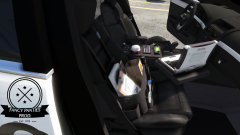
From the album: Fancy Panties Development
some detail shots of the current marked Caprice WIP which will be released soon -
some WIP projects of FP Design
-
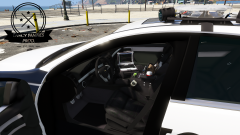
From the album: Fancy Panties Development
some detail shots of the current marked Caprice WIP which will be released soon -
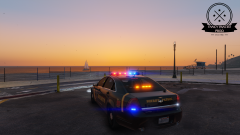
From the album: Fancy Panties Development
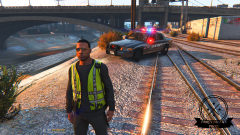
some detail shots of the current marked Caprice WIP which will be released soon