


osutrooper
Members
-
Joined
-
Last visited
Everything posted by osutrooper
-
YES!!! Can not wait!!!!!
-
 Here is what I had to do to get it to work....After installing I had to this into the startup.rphs LoadPlugin "SpeedRadar.dll" LoadPlugin "SpeedRadar.dll" Then it worked fine for me....only took me about 2 hours to get this finally lol.
- 101 comments
- 40 reviews
-
Great Mod!!! Took a while to get it going but finally did!!!! Anyone having issues this is what I did to make it work Here is what I had to do to get it to work....After installing I had to this into the startup.rphs LoadPlugin "SpeedRadar.dll" LoadPlugin "SpeedRadar.dll"
- 101 comments
- 40 reviews
-
-

- 1
-
-
I can't wait!
-
I have been in law Enforcment for over 7 years. I have been an officer as well as a dispatcher.
-
-
-
-
Which version do you have? If you have 0.95, then after alt+p you ave to go to the police station and change out. Do you have any other mods installed?
-
-
-
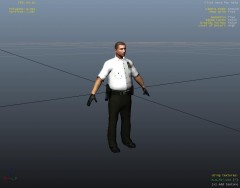 I like this! Great Job!
 -
If anyone is around, Ill be online in a few just add me GFWL osutim
-
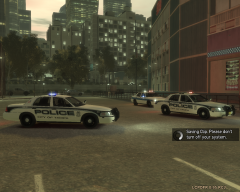 link for download both car and skin?
 -
I download a really great timecyc tweak but I have a question. I am having a hard time seeing the traffic lights at intersection, How can I make them brighter. I figured out the els lights but when I change the value of them it dosen't looks like it does much, any ideas?
-
After I put these in the game, it crashes and gives me an error saying GTA IV can't run because your out of memory? Take them out and everything works fine. The only one that works is the strooper one, any ideas?
- 14 comments
- 3 reviews
-
Is your game tied to your username?
-
So I have both installed, and I am using the numbers above the letters for els ie. 1,2,3,4,5,6 When I an ENB installed with those keys, there is a delay, but if I reset it back to default, then there isnt, any ideas?
-
Name: osutrooper (GFWL is osutim) Where you are from: Denver Colorado Age 32 Police Officer I would like to, don't have a mic right now (playing while at work) and I only have GTA IV, but I'm up for MP
-
I'm up for it as well......GFWL is oSutim
-
I have been using the q key myself. What key did you plug in to use the side button, cant figure it out?
-
For the mouse, what key number did you set up for that. I have the g set up for the siren and lights, but would love to use the mouse for intersections
-
I am using a 4 button mouse, and on the left side of the mouse there is button I belive it is mouse 4. I would like to set it up to do the siren, anyone know of the key number that would go with that for els. I have looked and have had no luck Thanks oSutrooper
-
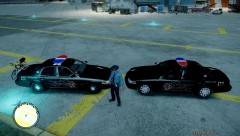
From the album: Airport Police
-

