



HankVoight
Members
-
Joined
-
Last visited
Everything posted by HankVoight
-
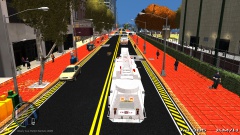
From the album: FDLC Adventures
FDLC Ladder 100 and Medic 76 responding code 3 to an abandoned building complex fire. Two Fire Fighters suffered minor smoke inhalation after part of the roof collapsed on them and their masks fell off. Paramedics treated them on the scene and took them to the hospital where they were given the all clear. They building was demolished during the fire and deemed an unsafe area till engineers can review the remaining structures integrity. -
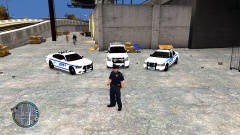
From the album: LCPD
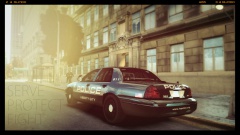
So finally after years of shitty cars and even worse light bars the Mayor of Liberty City pulled a finger out of his ass and funded the update of the older war torn vehicles the LCPD currently had in their possession. I give you the new fleet consisting of never CVPI models, Dodge Chargers and even a few Tahoe's all outfitted with the newest and brightest lights around the Federal Signal Vision SLR as well as Setina push bars to help you get an edge of that Liberty City traffic. (Note - Neither the Liberty City Government or the LCPD condone nor advise the use of these push bars to "nudge" traffic out of the way. Please drive safely.) -
 That firetruck looks beast!
 -
This isn't the same one but it's probably the closest you'll find, it just needs editing and it could look like the one in the photo. Chris
-
 Looking sexy! May I ask what font you use for the skins? I'm sick of using Arial Black haha
 -
Thanks and sure thing! Edit: Won't let me attach pics in the message so here they are.
-
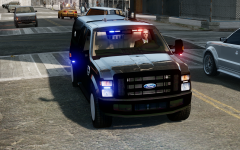
Hi THED, I'd like just a simple unmarked ELS FBI/Police car with the red beacon light on the dashboard and one of those (I think they are Whelen Avengers?) lights on the back windscreen (red/blue) if that's possible? With a Rambar like in the last photo please Edit: If it could be exactly like the last photo just with the beacon in the first photo, the rear window lights and the four lights on the rambar 2 red and 2 blue then that would be fantastic!
-
What is step two?
-
Just curious if you are still offering to make a vehicle?
-
Would anyone be interested in making an updated NYPD based LCPD pack but with the Fed Sig Vision SLR light bars instead of the Vector? It would only be a 1 CVPI marked and 1 unmarked, a marked Charger and an Impala. So really all that would need to be done is put on the new light bars onto the existing unlocked models and some deck lights and it's done. Somebody please take on the request!
-
Okay thanks I'll go through all of those now. Wow thank you such damn much! Edit: Yeah nah that looks may to insane, I think I'll just ask someone to make a few vehicles for me!
-
I downloaded last night but have no clue how to use it aha, I downloaded a few unlocked models but have no idea how to import them and add the lights to it or anything D;
-
Congrats ;D
-
I already know how to install mods I need to know how to make them.. I use Spark IV to install everything. I should've worded it better. My apologies.
-
Hey everyone, So I decided to take the plunge today and find out how to start modding vehicles for GTA IV. I have this one pack I want to make but have no idea where to start, what programs to use or how to get there. So I'm calling on you to give me a hand by pointing me in the right direction. If you could it would be great! By the way all I want to make is a CVPI, Charger, Tahoe/Suburban/F150/ and a slick top either CVPI or charger all with a Fed Sig Vision and some grill lights and deck lights.
-
 '?do=embed' frameborder='0' data-embedContent>>
 -
 Definitely release! Well done :D
 -
From the album: LCPD
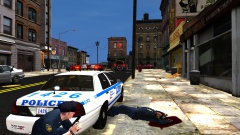
The following is the radio chatter transcript from the 20th of Feb 2014 - Police shootout. 43 David. 43 David - "10-13, shots fired at the police, East Dillon St, Schottler. My partner is down, repeat my partner is down!" Central - "Roger that 43 David, back up on the way" Central - "Attention all units, attention all LCPD units officer down, repeat officer down East Dillon St , Schottler. All south units roll on location. All north units continue patrol unless advised. Fire and Medical will stage until area secure. ESU en route." Central - "43 David any location on shooter?" 43 David - "Negative central, shot came from the front of the RMP after that shooter disappeared.... My partner needs help, where is that back up!" Central - "10-4 David, Back up is 20 seconds out. Hold on." -
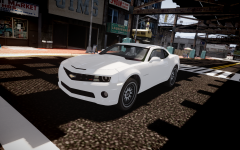 I saw this car and instantly the Hawaii Five - O song started running through my head! All it needs is two blue grill lights and to be black and we are in business! Oh by the way well done :D
 -
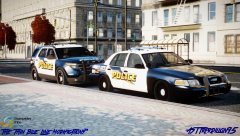 Oh... My... God... They look f****** fantastic! Well done!
 -
-
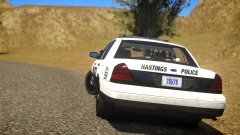
Hey everyone, Just wondering if any of you that have downloaded the new Sheriff pack ( ) have a handling problem, me personally can't go around corners without flipping whatever I'm in and the F250 in the pstockade slot is terrible for turning.. So what I'm asking is if any of you have handling lines for these models?
-
You aren't the only one I can't go around a turn without flipping in any of these cars!
- 20 comments
- 8 reviews
-
-

- 1
-
-
This pack is pretty great to be honest! The only thing I don't like is that light bar. Still 5 out of 5 from me. Well done!
- 20 comments
- 8 reviews
-
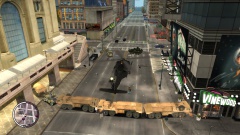 Okay I shall fix that up! I only just started playing around with the script haha, shall see what I can work out. The LAV was damaged due to the script automatically destroying vehicle engines. I could have made them drive off but I thought the whole cut off from everything with no way out seemed better. Thanks, There will be lots more! ;) Okay I'll try that out after work today thanks again!

