



HankVoight
Members
-
Joined
-
Last visited
Everything posted by HankVoight
-
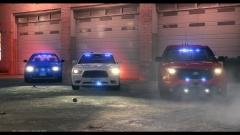 Oh wow these are damn sexy!
 -
-
You are allowed to edit the Emissive textures for the lights, plenty of people do it and you aren't damaging/ripping someone else's work. All it takes is a simple copy and paste and boom you're done!
- 10 comments
- 1 review
-
My only suggestion would be to change the emergency lights to amber/orange as SHIELD vehicles only had amber lights.
- 10 comments
- 1 review
-
-

- 1
-
-
I got it off a google page I believe. One is from the slicktop pack by Gump, the second is Dhruv's and the one I think you're after is the Charger from this pack - http://www.gta-mod-center.com/forum/index.php?/files/file/286-broussard-police-2008-cvpi-2013-charger-els-v8-v-1/Holy shit, brother that is absolutely perfect! I love it, if you could put it onto my templates that would be great, cheers!Thanks for that, we don't get those cars in Australia so it's hard to tell sometime.A version like the photo below would be pretty damn epic! I know the photo is of a Ford Escape or Explorer but I think a Tahoe version would be great!Hey everyone, So I've been trying to duplicate Missoula's new Dodge Charger design for a variety of Charger templates I'm currently using in game. I have also been failing miserably #sadface Would anyone be interested in having a go? I got a few different templates I want it put on. Cheers everyone! Instead of the skins saying "CITY OF MISSOULA" can they say CITY OF LIBERTY. I've also included the badge I want on the skins. Pictures below.
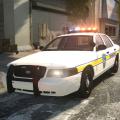 This is spectacular! Quick question, will you ever be releasing your NYSP pack?
- 8 comments
- 8 reviews
I believe it's Murtaugh's station wagon. Haha yeah I know, it was the only time they used it as a police car throughout the movies :(Download: '?do=embed' frameborder='0' data-embedContent>> Damn that looks amazing! If you are looking for ideas for your next car, something like this would be niceI love how calmly she says "I just got maced", bitch you are lying! If you just got maced not once but twice you would be in a ball on the ground screaming as the OC Spray burnt your eyes, nose and mouth, not being able to stand there and film like nothing ever happened. Also the camera didn't catch any of the officer's "macing" her. This is the problem with the "Black Community" and that's a lot coming from me since I'm half Australian/Aboriginal. /rant.Forgive my stupidness but isn't the power suply just a cord that goes from the computer to the wall? And if so what's the difference between this one and a better one? I've got two 2TB external HDD's already that can just be plugged in if I need any extra space. That's what the company rep said to me as well, however he said future games will be making use of the i7's so in the end he reckoned it'd be worth while.$2000 AustralianGTA IV I want to run with ENB's and things like the snow mod, GTA V will be stock if and when an LSPD:FR is made, Arma 3 I use pretty much for DayZ and the military mods. Also thanks for your reply!I'm on the prowl for my next computer as my trusty kangaroo smashed my last one and I was looking for a pre built and came up with this, do you (the community) think it will be capable of running games like Arma 3, DayZ, GTA IV and V all with settings on maximum? I'm not to tech savvy when it comes to building pc's so I'd like your input. Cheers! System Components: CPU: Intel® Core™ i7 4790K CPU Cooler: Corsair Hydro Series H100i CPU Cooler Motherboard: MSI Z97 Gaming 3 Motherboard Graphics: EVGA GeForce GTX 970 FTW ACX 2.0 4GB Memory: Kingston Hyper X Fury HX318C10FRK2/8 8GB (2x4GB) Red Solid State Drive: Kingston HyperX Fury 120GB SSD Hard Drive: Seagate Barracuda 2TB ST2000DM001 Case: NZXT Phantom 530 Case Black Power Supply: Be Quiet! Pure Power L8 600W Power Supply Additional Lighting: PCCG LED Strip White 30cm Operating System: Microsoft Windows 8.1 64bit OEM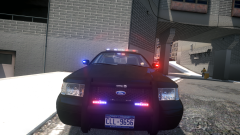 Hot diggity this is sexy! Only thing I'd rather is if it had a FedSig Vision instead of the liberty, but still 5/5
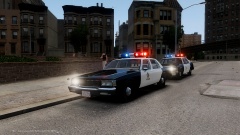 This takes me back to the Lethal Weapon movies, my god I love it! All we need now is an unmarked station wagon with a beacon *hint hint*Aussie Aussie Aussie, oi oi oi!Thanks! Coming from you it means a lot :DSo I was getting a little bored as work and uni has finished up for the year, I started looking through various police car websites and came across the Terre Haute PD. I actually quite like their car designs, particularly the newer Dodge Charger designs. So without further ado.. My Terre Haute based LCPD skin pack for a variety of vehicles. So far I have done DSF CVPI - Patrol and K-9. 2012 Dodge Charger - Patrol. 2006 Dodge Charger - Patrol. 2015 Tahoe - K-9, Patrol, Supervisor. 2008 Tahoe - Patrol, Supervisor, Special Response Unit. Ford Explorer - Patrol, Supervisor, DUI Enforcement. Ford Raptor - Patrol, Special Response Unit. Ford Taurus - Patrol, Supervisor, Speed Enforcement/Traffic Branch. If you want a specific vehicle to be done, leave a comment below and I'll add it to the list. Terre Haute PD Car photos - https://www.google.com.au/search?q=Terre+Haute+Police+cars&biw=2133&bih=1061&source=lnms&tbm=isch&sa=X&ei=mu2XVNmBOJTk8AX5hICQBg&ved=0CAYQ_AUoAQ&dpr=0.9 I'm unsure whether or not I'll release these, it's pretty much based on interest by the community so drop a comment, suggestion or concern below! Cheers everyone!

