
HankVoight
Members
-
Joined
-
Last visited
Everything posted by HankVoight
-
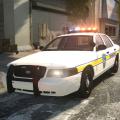
Hey people, I was wondering if anyone had an upgraded skin for the LSPD interceptor? I'm looking for one based on LAPD but still keeping with the lore and vanilla of the game. I'd like it to look like both the Cruiser and Buffalo, cheers! https://www.google.com.au/search?q=Police+buffalo&biw=1920&bih=955&source=lnms&tbm=isch&sa=X&ved=0ahUKEwjlwaH1mJvKAhUGnqYKHVs8AVEQ_AUIBigB#tbm=isch&q=GTA+V+police+buffalo&imgrc=lpVeA1Rfjh4T1M%3A https://www.google.com.au/search?q=Police+buffalo&biw=1920&bih=955&source=lnms&tbm=isch&sa=X&ved=0ahUKEwjlwaH1mJvKAhUGnqYKHVs8AVEQ_AUIBigB#tbm=isch&q=GTA+V+police+stanier&imgrc=tHGkAILuTLXfKM%3A
-
Hey people, I bought a new Alienware 17 Laptop yesterday so I'm reinstalling everything and went to install zmod2 and keep getting a side by side error -_- Does anyone know of a fix? I wanna get back into making stuff. PC is Windows 10 Cheers!
-
-
-
-
-
-
-
-
-
-
-
-
-
-
-
-
-
-
-
-
-
-
-