



HankVoight
Members
-
Joined
-
Last visited
Everything posted by HankVoight
-
There is one, and it is the equipment textures and that's it, it says I'm missing the "null" texture and that weird little symbol texture. That's what I am trying to do, it isn't working.
-
I have tried, is there a video on how to do it? The photo below shows what is happening every time I try. The file didn't even come with the textures it's supposedly missing.
-
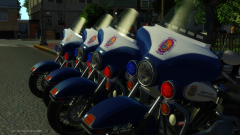 I wish it wasn't a private bike, I'd so be slapping an LVMPD skin on that and riding off into the sunset!
 -
Could someone possibly convert a few things for me from z3d form to wft form. If you can drop a comment below. Cheers! Items I need done are in these links - '?do=embed' frameborder='0' data-embedContent>> '?do=embed' frameborder='0' data-embedContent>> '?do=embed' frameborder='0' data-embedContent>>
-
Holy wow that sounds like really hard work haha, thanks for the help though!
-
Please for the love of god tell me that lightbar actually works!!
-
Ah sweet! I get the hang of it now haha. How would I go about making my own grill lights? I tried to pull some off one of Yard1's unlocked models but didn't realise they were apart of the body shell as well..
-
Could someone take some awesome photo's of a few models I've just finished. I would but my graphics don't make them look all too good. I want them to really pop and look spectacular. If you could just drop a comment below and I'll pm you.
-
Yeah I have downloaded a few development parts, most of which come in wft format but there are a few still in z3d format. Thanks for the tip with the lights! This has helped quite a lot, cheers!
-
Does anyone know of any Non-ELS lighting equipment like a Whelen Avenger or other such things for an undercover car I'm working on? I have been looking throughout various websites and can only find ELS mapped ones. Also does anyone know how to change an object from zd3 form to wft form?
-
It's perfect for Non-ELS models, it's just are shame there are hardly any decent models out there. If I knew how to make cars I'd be making heaps of Non-ELS cars. There is a pack I really want to make/have it made by someone just to boost the Non-ELS community.
-
I'll try that now and see how it goes! Edit: I just tried it and the ELS is looking better. But as you can see in the photo below it now looks like it's snowing or when your tv has the snowing on it when something is wrong with reception.
-
To be your very first models ever they seem to be quite fantastic from the video. My only concern is the two grill lights that are diagonal on the CVPI, is there supposed to be four? Other than that I'd have to say well done!
- 25 comments
- 7 reviews
-
Installing was fine, It just didn't look any good put together with RealityIV. It's out of this pack - '?do=embed' frameborder='0' data-embedContent>> If you were able to figure out how to get this to work I'd be forever grateful! If it was possible I'd love to have my lights like the one in this video but still keep RealityIV 2.0. Video link -
-
Forgive me as I'm not good with this sort of stuff but maybe if you made it DROT enabled?
-
Ah okay, I don't really know much about this sort of stuff so I tend to not want to fiddle around with the coding. Yeah I did, it didn't work out well since I have RealityIV 2.0 installed, thanks anyway!
-
I gradually increased it up to 600 and it just got brighter but it still looked the same.
-
There's not really any point in having the rest of the game looking fantastic and then my ELS looks like crap, it just throws the hole thing out of whack. If there were enough decent Non-ELS models out there I'd just go back to them because Non-ELS lights look great with with RealityIV 2.0. I was using Cry ENB on the very low setting and the game looked great with no/minimal FPS loss but my ELS lighting looked like I was still using stock settings. I really hope so. Cheers!
-
So I reinstalled RealityIV 2.0, upped my emissive line from 13.00 to 300.00 which normally blind the hell out of anyone but as you can see in the photo below it's night time and that's what they look like :/ I'm completely stumped on what else I can do.
-
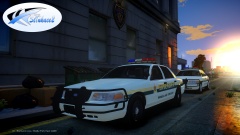 Sucks so much these aren't being released, I've been waiting for these same kind of Sheriff cars for ages! Great work mate.
 -
Unfortunately I don't run EFLC anymore although that sounds like a pretty good idea. Do they make the ELS light emissions somewhat realistic?
-
The only problem is I get massive texture loss for some reason with RealityIV
-
I get massive texture loss for some reason with RealityIV, if you want to email me that file I could try it :) Edit, I was using version 1.62 which is probably why it was so crap. If you could upload that file it would be fantastic! Cheers. I've never heard of any, I shall try them both!
-
So I'm tired of the low FPS with ENB's and other time cycle mods but I still want my ELS lights and my game to look decent without the low FPS rate. Does anyone know of anything that can help?
-
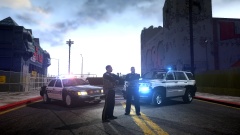 I'm really liking those ped's vests!


