
JakeKindaSus
Members
-
Joined
-
Last visited
Everything posted by JakeKindaSus
-
 it might i still have to do more testing, but if it doesn't then ill implement it with the random personas it uses. but for motorcycles randomly taking the stairs i dont think thats possible. now as of motercycles driving up stairs and going through alleyways it may or may not be possible
 -
-
I'm not sure what you mean, if your talking about Safer Chases Reborn, it was released just hours after mine was approved, and i have no correlation that one was being made in the background so the timing was coincidental. I made mine because the original Safer Chases had noticeable performance issues, backup behavior was inconsistent, and it didn’t always work as intended due to being outdated. Immersive Tactics also wasn’t working well for me, and I was tired of the AI making poor decisions and making LSPDFR unbearable to play. My goal was pretty much to fix those issues and make the gameplay more enjoyable, not compete with anyone else’s project and this one is still a wip.
-
-
-
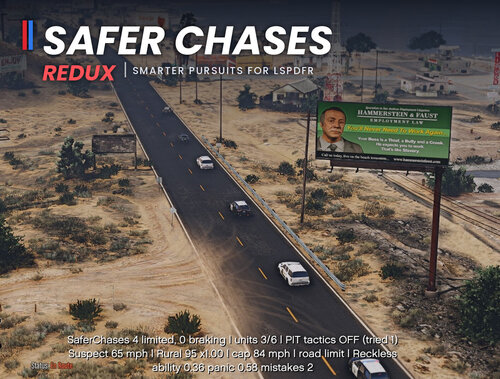
Safer Chases Redux – Smarter Pursuits for LSPDFRVideo Example: https://medal.tv/games/gta-v/clips/nI0wyphFgBi9hwapB?invite=cr-MSx0WEcsMTg1OTgxMDAy Smarter, safer, more realistic police pursuits for LSPDFR. Safer Chases Redux makes pursuits feel less like a demolition derby and more like real police work. Speeds are kept sensible for the road, units brake for traffic and each other, and the suspect drives like a person trying to get away instead of a stunt driver. PIT attempts are rare, deliberate and only happen when it’s safe. This is a ground up rewrite for current LSPDFR and RAGE Plugin Hook, using the original Safer Chases source code as a reference. It comes with its own configuration file, and every feature can be switched off. FeaturesSpeed that fits the roadSpeed limits by road type for both police and the suspect: residential, urban, rural, highway and off-road. The road type is worked out from the street name and whether the car is actually on a road. Extra caution in rain, snow, night, steep downhills and sustained bends. Units that fall behind get a catch-up bonus, so they can regroup instead of trailing off. Limits are applied and released gradually, so cars brake and ease off instead of hitting a wall. Police that drive wellPolice drivers get the game’s best driving skill. Crash avoidance: every unit looks ahead along its curved path and slows to stop behind whatever is in its lane. If there’s free room beside the obstacle, it goes round instead of stopping. Parked cars at the kerb, helicopters, bridges and oncoming traffic are ignored. Chain of command: units are ordered by distance to the suspect and stay behind the unit ahead of them. They only pass when it’s necessary (that unit is 5+ car lengths behind its own lead), the backup has the speed to do it, and there’s space. A stopped, crashed or off-course unit, including you, never holds anyone back, and a unit stuck behind a blockage is re-tasked to find a way round. A cap on how many units can be in a pursuit. PIT tacticsFollows the lspdfr pursuit tactics setting. Off means nobody PITs. When tactics are on (by defualt), a PIT only becomes possible when a unit is in position and it’s safe: light traffic, hardly any pedestrians, and the suspect not turning hard or off-road. Even then it’s a chance, not a certainty. After an attempt, nobody tries again for a while. The unit that goes in is steered onto the suspect’s rear quarter and pushed across after contact, so attempts actually connect. With debug on, the log tells you whether each PIT worked. A suspect that drives like a personKeeps the speed limit, but each pursuit the suspect gets a random persona: Skilled, Reckless, Panicky or Cautious. Panic rises as cops close in. They push harder but drive worse, and long chases tire them out. There’s a real chance of driving mistakes, rising with speed, hard cornering, bad weather and panic, so crashes happen because of how they’re driving. ConfigurationThe included .ini has comments on every setting. Highlights: Speed limits per road type, and which road-name keywords count as highway, rural or residential. PIT chance, timing, and what counts as “safe”. Backup crawl speeds, flipping, spreading and overturn handling. Suspect mistake rate and persona behaviour. Debug=true turns on logging, an on-screen overlay and an end-of-pursuit summary. Leave it false for normal play. Known limitationsBackup is detected, not intercepted. A new police vehicle that appears with its siren on during a pursuit is treated as backup. The mod controls speed, driver skill, tasks and where new backup spawns. It can’t steer cars directly, so swerving and crashes are still done by the game’s driving AI. Wrong-way flipping assumes right-hand traffic and ordinary two-way roads. The pursuit-menu tactics toggle can’t be read in every setup. If it can’t be found, the INI setting TacticsFallback is used, and you can flip it in-game with a hotkey. Guard (re-tasking units that drive away from the suspect) and LossOfControl (suspect slides during a mistake) are experimental and off by default. CreditsThanks to the author of the original Safer Chases whose source code was used as a reference for this rewrite.
-
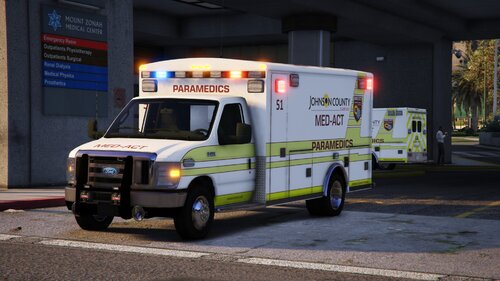 Definitely a great Kansas Med skin pack
 -
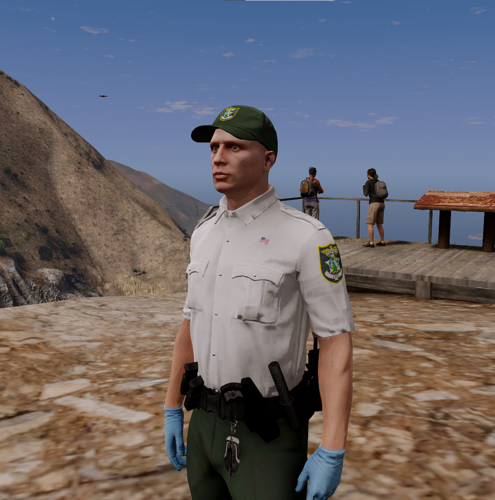 if you mean making it replaced, that takes some time, vs addon witch is simple and everyone can do themselfs since theres a tool for that called grzyClothTool
 -
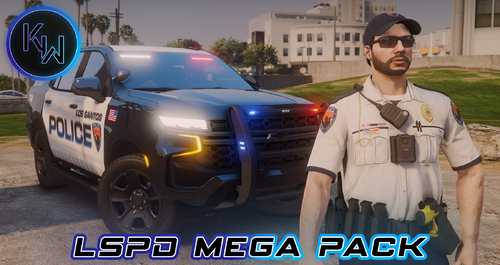 Since this is an addon eup remove this from your dlclist.xml; < Item>dlcpacks:/mpg9ec/< /Item> < Item>dlcpacks:/patchdayg9ecng/< /Item> < Item>dlcpacks:/mpsum2_g9ec/< /Item> < Item>dlcpacks:/patchday27g9ecng/< /Item> < Item>dlcpacks:/mpchristmas3_g9ec/< /Item> < Item>dlcpacks:/patchday28g9ecng/< /Item>
 -
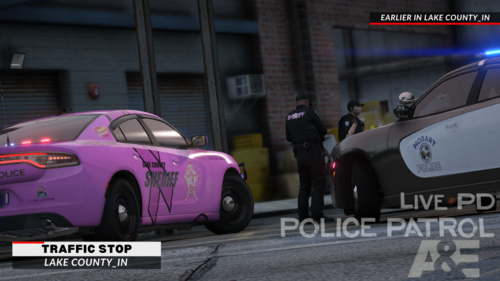 Seriously, I don’t understand the point of uploading a vehicle texture pack if you aren’t going to link a single vehicle that is actually compatible with it. It makes the pack practically useless. People download it and then have no idea what vehicle it’s supposed to fit, let alone whether that vehicle is free or paid. The Lake County IN texture pack has the exact same problem. Why upload a texture pack without linking the actual vehicle it was made for? It’s not asking much, just tell the people what vehicle the texture is intended for and provide the link. Honestly, I think there should be some type of rule requiring texture packs to list the exact vehicle they’re made for and provide a link to it. Otherwise, people are left guessing, and it gets to the point where you have to wonder what the point of uploading the texture pack is if nobody can actually figure out how to use it.
 -
 the thing is, this is for mpcloths dlcpack, witch is addon. not to mention there is no "note" in the download folder. it wouldve just been better off to make it replaced for eup since not alot of people use mpcloths. and not to mention that its outdated
- 22 comments
- 4 reviews
-
 Honestly makes it so much more immersive and works with the default lspdfr arrest warrant callout without any issues
- 421 comments
- 48 reviews
-
 Policing Redefined is comply compatible since it automatically converts the xmls used for ub. All you have to do is install it how you would normally, but replace the UB configuration files to policing redefine backup folder. When you first start lspdfr and go onduty it automatically configures it, however it might give you a Name cannot begin with the '"' character etc error. To fix it you have to do is edit SpecialUnits.xml (i recommend Notepad++ to be more easier) press ctrl+f, go to the replace section and copy for example {space}">mp_m_freemode_01</Ped> with the space before the parentheses, paste it again in the -replace with- section, and just remove the parentheses then replace all. This is the error that it is talking about .
- 954 comments
- 24 reviews
-
 I’ll be honest, I was kinda skeptical and nervous about switching to Police Redefined, but honestly, after making the switch, it runs so much smoother and feels a lot better than STP/UB. Backup requests for traffic stops work way more smoothly, the ped handling is great, and honestly, both Police Redefined and PDComp completely change the way LSPDFR feels. It just makes everything feel more natural and immersive.
- 743 comments
- 58 reviews
-
-
 West Vinewood Sheriff Jurisdiction This modification adds a custom West Vinewood Sheriff jurisdiction to LSPDFR, covering the West Vinewood and Vinewood Hills areas. FeaturesCustom West Vinewood Sheriff agency Ambient patrol units using the custom fleet with proper liviery setup LSPDFR backup support Ultimate Backup regional support WVINE and CHIL separated from the standard LSSD regional setup Normal LSSD patrols outside of the custom jurisdiction remain unaffected. InstallationAll Readme Files can be found in the download This modification is intended for users who want a more dedicated california based/lore architect West Vinewood Sheriff presence rather than having the standard LSSD county fleet spawn throughout the area. RequirementsGTA5-Mods.comLSSD West Vinewood station [Add-On SP / FiveM]LSSD Station, West VinewoodThis custom mapping adds a brand new Los Santos Sheriff's Department station on Eclipse Boulevard, located in West Vinewood. It's a detailed and immersive recreation inspireGTA5-Mods.comLos Santos County Sheriff Pack [Add-On / EUP / MLO]Los Santos County Sheriff Pack by Jhonny.This package seeks to offer you a new experience for the LSSD. I am far from being a professional, this is only my second mod. Some models will surely not suit
 -
-
I wanted to replace a station and change the markers for location accuracy but unfortunately it didn't have any effect when i changed the coordinates in the station.xml Downtown Police Station
-
-
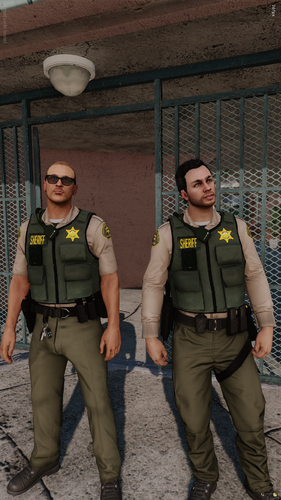 You'll have to change the "A" in ytd name to "B" for lssd. You place it inside of the eup archive in eup_componentpeds>mp_m_freemode_01_mp_m_january2016
 -
 someone will probably make it serversided but they would need to make a script since not everyone would want to use the same weapon animations
 -
-
 i see that there is now a fivem version but its only just a dll, is it suppose to only work client sided?
- 540 comments
- 42 reviews
-
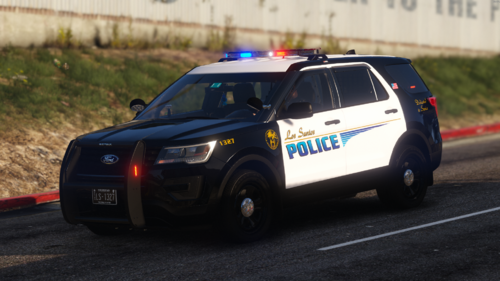 This file is intended to make configuration easier by providing organized vehicle entries that can be quickly copied, pasted, added, or removed without having to search through, or deal with the longevity of copy pasting changing names. Vehicles are orginized by Marked, Slicktop, Unmarked, Traffic, and Port Vehicles.txt
 -
because addon weapon metas need to be edited