



gapcomputer
Members
-
Joined
-
Last visited
Everything posted by gapcomputer
-
they are in his web page at https://bejoijo256.wixsite.com/bejoijo
-
works for me
-
try disabling you antivirus, and reinstall EUP menu Operation did not complete successfully because the file contains a virus or potentially unwanted software. (Exception from HRESULT: 0x800700E1)
-
you can't use same name, like police2, sheriff1 etc and all names that are already in game, you have to give a different name
-
go to ******\Grand Theft Auto V\lspdfr\ open keys.ini and read, all the info is there
-
#1 once you're in game press Esc click on the tab LSPDFR, click in sync, press Enter, press Enter again , it will take you to this page where you have to follow the steps ( https://www.lcpdfr.com/settings/lspdfrsync/ ) #2 most mods that you download from here come with a read me file, if not it will tell you on the download page how to install them and where, just read and follow the steps.
-
it seems like there is a problem in the apartment section try to run LSPDFR without any other plugin like CopHolster, EUPMenu, KTFDO etcif you need to delete any mods i will recommend downloading the mod again (if you don't have it), look inside the mod folder that you just download for the names and locations of the files, then delete the files with the same name and location from your GTA V folder (some files are shared like AdvancedHookV.dll, Albo1125.Common.dll RAGENativeUI.XML and some others), if you want to disable ASI manager, as soon as you RAGEPluginHook is loading, hit the button settings ( low left corner next to the RED X) go to plugins and disable it from there, hope this help in any way.
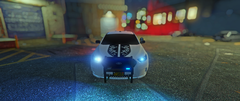
From the album: NJ Police
still playing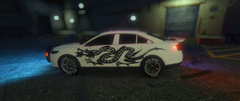
From the album: NJ Police
Just playing around with liveriesyou have to create the folder ....Installation All files go into (GTA V Folder)/Scripts/. If you don't have it, congratulations, this is your first script. Create the scripts folder and put them there.no problem, just make sure where you are putting the files, you mention that you put the .DLL in the plugin folder, but in the description of the mod they actually go into the script folderi not even going to try it since this plugin (ScriptHookVDotNet) for sure will crash my game, but make sure you are doing thisi can't find that mod anywhere, can you put the link so i can try it out?you should look for the name of Burrito, that is the model of the Police Transporter (or Policet) and other vans, look for it in GTAV/mods/update/update.rtf/dlc_patch/mpheist/Carcols.meta also check in here GTAV/mods/update/x64/dlcpacks/mpheist/dlc.rpf/common/data/Carcols.meta hope that helpshad that problem a couple days ago, i have to install Script Hook V .NET in order to install another mod that require that files, after that game keep crashing, i remove the mod and the Script Hook V .NET files, game back to normal.This one is the latest file Released 27 Jul 2019 Version v1.0.1737.0 Supported patches 1.0.335.2-1.0.1737.0 Download http://www.dev-c.com/files/ScriptHookV_1.0.1737.0.zipi just was going to recommend that, installing one by one is the way to go, BTW which plugin is creating the folder updatemanager?Disable your antivirus or add the folder where GTA V is installed as trusted or exceptions, had never a problem with anything downloaded from herethis maybe happen if you don't use a MOD folder as recommended, if you follow the instructions in LSPDFR install guide and get all the files required it should work out of the box, you can back and read what you need in order to make it work and give a second chance (i will recommend that) or just go to your steam library and verify the files.in my case i had to go to steam library or whatever the games are, right click on GTA V and verify files, that will tell steam that you game isn't updated and will proceed with the update process




