
gapcomputer
Members
-
Joined
-
Last visited
Everything posted by gapcomputer
-
there are many plugins that hasn't been updated to work with the last version of LSPDFR i believe smart radio is one of them, was working awesome in previous versions but not working for me and many others in this game version and i have to uninstall the mod, all the other mods with radio depend on this one so basically are useless, BTW there are some cool mods who no longer are in this site and you may want take a look and give a try, https://bejoijo256.wixsite.com/bejoijo
-
you can't play real life if you don't have LSPD since the last one es the "core game" and the other will not work without him
-
check if you in fact are missing patchday20ng, if you actually don't have it try verify your files in steam (if is a steam version), empty the content of the folder AsiPlugins from your GTA directory and see if that solve the issue.
-
Try disabling your antivirus
-
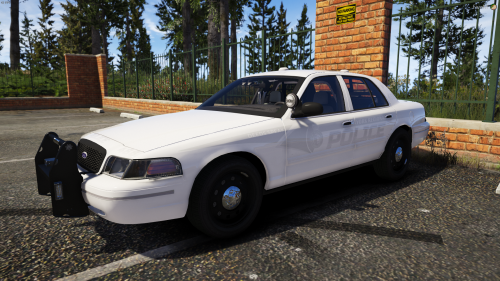
 Non fictional Replace Texture in Open IV Skins in this pack SOPD Crown Vic SOPD Ford Explorer SOPD Ford Taurus SOPD Dodge Charger Vehicle models from this pack
 -
 thank you
 -
.thumb.png.362bb5748fb77b4ad7407c70fc93fef2.png) Thanks
Thanks -
working on it, trying to do one model at the time
-
try to go higher with the Plugin Timeout threshold to 60000 (you have it at 10000) also try to delete anything in the asiplugin folder Open RPH and click on the gear icon to go to settings and change it from there. also you can try this
-
you can find the mod here
-
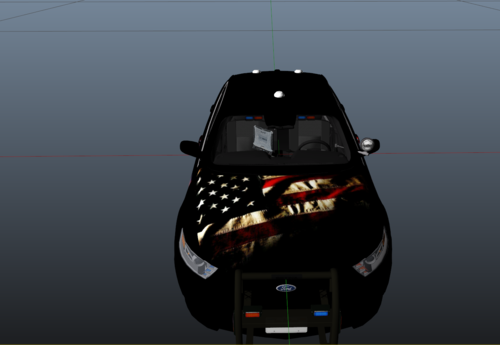
Non fictional, contain different liveries so the vehicle don't spawn with the same number and licence plates Replace Texture in Open IV Follow path mods\update\x64\dlcpacks\[name of you vehicle mod folder]\dlc.rpf\x64\levels\gta5\vehicles.rpf\ replace texture in .ytd Skins in this pack NJ State Trooper NJ State Police NJ State Police Ghost NJ Transit Police Tahoe model from this pack
-
if you're looking for someone to help you out, you must elaborate what kind of problem you have with the game
-
-
Here are some liveries i did for myself, some are fictional some others not, but you can have it if you wish Replace Texture in Open IV Follow path mods\update\x64\dlcpacks\[name of you vehicle mod folder]\dlc.rpf\x64\levels\gta5\vehicles.rpf\ replace texture in .ytd Taurus model from this pack
-
try to verify files instead of download the whole game, also is recommended to use a mod folder in the future
-
did you try to reinstall RPH? it showing null when should show F4, maybe trying to run it on safe mode?
-
press F4, type spawn police4 wait a couple of sec until car spawn, then press F4 again PS: sorry i miss read you are playing online. i don't think you can't spawn the car being online
-
go to settings, turn radio off and any related thing with the radio
-
give a try to this video, works very well for me, also in the description there is the mod used to work also there is a tutorial from albo that i also using, here is the link, BTW isn't unlimited, you can install 10 cars before the game crash, so don't go more than 10 cars
-
programs that read the memory. kike trainers even the cheatengine can be detected as Virus, Trojan, Malware, Unwanted Program etc.
-
@Chip. unless you have a mod for that, it will not do that, it just give you the prompt
-
i had same problem i remove it and i got this one and so far no problems at all, https://bejoijo256.wixsite.com/bejoijo/post/compulite
-
-
-
False positive detections are common in the antivirus industry. They occur when a benign program is wrongfully flagged as malicious due to an overly broad detection signature or algorithm used in an antivirus product

.thumb.png.362bb5748fb77b4ad7407c70fc93fef2.png)