


robocop
Members
-
Joined
-
Last visited
Everything posted by robocop
-
If i remember correctly there actually was a security guard in lcpdfr selection menu maybe it was in one of the earlier versions of it. It would be nice for people that wanted to take roll of a security guard.
-
Maybe luked could add it to the controlv mod it seems like that would be a good place for it.
-
You may be able to do it with the canis crusader but I don't know what the texture look like havn't looked at them but the dubsta I'm pretty sure you can't.
-
What are you talking about any pictures? I don't get what you are saying.
-
I don't think they were teasing us with it because the halogen lightbar currently in the game looks more like the one irl because the one in the picture you posted looks to big. That's just my opinion though.
-
Most likely not in the game because im pretty sure it was just a place holder car untill they updated the emergency vehicles.
-
what you could do is copy the files of the unmarked(maybe using tutorials shared above) and make a new vehicle for the unmarked that you could spawn with the trainer. Then replace the original unmarked with a highway patrol vehicle from the download section. So when you want to patrol with an unmarked you can and then you would see a highway patrol vehicle responding instead of an unmarked vehicle.
-
I can't believe people are calling this the first car mod. All the person did was attach a mesh to a car model. Then people in the comment section are saying this is the start of vehicle modeling which it isn't because it hasn't started yet. The start is when zmod import function comes in late july then the export funcion come at a later date that will be the start of car modeling in gta. I would never call this the first vehicle mod because it really isn't.
-
This is really nice the circle is nice too but I think that maybe a rectangle would be cool so you stand toward the traffic you want to stop and anyone past that rectangle/line stops instead of a whole circle and people just stopping in the middle of a scene.
-
I think he may ve waiting for the API to be released so he can plugin to lspdfr so it works well togeather. But it is a good idea.
-
It will always run on ragehook. Pne reason is because it is really powerful. Another reason is that LMS help devlop ragehook and LSPDFR so they are able to easily communicate and add more to each thing. Why wouldnt you want it to run on ragehook.
-
maybe for playstation but for xbox it will be running a modified version of windows 10 with dx12 so as long as the pc game is just like the xbox game then you wouldnt have too convert scripts and such. Not saying you wouldnt have to convert for GTA V because i only know what the pc files look like i have no idea how the xbox files are setup. Some hoe microsoft has implemented this in too the xbox one with fallout 4.(also playstation)
-
The developers of the games will have too work with microsoft for this too work so the only game I know about right now is Fallout 4 which will support mods on pc,xbox,and ps4. Rockstar will never technically support mods so you shouldn't expect GTA 5 mods coming too the xbox one. It would be cool but I don't expect it from rockstar unless they totally block you from going online while you have mods enabled. Well you really would have no choice because it would be just like the pc mods no converting needed for it too work on the xbox.
-
Yeah but this time just with damage but i'm sure there is something in the code somewhere for lights only
-
I posted this in the Lights no siren? topic about 19 hours ago using the newly released SNT for GTA V you are able to achieve this but at a cost if you like having your vehicle being damageable. Open up the trainer and set vehicle god mode to on and you will be able to have lights with no siren...So there has to be some correlation between these two things.
-
They are like that in my game and im pretty sure everyone else i think thatvis why the buffalo is 32 every time
-
using the newly released SNT for GTA V you are able to achieve this but at a cost if you like having your vehicle being damageable. Open up the trainer and set vehicle god mode to on and you will be able to have lights with no siren...So there has to be some correlation between these two things.
-
They are already developing this multiplayer https://forum.gta-mp.net/ (like sa-mp) they said you will be able to use mods but maybe not in the first release
-
I don't know if this has been said but I think when you request a transport to arrest someone I think it would be better if you put them in the transport car instead of the other officers holding the suspect at gun point and making the suspect walk to the vehicle.
-
It is GTA V i can the bike and cars well enough and you tell by the sky.
-
They havent updated yet and the only thing you be able to do is view them and even when they get reimporting you still have to wait for zmod.
-
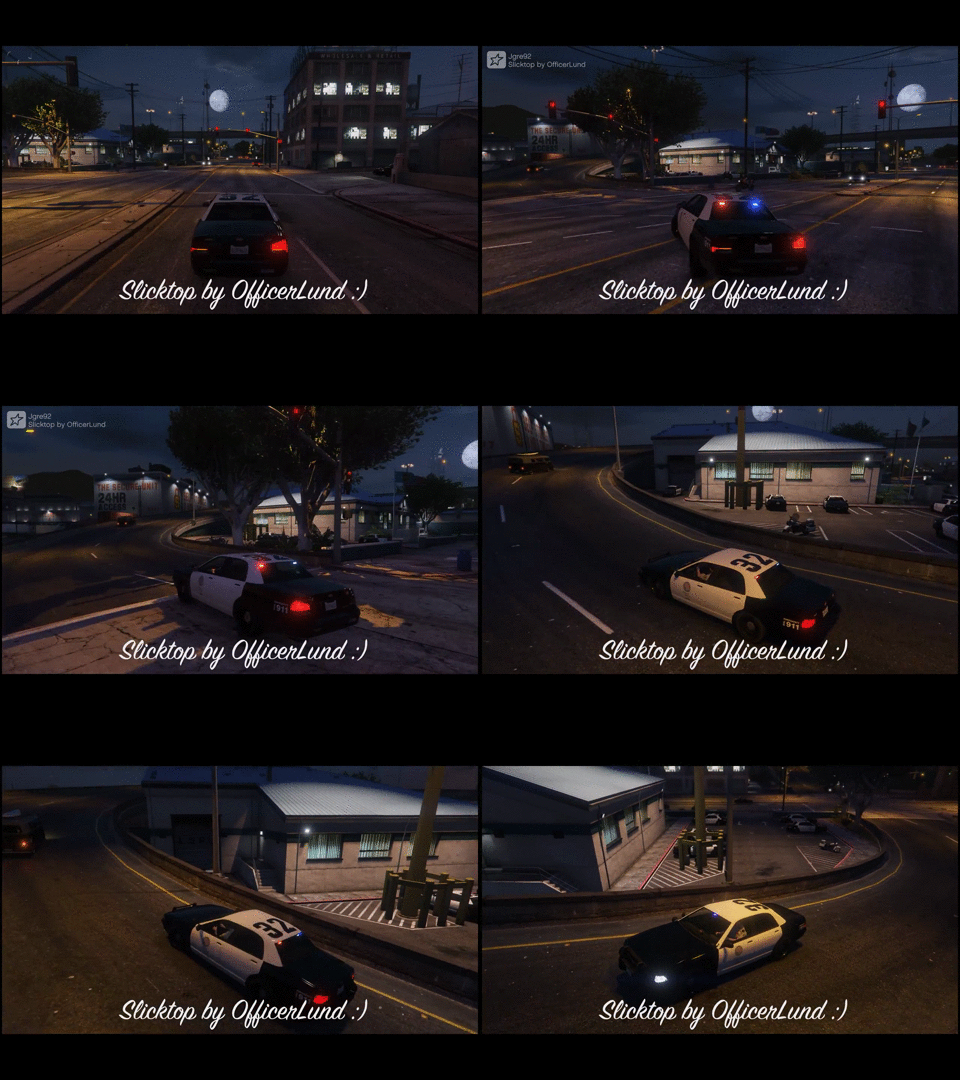 No it just an edit to the cars body style. You could do this for 360/ps3 when using the save editor Police car (Unmarked, Sheriffs Cruiser, Police Cruiser(Vapid))Body Style : 0 = SlicktopBody Style : 1 = Led LightbarBody Style : 2 = Halogen LightbarBody Style : 3 = Led and Halogen Lightbar mixed
 -
In the maxpayne 3 editor in openiv you are able to view inside those .awc files so once they do a little more work you should he able to access them
-
Some of the police vehicles have some customization to them. The interceptor has a different hood,spoiler and the vic has the different light bars. I don't know about the others but they may have some that you can see because you cant go into ls customs with them.
-
4 scripts are out right now(including the trainer) and one hook for LUA scripts http://gtaforums.com/forum/326-scripts-plugins/

