


Yard1
Friends of LSPDFR
-
Joined
-
Last visited
Everything posted by Yard1
-
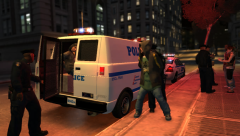 Another great shot!
 -
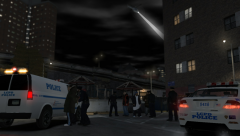 Meme posting is against the rules. Posts hidden.
 -
-
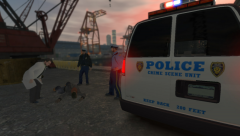 *L.A. Noire music*
 -
Every ELS v7 car works with ELS v8 if you change the config file. Guide to changing config files from ELS v7 to ELS v8 format is included in ELS v8 download.
-
Get GIMP.
-
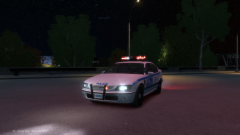 Nope, it's mapped to the livery, all thanks to Ekalb.
 -
-
Abraxas has made vector versions of most of the logos (including PAPD). They are in his source files for his pack - '?do=embed' frameborder='0' data-embedContent>>.
-
-
-
-
-
Finally uploaded the Alderney City Fire Department skin. It is inside the .wtd as AMB_sign_2. Thanks to Loot for pointing it out. (No version change, redownload) Default Brute Ambulance, UV-mapped and templated by Dhruv, with FDNY/FDLC setup and Whelen Ultra Freedom by hlsavior, modified by me. Main skins (in wtd) are by Lt.Caine, modified by me to fit the new template. The ACFD skin was made by me, design by DLer. Extra skins were made by Spartan092. Huge thanks! ELS configuration file included. 15 liveries total! I recommend you to use Area Livery Mod by Sam, to restrict certain liveries to certain areas, and to remove the 4 liveries limit! (LCPDFR 1.0c also removes the limit, but it does not have the ALM features). You can add more liveries to the wtd, just rename the livery you want to add to amb_skin_5, and then import it. If you want to add more, increase the number by one. WARNING Using too many liveries (even 8 can be too many), can and WILL result in a BROAD RANGE of problems including, but not limited to, TEXTURE LOSS, POP-IN, SLOWNESS, FREEZING, CRASHES TO DESKTOP and MODELS/PEDS/CARS NOT SPAWNING. MAKE SURE TO UNCHECK "AUTOMATICALLY GENERATE MIPMAPS" WHEN IMPORTING TEXTURES IN OPENIV. MIPMAPS ADD SIZE, LESS SIZE IS BETTER. -------------------------------------- Installation: - Use OpenIV to replace the corresponding files within vehicles.img with the .wft and .wtd files provided in this package. - Open the vehicles.ide file in your Grand Theft Auto IVcommondata folder, find the lines beginning with the names of the appropriate models, and at the end of those lines add +livery. -------------------------------------- This download is exclusive to LCPDFR.com. Model provided unlocked - there is no need for my permission when fair credit is given to me and other authors. Made by Rockstar Games, Dhruv, hlsavior, EVI, Spartan092, Yard1
- 20 comments
- 7 reviews
-
-

- 2
-
-
-
-
That's an issue with the model itself, I'll try to fix it or contact the person who converted the model.
- 89 comments
- 29 reviews
-
-
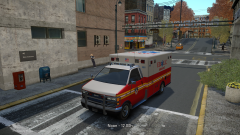 It is going to be released in my LCPD pack. No ETA as of yet!
 -
-
-
-
I heard that the game refuses to work as intended if you add more than 16 and if you add the new liveries with automatically generate mipmaps option checked. DO NOT GENERATE MIPMAPS WHEN ADDING LIVERIES
-
I heard that Sam is working on a new ALM supporting more than 4 liveries...
-
*Bean Machine coffee

