


Devin Plays
Members
-
Joined
-
Last visited
Everything posted by Devin Plays
-
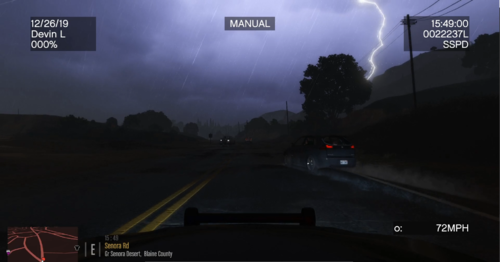 Thanks for checking out my dash cam presets. I decided it would be fun and immersive for my YouTube video's to reposition the dash cam positions from Dashcam V so that they were displaying from where the camera model is mounted in vehicles that have them. The viewpoint is positioned directly in front of the mounted camera and moved forward just far enough to get it outside the glass to avoid odd texture effects. This is not a comprehensive list, it is only vehicles I have used in my videos. I will continue to expand this. I also included my default positions for cars that don't have cameras modeled. This download will include the X, Y and Z positions for the vehicles supported, as well as a list of supported vehicles and links to those vehicles. If there are vehicles/packs you'd like done, and you don't wanna follow the easy tutorial below, lemme know and I'll probably make it happen for you! Here is a link to a video with a correctly positioned dashcam in action. Supported vehicles so you don't have to DL to find out
- 36 comments
- 2 reviews
-
-

- 4
-
-
 Not only a great piece of work, but also friendly support from the author. Top notch.
- 124 comments
- 7 reviews
-
-
- 1
-
-
Thanks for reaching out. I know we talked on Discord, but I wanted to make sure I publicly confirmed the issue was 100% on my end and that its working great.
- 124 comments
- 7 reviews
-
-
- 1
-
-
Well, sadly, I suffered an immediate crash to desktop with the "corrupted gamedata error" as soon as I launched the game. I suspect the issue is truly on my end. All of the vehicles in my game, minus a few replacers, are configured as addons, and so each pack (there are 3) has its own vehicle meta for those cars. I know this file changes the vehicle.meta in update.rpf, which I've also made some changes too, mostly adding a removing flags, and so my inexpert opinion is theres some sort of conflict between how I have things set up and what re-roading needs to do to work. I lack the ability to diagnose and fix the problem. If you'd be interested in offering some support, I'd love to talk on Discord or something. Devin L#3179. If not, I totally understand!
- 124 comments
- 7 reviews
-
-
- 1
-
-
I was lamenting the other day about how running radar is almost worthless, especially on the interstate. i'm looking forward to trying this out. If I manage to really capture this plugin in action, I'll post a link to the first video I use it in, if you don't mind.
- 124 comments
- 7 reviews
-
-
- 1
-
-
.thumb.png.c69722ff69ee32567bb88ef585c09d0d.png) You certainly can use multiple, but you may have to rename the files yourself to stop em from overwriting. Look at the description of the video here and you can see all the different belts I'm using, most of them being Jake's awesome designs!
You certainly can use multiple, but you may have to rename the files yourself to stop em from overwriting. Look at the description of the video here and you can see all the different belts I'm using, most of them being Jake's awesome designs! -
-
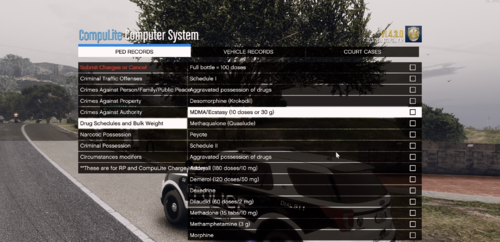 Hey everyone! Not a big deal here, but, I took some time to modify the charges.xml for ComputerLite to bring them into line with the Ohio Revised Code. This charges are as realistic as I could possibly get them. They are originated into groups and then listed in order of misdemeanor or felony level and then alphabetically. I also included a non-usable section to show which schedule narcotics fall under and the bulk weight for drugs for purposes of charging. I pulled the idea from the Lore-Friendly Charges and Citations for CompuLite by Westcoaster. You should also check out NewCustomQuestions, also by Westcoaster, and myself, which will allow you some deeper interaction with suspects. Lore-Friendly Search Items will help with drug and weapons charges. I have modified by Stop The Ped search items to include weights and amounts, and I included my files, but review them before you replace yours in case you don't want to use them. I also highly recommend you keep a copy of your current charges.sml in case you don't enjoy this level of spergery. Anyways, plop this in your GTA V/plugins/LSPDFR/Computerlite file and overwrite if promoted (make a backup). If you wanna use the pat down and vehicle items, they go in your Stop The Ped folder in the same location. For the Impersonating an officer charge, use CompuLite or the default LSPDFR computer/radio to check LEO status. Hope you enjoy! Here is an example of the charges in use
- 13 comments
- 1 review
-
-
- 3
-
-
 So, I have done three videos now with the vehicles from this back (Wildlife, LSSD from Jefferson County, and LSPD with Louisville Metro) and I just had to come back and say that these cars are the best. I will definitely be featuring the rest of them. Thanks so much for this awesome pack! I can not wait for the new update because I love unique Fire and EMS apperttus for the different jurisdictions, at least LSFD, BCFD and LSCFD. Much, much love. If anyone cares
- 215 comments
- 38 reviews
-
-
- 1
-
-
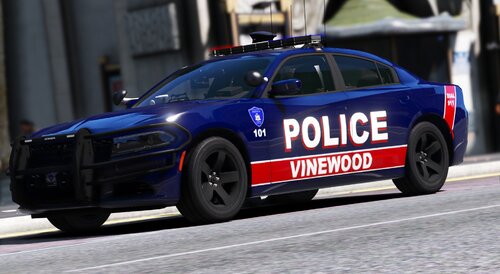 These are looking great, and have my most favorite light bar. The all blue version is killer on this car. I'll be doing a YT video featuring these in the near future, count on it!
- 5 comments
- 1 review
-
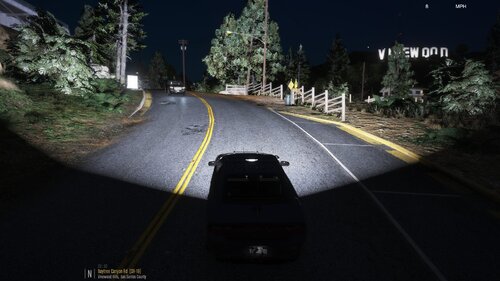 Damn takedowns are so bright I could see into the future! Love it, and love the reflections too. Great job. Used this in my most recent video!
 -
 Edit: I think I was on the callout spawned by the one by DemNinjas', so, never mind, this probably isn't applicable here, sorry.
 -
-
 Sounds great bud! I look forward to the update, but of course, you gotta live your life first!
 -
Hey, I absolutely love using this plugin, but I have a (hopefully) minor request. Do you think it would be possible to include a position change ability in the ini, so that you could change where the readout is on the screen. Where it's at currently is highly intuitive and makes perfect sense, its just that when I use it with speedradarlite, they overlap. So, not a big thing, but, just a "would be nice", at least for me. Thanks again!
-
.thumb.png.7c5ce7e58cd9d287827987ce0943abc9.png) Always love to see Ohio represented. On my YT channel, all of the skins for the various departments are Ohio based. Thanks for this awesome addition!
Always love to see Ohio represented. On my YT channel, all of the skins for the various departments are Ohio based. Thanks for this awesome addition! -
-
 Hey! I'm experiencing an inconsistent issue where Ill complete an arrest report only to have it never show up in the active court cases area. I was just playing and made three arrests, completed three reports, but only the first suspect populated in the active cases. The third one was completed approximately 2 minutes before I looked into the active cases area and found it didn't populate. Has anyone else had this issue? Is there any information I can send over to assist in diagnosing this? Thank you!
- 1,005 comments
- 68 reviews
-
 Hey, I absolutely love this script and it was working amazingly for me until 0.4.3 release. At this point, I've been getting crashes in game from this script, so I wanted to let you know. Included is my RPH log from the most recent crash. I'd love to see this updated if it is an issue with 0.4.3 as I really enjoy the immersion this brings to my games! It seems like it may not be and could instead be an issue with one of the vehicles its trying to spawn. RagePluginHook.log
- 93 comments
- 18 reviews
-
 So, question. If you change the <audioNameHash> of a police vehicle then it doesn't have the police radio background noise anymore, right? Is there a way to have both the new engine sounds and that background noise? Thanks!
- 28 comments
- 2 reviews
-
I absolutely love the computer system in Interaction+. One suggestion I would offer is to ask is it possible to allow us to issue multiple counts of the same crime? I know how to kinda trick it into doing it, but, it would be kinda cool to see that as a feature! Thanks for all the effort you've put into this.
- 1,005 comments
- 68 reviews
-
-
- 1
-
-
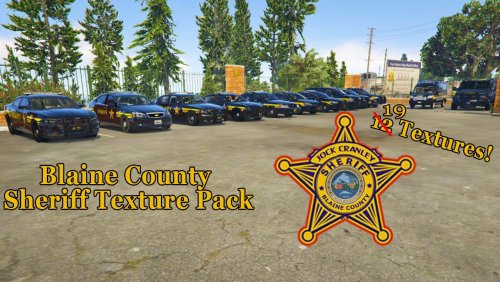 These are absolutely great! I sent you a DM but I've had trouble with people not getting them. Would you mind reaching out to me on Discord (Transnapastain#3179). I'd like to speak to you about doing some special skins....with compensation, of course.
- 17 comments
- 3 reviews
-
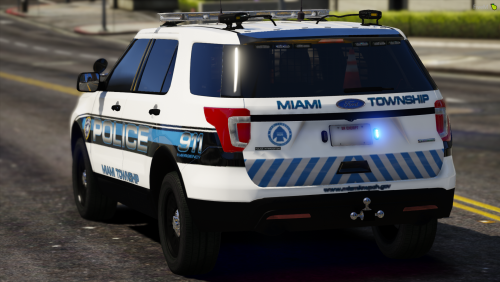 Very good quality! Thank you. Really helping round out my Ohio police vehicles.
- 7 comments
- 2 reviews
-
You must be from Ohio and around the same area as me! First Kettering and now this. I've always liked Miami Township's cars. This vehicle worked a previous texture, so I'm guessing it'll work for this one too,
- 7 comments
- 2 reviews
-
-
- 1
-
-
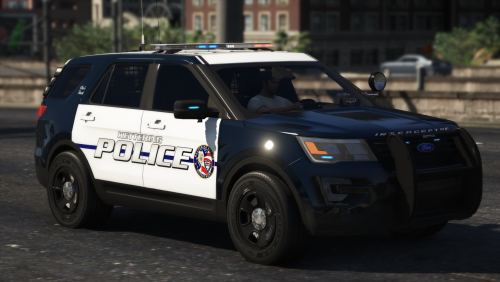 Amazing how many Ohio themed skins there are. Imma add it to my "hometown" collection! Well done.
- 5 comments
- 1 review

.thumb.png.c69722ff69ee32567bb88ef585c09d0d.png)

.thumb.png.7c5ce7e58cd9d287827987ce0943abc9.png)
