


timnboys
Members
-
Joined
Everything posted by timnboys
-
hmm that is doable since I admit I like that "unpredictably" as if you ever played lcpdfr on gta iv you would never know if you walked up to a vehicle and someone pulled a gun and started shooting at you which is why when I learned that happened I always carried my taser armed and ready to use incase that ever happened lol....anyway I guess that is possible to add in as a lspdfr plugin though the complexity of doing something like this might need to be thought out considering there is multiple ways you could accomplish something like this.
-
do you have your ragepluginhook.log to look at to determine what it may be?
-
 fixed in latest update.
 -
nope I cannot give you the tone file sorry it comes up real quick with a quick google search. unless you mean you want the script modified to only play the tone without the LSPDFR "dispatch" radio voiceover's? if so don't you kinda think that defeats the purpose of "realism" that was put in there for though? Also I did not make that video I outsourced it to someone else who was more than willing to do it instead for me.
-
well since you think it is "police language" you know how to "speak" it as you claim here you go: http://bfy.tw/EImp if you clicked that you would end up here on google: please tell me that wasn't hard and wasn't "police language" was it? I rest my case considering there is no "police language" and if you want to call it "police language" you could google it though before posting.... just saying. I wouldn't say it in that language but yes that is the gist of what I meant.
-
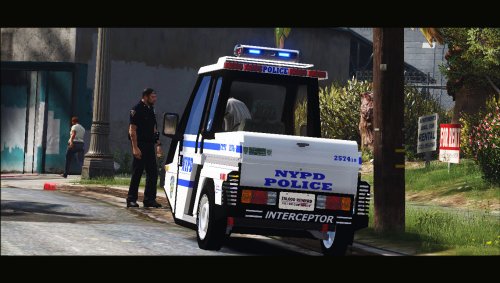 @HanXue one question would it be possible to have this working with the windshield wiper script on gta5mods? and also besides that is it possible to put a dashcam inside there(I have no clue if they have one in there but was just curious if that could be added either in this version or your lspd version upcoming)
- 15 comments
- 6 reviews
-
well voiceover's are done I had candice help out on doing it and it turned out great! will be in next release pending approval by admins/mods.
-
It would help if you spoke in English so that more people could understand you and help you. dann wieder habe ich gerade erkannt, dass ich in der deutschen Sektion so kein Wunder war, dass ich dich nicht verstehen konnte
-
someone else can do so I will not though.
-
well I wouldn't say it that way but yes that is true that you can tell easily the difference that this plugin is not lspdfr.
-
not exactly what I saw and besides they don't have the lines I need for the plugin in them anyway.
-
so the files I saw from albo and peteru that had them are sounds that can be used then? that would match what is needed?
-
I got it handled by another person thank you. someone around here can make it I will not be doing so though to give someone else a chance to make the video for one of my plugins this time.
-
how is it misleading when it is "lspdfr1033" not "lspdfr"?
-
This Plugin from the makers of ClearTheWayV comes as a whole new immersion into the game bridging real life police dispatch and LSPDFR dispatch closer together anyone who has ever listened to police dispatch radio knows the priority marker tone that this mod uses to make it more realistic including voice over's played over LSPDFR's dispatch radio saying "Attention All Units 10-33 Traffic" and after the "coast" is "clear" dispatch comes back over the LSPDFR radio and says "Attention All Units 10-66 10-33 Traffic" This mod makes playing LSPDFR like never before! since it activates itself when you start a LSPDFR callout or a LSPDFR pursuit making it more realistic by playing the priority marker tone every few seconds just like in real life making this the most "realistic" as you can get inside LSPDFR mod must have! Please Follow community guidelines when posting, as in be respectful don't use rude language,etc. Support - what to do if you encounter a bug or have problems: Use this tool: http://www.lcpdfr.com/files/file/9755-lspdfr-troubleshooter-by-albo1125/ <-- recommended, mostly because it solves the most common problems automatically. if albo's tool above cannot solve the problem, Please leave a comment (not a review). Include your RAGEPluginHook.log file, located in your Grand Theft Auto V folder in a spoiler so it doesn't make the page too long for people not interested on reading the log. Also, please provide an accurate description of what happened. This allows me to help you as fast as possible without having to ask you for this information I need to help you, as if I don't get this information I cannot help you because I will not know what is causing the problem and will result in delayed resolution of the problem due to asking you for the needed information before proceeding.... please as said above provide this information with your initial comment (not a review) to allow the most quick resolution of the problem as possible. Leaving a review for support issues is against community guidelines, and will not even be answered at all, will be reported instantly instead. New Showcase video:
-
try using fraps(it is known to be used for game screen recording) http://www.fraps.com/
-
 if everything works fine for you without this mod then you don't have to use it and neither do you have to start being so rude to people who do use it and start up drama on it
- 533 comments
- 42 reviews
-
well it is and was expected you was supposed to upload your rph.log and other information to start with as since this is basically a support request and I cannot "support" you if you don't provide me anything to aid in determining what the "support" issue is.
- 533 comments
- 42 reviews
-
well since I have the infrastructure required to maintain something like this and I admit I like GTA IV as well if authors are wanting a place like this for their GTA IV mods I don't mind helping out....though to avoid any legal issues I would have to ask if people are interested in this to at least have the authors give permission if they would want it hosted on a site I could make to help out the gta iv community.
-
sadly EVL has been taken away by its author who used to be on here but quit the person's username on here was xplicit92 as far as I and everyone else know the file was hidden or taken away and the account was deactivated. there isn't much anyone can do about that. I have the source code for EVL before the "stable" version released by xplicit92 was done since I used to work with xplicit92 on EVL but as anyone will tell you on here sadly I cannot release what was someone else's work sorry even if there no longer on the site.
-
if you are willing to put your collaborative effects in together with me & whoever else decides to join, sure hopefully with more developers doing it it might be easier than one person trying to make it.
-
Have you tried my "Clear The Way" script? I have no idea if that is what you are referring to but what you described does sound similar to what my script does.
-
well sorry I cannot help out with that I have no idea what mods,etc or whatever you have installed and whether you have a legal copy of gta v or not as it works for everyone else so there isn't nothing I can help with.
- 533 comments
- 42 reviews
-
I admit I have used the community edition before when I could get the enterprise version from my college dreamspark and the community edition<->enterprise version aren't that different.
-
you sure? everyone else including me notices a big large change in AI; you sure you have ELS on light stage 3?
- 533 comments
- 42 reviews

