


SCID 01
Members
-
Joined
-
Last visited
Everything posted by SCID 01
-
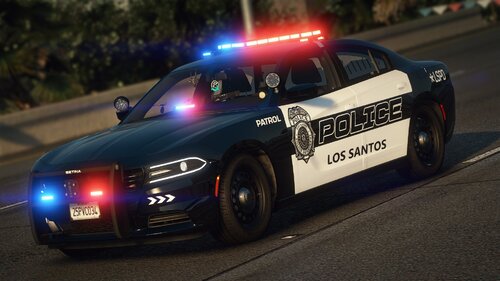 @sztukadzik I had the same problem. I tried to solve the problem with the flying Pushbars and disappearing vehicles by increasing the LOD values in the corresponding vehicles.meta file. I also increased the HDTextureDist value up to 9. I've last tested it 10 minutes ago and it's still working so far. Change the vehicles.meta LOD-Values and HDTextureDist-Value for your vehicles. This is, what I can recommend. I'm not responsible for any causing Damage by changing these values. I just say, that this is working for me and my Computer. Greets P.s.: An Example: <...> <HDTextureDist value="9.000000" /> <lodDistances content="float_array"> 500.000000 500.000000 500.000000 500.000000 500.000000 500.000000 </lodDistances> <...> P.s.p.s.: My corresponding Path in Open-IV: D:\GTA-5\mods\update\update.rpf\common\data\levels\gta5
- 76 comments
- 15 reviews
-
-

- 1
-
-
I love it! Sometimes, the simple things are the best things. It looks modern, it looks professional, it looks great! You Sir, did an awesome Job! I tested a lot of packs since 2018. This one is a pack, I'll play a lot of time with in future 🤩 greets from germany!
- 76 comments
- 15 reviews
-
I put it in LSPDFR.ini and the bug disappeared 🙂 For me it worked! thx a lot!
-
Have the same problem. If I find a Solution, i will post it here.
-
ok. FYI, I have to rewrite it after the latest update. But taking out all the Albo1125 plug-ins is a first step to a complete stable working LSPDFR.
-
I've started to write a plug-in List with all stable working plug-ins on it. If it is helpful, I could post it here.
-
Hey @Minemac, So, I worked on your Question and searched for a Solution. And I found something that could be quite helpful for you. To set a specific texture for a component inside Ultimate Backup, you have to define it with its phrase, listed inside the Ultimate Backup defaultregions.xml. I copied the matching text passage for you but I recommend, to read it again by yourselve for better Understanding: - Ped comps (components) and textures can also be set in this entry. The first comps index is "1" (like in TrainerV). "0" value means disabled. If you set comps without texture, the first texture will be set. All "tex_" attributes must be accompanied by its "comp_" counterpart That means in detail for example: comp_face="0" tex_face="0" And later, as part of code for example: <Peds> <Ped chance="40" comp_pants="36" tex_pants="0" comp_shoes="26" tex_shoes="0" comp_accessories="59" tex_accessories="0" comp_shirtoverlay="56" tex_shirtoverlay="0">MP_M_FREEMODE_01 </Ped> and so on and so on for all available comps & props. To get detailed intel, read the Advices inside Defaultregions.xml. Hopefully, this Explanation solves your Problem. Keep a stiff upper lip. Greets from Germany!
-
.thumb.png.ddf69f9e323f193abc29c2e03db88b36.png) Hey @RustyHarper, What package did you use for your texture package? I love all these antennas an ALPR-Devices on the roof. Or is it just the package at the end of your post (Vancouver inspired Pack)? Best Regards, L.
Hey @RustyHarper, What package did you use for your texture package? I love all these antennas an ALPR-Devices on the roof. Or is it just the package at the end of your post (Vancouver inspired Pack)? Best Regards, L.- 13 comments
- 1 review
-
 Hey, your ALPR-Plugin sounds awesome. I couldn't play it yet because i updated to v0.4.1. When will you release your Update for v0.4.1? Best Regards, L.
- 153 comments
- 32 reviews
-
-
- 1
-
-
 awh man that's awesome to read! I'm so excited!
 -
Hey, when will you release a 0.4.1-Update for your Content? Can't wait to play it again 🤗
-
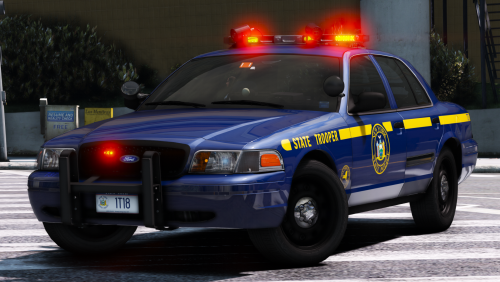 Hey @t0y, first, I love this package. Super realistic, modded by heart, simply awesome. In Case that you want to improve your NYSP package, here is something that I've found this evening: If you try to open (notepad for example) the .xml-Files needed for ELS, an error-message appears. Inside your EMS-files, Line 44, a - " - Token at sign 28 is missing. I checked a few .xml-files from your NYSP-Package for this error and that one appeared again. It is simple to solve, but I wanted you to know about what I've found, just in Case that other players could ask you about damaged ELS-files in future. Best regards from germany, L.
- 125 comments
- 51 reviews
-
-
 Hey @BradM, love your BCSO Pack! I have an issue with one of your cars, hoping you could tell me how to solve it: The FPIU SEC-Lightbar in the rear windscreen does not react. I can toggle via ELS as usual, the panel tells me that SEC-lights are working, checking the environment, I see the matching red/blue-light reflections on walls, stretts, cars etc., but the lightbar remains dark. (Mint condition FPIU - washed & repaired)😩🤷♂️ Hope you can help, cause I love so much what you've done here!
- 89 comments
- 63 reviews
-
Kann geschlossen werden, Problem hat sich gelöst.
-
Can be deleted. Problem solved
-
Hallo, hat hier jemand einen Download-Link für eine v1493 von GTA-5 die mit v0.63 von RPH kompatibel ist oder könnte diese Daten kurzfristig selbst zum downloaden bereitstellen? Als SC-User bräuchte ich unter v1493 die originale -update.rpf -PlayGTAV.exe -GTAVLauncher.exe -GTA.exe Um den Rest kümmere ich mich selbst. Merci. - - - 18:52, 12/17/18 - - - Habe das hier soeben gefunden und werde es testen. https://www.grandtheftauto5.fr/telechargements/patchs/2836-patch-1014930-gta-v-pc/telecharger/
-
Hello, could somebody please publish the Back Up Data by RagePluginHook from v1493 and link it here for download? I've lost mine and RPH finds only a v1604 Back Up Version that doesn't help me. Thanks a lot!
-
Hey Jan, Hast du es schon unter den neusten Updates probiert? Also GTA-V v1.0.1604.0 Retail RPH v0.64.1234.15464 PUBLIC ALPHA
-
hey Tyler could you explain your Way you dealed with it a bit more detailed? Hey Pursuit, Could you check the reason of crash inside ASI Support and adapt it to latest GTA-V- & RPH-Version? Would be so cool!
-
checked my console and it's exactly the same crash that occures...
-
Repaired as you told to and that worked great. Meanwhile ASI Support crashes when starting the game via RPH. I coudn't find crash-report-data yet, otherwise I've had posted it here already. But I'm afraid console content tells the same error Double Doppler already posted in here. So, i'll wait for you guys who are dealing with modding longer than me^^
-
He guys, GTA-V v1.0.1604.0 Retail RPH v0.64.1234.15464 PUBLIC ALPHA LSPDFR LSPDFR+ Interaction+ Computer+ ASISupport 0.3.1 HoldMyGun KTFDO Spotlight ArrestManager EMSmod PoliceSearch PoliceSmartRadio StopThePed Assorted Callouts BetterEms CalloutManager MakePedsCalmAgain MoreRadioChatter Traffic Policer VocalDispatch I thougt it would be helpful to show, what plugins I'm using. So, after these latest dropped updates I installed, I checked that the latest SHV is still missing. I searched for another way to get things working and found this thread. I installed the latest "ASISupport" version, and further required programs, exept Windows Framework 4.6 because system told me that it's totally outdated. I implemented all into the matching game directory, like readme.txt told me to. Everything seems to get started without crashing or causing other problems but my loading screen doesn't end. It is a never-ending-loading-loop. Can somebody help? Greets!

.thumb.png.ddf69f9e323f193abc29c2e03db88b36.png)
