


Taxi
Members
-
Joined
-
Last visited
Everything posted by Taxi
-
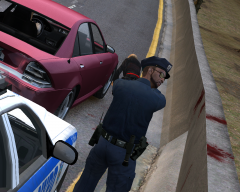 Thanks :)
 -
From the album: On Duty
You're next! -
Happy B-Day and... Save me some Cake! :)
-
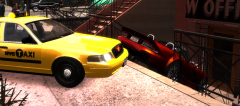
From the album: On Duty
...don't flee -
Pretty much just the New York Knicks. Basketball is the only sport i watch (besides wrestling and NASCAR)
-
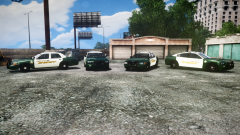 Yeah. Looks great buddy
 -
-
Beautiful review! I'm one of the people that actually still haven't bought Max Payne 3 (simply cuz i wasn't sure) But i think it's time to do that now
-
Happy B-Day
-
U.S Air force Police Squadron a video made by the US Air Force Police talking about patroling and working in Kaiserslautern Military Community. Local German Police (weirdly i can't find any videos about the police cars in my city. But since the livery is almost all the same in all of germany i used some from other cities) Local Fire Department (Feuerwehr in german )
-
I couldn't agree more with what B-7 said. The most amazing thing in my opinion is: 1.0 feels so damn natural. It's different with 1.0. Sure i still know there is a script running in the background, but it doesn't "jumps in your face" all the time. And i'm not even talking about the great new random events and callouts. For me it's also the presentation that really makes a difference. For example: - the new dispatch text in the upper right corner when you get callouts just feels way better, more natural and looks by far more thin and elegant than the (for me) immersion breaking big text in the middle of the screen from 0.95 (which was more like GTA's Mission Objective Text) - the big red circled markers have been replaced with smaller but yet better looking Arrows. That seems to be such a small thing. But it has a huge impact on my personal gaming expirience with that mod. so thank you devs. Not just for the new callouts 'n stuff but also for the new layout and presentation of the mod.
-
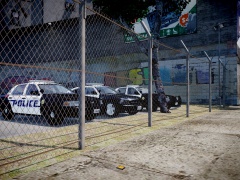 Great Screenshot
 -
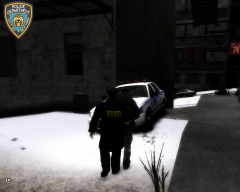
From the album: On Duty
Christmas is over...Winter is not -
always sad to see kids die
-
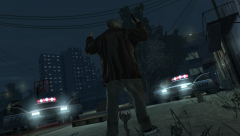 another great screenshot :)
 -
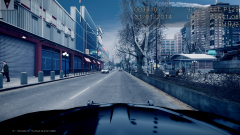 Thanks
 -
It would be helpfull if you could post your live_stream.sii here. Maybe you overlooked something. For exemple. A lot of people forget to edit that number. stream_data[195]: "http://relay.181.fm:8056|181.FM - U-S 181" - (thats the last defualt stream in the list) if you add a new stream you'll need to +1 that number. For exemple: stream_data[196]: "http://example.fm:0000|Station Name"
-
Damn that looks great. What ENB is that? Also. These tree's n stuff. is that a winter mod or some sort of tree mod? Where can i get that? Thanks :)
-
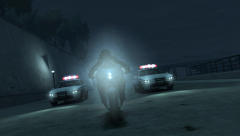 Sexy Screenshot
 -
Ohh what the hell? Anyways. That works. Thanks +1
-
yes and yes
-
Sorry to bump this but it looks like i have some problems with reaching GPM now as well Yesterday i was browsing the download section of GPM and suddenly the website was unable to load. (You know..that screen in firefox that tells you that the website is down) I tried it again and again and i also tried to access the website via Google search (same result - website unavailable) I'm only having that problem at GPM. I tried using different Browsers and i also emptied my Cache - Both didn't solved the Problem for me Any Ideas guys?
-
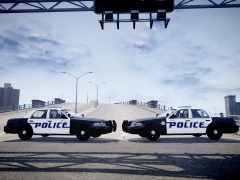 good job
 -
I'm not a fan of making plans but i actually made a small list. Let me share it with you. 1) Survive 2) Get a Job 2) Keep that Job 3) Visit England (Liverpool)
-
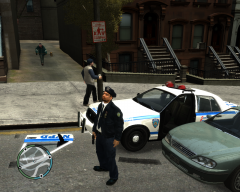
From the album: On Duty
Officer Sanchez has a historical record of 32 lost doors.


