


Taxi
Members
-
Joined
-
Last visited
Everything posted by Taxi
-
Ich hab grade einen Topic darüber gelesen das jemand gerne die Steuerung in Deutsch erklärt haben würde, daich denke, das eventuell viele deutsche daran ein interesse haben könnten, hab ich mich mal endschlossen einfach alleszu übersetzen. Die Befehle habe ich aus Breaks Thread genommen und sie übersetzt. Sie unterteilen sich in Bereiche wie, zu Fuß, Im Fahrzeug oder auch Generel Generelle Steuerung - Mod starten - ALT Links + P - Startet LCPDFR. STRG Links + P - Erzwingt im Dienst zu sein (Dadurch wird die Charakter, sowie die Fahrzeugwahl im Polizeibüro geskippt) F7 - Schaltet Einsätze (Call-Outs) ein und aus. - ROLEPLAY - ALT Links + U - Gibt dem Charakter einen Hut, verändert und entfernt ihn auch wieder ALT Links + I - Lässt ein Kaffebecher in der Hand des Charakters erscheinen,enfternt bei nochmaligen drücken diesen wieder ALT Links + O - Gibt dem Charakter ein Funkgerät, entfernt dieses wieder bei nochmaligem drücken I - Zum trinken des vorher aktivierten Kaffebechers O - Zum reden in das vorher aktivierten Funkgeräts Numpad 0 - Gibt dem aktuell ausgewählten Charakter, die Cop sprint animation aus GTAIV Zu Fuß - Grundlegendes - ALT Links + T - Spawnt Taser im Holster, ein zweiter druck aktiviert ihn, als aktuelle Waffe H - Aktiviert die Taschenlampe ALT Links + M - Erste Hilfe bei einer Bewusstlosen oder Toten Person. ALT Links + K - Evekuert nahe Personen aus dem Umgebungsgebiet 3 (beim Zielen auf eine Person) - Aktiviert Person als Ziel für andere Polizisten E (beim zielen auf eine Person mit einer Nahkampfwaffe) - Verhaftet Person oder stellt einen Strafzettel aus E (beim zielen auf eine PErson mit eine Feuerwaffe) - Verhaftet Person E (neben einer Person) - Durchsuchen oder festhalten einer Person E (am Kofferaum eines leeren Fahrzeugs) - Kofferaum durchsuchen E (am Kofferaum eines Polizeifahrzeuges) - Füllt Munition und Weste auf E (an der Fahrertür eines leeren Fahrzeugs) - Stellt Strafzettel aus E (In einem Polizeirevier) - Zeigt die Hilfetexte für das Polizeirevier an ALT Links + R (beim Zielen auf eine Person) - Durchsucht eine Person (alt) - Verstärkung - ALT Links + B - Fordert ein Polizeifahrzeug mit 2 Polizisten als Verstärkung an ALT Links + N - Fordert ein Spezialkomando an mit mehreren Noose/Swat/SEK Beamten ALT Links + V - Fordert einen Hubschrauber an mit mehreren Beamten, die auf feindliche Personen im Umkreis des Spielers schießen STRG Links + M - Fordert einen Krankenwagen mit 2 Rettungssanitätern an, die automatisch die nächste bewusstlose/tote Person behandeln STRG Links + F - Fordert einen Feuerwehrwagen mit mehreren Feuerwehrleuten an, die automatisch Brände im Umkreis des Spielers löschen - Sprache - Ziffernblock 1 - Spielfigur sagt einen zufälligen Kampfspruch Ziffernblock 4 - Spielfigur sagt einen zufällige Drohung Ziffernblock 7 - Spielfigur sagt einen zufälligen Spruch zu einer Verfolgung passend Im Polizeifahrzeug - Grundlegendes - Ziffernblock + / - Wechselt zwichen den verschiedenen Lichtmodie hin und her (Falls man kein ELS installiert hat) E (Im Parkenden Zustand) - Öffnet Polizeicomputer SHIFT - Winkt das Fahrzeug vorm Spieler zu einer Vekehrskontrolle an die Seite - Verstärkung - F9 (in Verfolgungsjagt) - Autorisiert Einsatz von Waffen F10 (in Verfolgungsjagt) - Fordert einen Hubschrauber an, der das Fluchtfahrzeug mit Suchscheinwerfer verfolgt F11 (in Verfolgungsjagt) - Fordert ein Spezialkommando an, das sich an der Verfolgungsjagd beteiligt F12 (in Verfolgungsjagt) - Fordert eine weitere Streife an, die sich an der Verfolgungsjagd beteiligt Konsolenbefehle und Befehle fürs Testen - TESTEN - ALT Links + F11 - Erzwingt einen Einsatz (BUGGY!) ALT Links + F12 - Öffnet Testmenü (VERY BUGGY!) - Konsole- ^ oder ' oder ~ (Taste über Tab und neben der 1) - Öffnet die ScriptHookDotNet Konsole. ("Help" eingeben um alle Befehle zu sehn)
-
My God.....words can not describe what i'm feeling right now....no..i'm serious....it's...my goodness i don't even know what to say. Let's simply put it that way: Gentlemen....i think we got a Masterpiece of Software coming...That Gameplay Trailer was simply.......GROßARTIG (Great) I play that Series since GTA 1....and i was NEVER so hyped about a GTA Game like i'm now
-
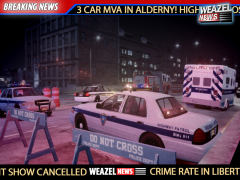 love it :D
 -
Lol... Yeah i can't wait to see that video too.
-
Texas Chainsaw Massacre (I like the original from 1974 more than the remake. But they are both good) Scarface The Godfather Roadie Gran Torino Saving Private Ryan Hamburger Hill https://www.youtube.com/watch?v=tp-DuEPuZQ0 I have more...but those are the once i can think about now
-
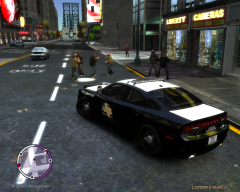
From the album: On Duty
I wonder what they're fighting about :) -
00Steveo made a tutorial using the PoliceBike replacing a normal GTAIV Bike '?do=embed' frameborder='0' data-embedContent>> (Only really works if you play the Main GTA IV) This should work with other Cars too..Basicly you make LCPDFR belive that the Car you're replacing is a standard EFLC Police Vehicle. But again...You will be able to pull cars over, but you can not use the Police Computer
-
might be a stupid question but...whats up with that S behind the name? 5S...4S...are those SPORT Versions of it?
-
You can do that. And you can also use ELS with it...BUT!! You will not be able to use the Police Computer with it. So it's pretty much useless for traffic stops
-
"They call me the fat man...cause i weigh 260 lbs" :D
-
Yep...gotta be K-Rose (but please no modern country...they should play some classics like in San Andreas)
-
Hero H2000+ Cheap China Phone (125 Euros) but it does the job for me
-
Sorry to hear that. But i can respect your decision. And thanks for all the good work
-
I think its diffrent from PC to PC...i don't have crashes at all with ELS 7 and DSOUND I also tried xliveless and it seems to give me some crashes...but really not to offten. I can play the game (moslty) for several Hours without a single Crash. Maybe it also depends on how many scripts ur using.
-
I agree with Bravuogn And i can't wait for next week :D
-
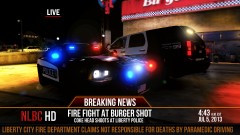 love it :D
 -
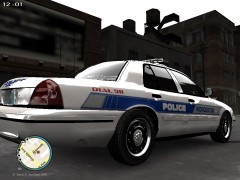 looks good :)
 -
Happy 4th of July everyone!....where the hell is my beer? Anyways...hope y'all having a great Day and a nice time with your Families. And now it's time to get my damn beer back and play some Lee Greenwood
-
God....i can't wait to follow the progress of that game. It really looks promising and if you guys keep up the work i'm pretty sure you could create something real great. Keep it up guys
-
No shit. I used google befor.. the only thing i can find is "leaked information" and rumors. And maybe i'm not good at using google but i can't find a single trustworthy Gaming Website confirming this rumor... Is what you said. But i can't find a Source that confirms that this is true besides blogs, small gaming sites and some forums talking about that....
-
Yeah i heard about that this morning on the german news channel n-tv Allways sad to hear soemthing like that. And very emotional words from the Fire Chief.
-
Yeah? Would yo do me a fav and link me to one of those? :)
-
Looks great :D Only thing i saw negative...the animations still look a bit harsh...but it's an indie game developed by 2 (?) People...soo i can undertand not everthing is looking like in a AAA Game :)
-
 xDDD
xDDD -
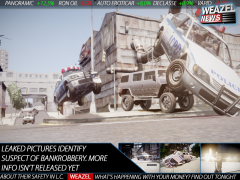 That looks great :)


