




UnknownBastion
Community Team
-
Joined
-
Last visited
Everything posted by UnknownBastion
-
You need to change whatever keybind you have as * in the PoliceSmartRadio.ini file. It is not accepted.
-
If renaming mods to _mods works, rename _mods back to mods and try: Installing the gameconfig, Heap, and Packfile Adjusters. If that still doesnt work, you can remove what you added recently one by one and test after each removal. If that still doesnt work, you will have to restart the mods folder.
-
This.
-
asiloader.log and ScriptHookV.log would be great.
-
And gameconfig yes? Another thing you can try relating to graphics mods is starting the normal game first. Then once fully in-game, tab out and launch RPH. Tbf, graphics mods tend to change the values of certain files. There is a chance this one was conflicting with reshade due to its value changes.
-
1. Send your log. 2. Make sure you have the requirements to use it. If after using a modified gameconfig and such, it still isnt working, I suggest searching for something else to use.
-
Glad I could help!
-
You are missing several files related to Callout Interface. Please re-install Callout Interface correctly.
-
EDIT: So I reached out to a few people. One person suggested to rename mods to _mods and see if you can use ELS/trainer.
-
Launch regular GTAV without RPH and load in story mode. Once loaded in, tab out by pressing ALT+TAB and launch RagePluginHook. Let me know if that helps.
-
Send the RPH Crash Log. It's a txt file in the Main Directory either called RagePluginHook or RagePluginHook.log. It is NOT in your Logs folder.
-
Rename mods to _mods. Then try making a character again.
-
I mean...could be an issue with the way its configured and unless you know how to edit VCFs, not much can be done. Other than that, it looks normal to me.
-
I dont know...that looks normal to me.
-
Send your asiloader.log, ELS.log, and ScriptHookV.log.
-
Couple of things: 1. Update: TheFeedFlusher and Ultimate Backup 2. Remove: OfficerPorciPlugin 3. Move CalloutInterfaceAPI from Plugins/LSPDFR to the Main Directory, and DashcamV files from Plugins/LSPDFR to just Plugins.
-
You are missing several files. RageNativeUI like Lenny said. But also RawCanvasUI and IPT.Common. Please ensure that RageNativeUI, RawCanvasUI (comes with the CalloutInterface Plugin), IPT.Common, and CalloutInterfaceAPI are all installed to the Main Directory. Not Plugins/LSPDFR.
-
If it's a black screen with Loading LSPDFR in the bottom right, see below: Close down your game. Go into the RPH Settings (hold shift after launching RPH, or click the silver cog on the splash screen). Go to the Plugins section. Select the option to load no plugins on startup. Save and launch. Once you're in-game, press F4 > type ReloadAllPlugins. Go on-duty as normal.
-
Re-install Ultimate Backup. Test the game. If it still works, then add StopThePed.
-
I would start by adding the Main Directory to the exceptions list for the anti-virus you use. Then re-install OpenIV and restart your PC. Then retry installing what you were attempting to install before.
-
You delete it and make a new one.
-
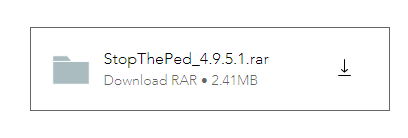
Can you access the site at all? If so, click the download button as shown in the screenshot, that will allow you to download..
-
When does it not work? With LSPDFR or normal GTA?
-
If renaming mods to _mods works, rename _mods back to mods and try: Installing the gameconfig by PNWParks as well as the Heap and Packfile Adjusters. If that still doesnt work, you can remove what you added recently one by one and test after each removal. If that still doesnt work, you will have to restart the mods folder.
-
If renaming mods to _mods works, rename _mods back to mods and try: Installing the gameconfig by PNWParks as well as the Heap and Packfile Adjusters. If that still doesnt work, you can remove what you added recently one by one and test after each removal. If that still doesnt work, you will have to restart the mods folder.


