




UnknownBastion
Community Team
-
Joined
-
Last visited
Everything posted by UnknownBastion
-
Screenshot the error please.
-
Have you done what I put in step 2 of my original response? And if so, screenshot the lspdfr.ini please.
-
Couple of things: 1. Re-install: SuperCallouts as you are missing CalloutInterfaceAPI file. Keep in mind, this goes into the Main Directory. 2. Go into the lspdfr.ini and change the following to reflect below: Ambient.DisableEscapedSuspectEncounter = true
-
In terms of your log, things look fine. Keep in mind that playing for between 2 to 7 hours is very good, especially when using LSPDFR and other mods. You won't ever be able to get the game working 100% because that is just how modding is. If you encounter a crash after that much time, simply restart the game and keep playing!
-
Things you can try: 1. Install the gameconfig, Heap Adjuster, and Packfile Adjuster. 2. If that doesnt work, remove what you have added one by one and test after each removal. 3. If all that doesnt work, you will have to restart your mods folder.
-
Please send the log file. Not a zip.
-
Try using this version of SHV.NET.
-
Rename mods to _mods and try again.
-
Rename mods to _mods. Then load in and have LSPDFR crash again. Then send a new log.
-
Try using the version of SHV.NET found here. Your topic has been moved to GTA V Support, this is not LSPDFR related. Please post in the correct location in the future.
-
Having it run for that long is actually extremely good. Here are a few things I picked up from your recent log: 1. Update: MegaphoneUI 2. Go into your lspdfr.ini and change the following to reflect below: AmbientSpawn.MaxCopsInArea = 0 AmbientSpawn.MaxSpawnedCopsInArea = 0 Ambient.DisableEscapedSuspectEncounter = true
-
You mean it loads the plugins on startup. You can change that in the RPH Settings. Accessing the RPH Settings: From there, go to the Plugins tab and either select nothing to load on startup or select certain plugins to load on startup.
-
Rename mods to _mods and try again. If that works try the following in exact order: 1. Install the Gameconfig, Heap Adjuster, and Packfile Adjuster. 2. If that does not work, remove what you have added recently and test after each removal. 3. If you still cannot find the problem, you will have to restart your mods folder. Your topic has been moved to LSPDFR 0.4 Support. Please post in the correct location in the future.
-
Please do not send a screenshot as it most likely won't have enough context. Ensure you are sending the right file. It's a txt file in the Main Directory either called RagePluginHook or RagePluginHook.log. It is NOT in the Logs folder.
-
Glad you got it resolved!
-
Title has been changed to reflect your issue. In the future, please refrain from asking for money in exchange for support services. You can find a video here that will help with creating your own DLC Packs.
-
It will give you one. You just have to look where I told you to look in my original response.
-
No problem! Let me know if that helped you!
-
Updating Windows can be found in this FAQ.
-
GTA 4 I know has its own set of issues in relation to modding. Additionally, updates are no longer being pushed out officially for LCPDFR.
-
To save you further time: If renaming mods to _mods works and if installing the Gameconfig, Heap Adjuster, and Packfile Adjuster doesnt work, you can: 1. Remove what you have added recently to the mods folder and test after each removal. 2. If you still cannot find the issue, you will have to restart the mods folder. Your topic has been moved to GTA V Support, this is not LSPDFR related. Please post in the correct location in the future.
-
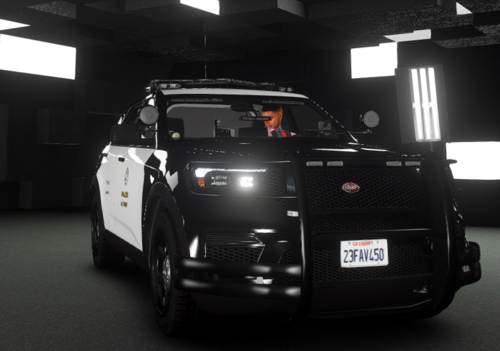 I believe it is explained here by Albo in this download which you will need for creating your own addon packs.
 -
Glad you got it resolved!
-
Technically it can be an addon as the author included all the components to make your own addon folder for it.
-
If you are still experiencing crashing, you may send a new log.



