Skip to content
View in the app

A better way to browse. Learn more.

LCPDFR.com

A full-screen app on your home screen with push notifications, badges and more.

To install this app on iOS and iPadOS
  1. Tap the Share icon in Safari
  2. Scroll the menu and tap Add to Home Screen.
  3. Tap Add in the top-right corner.
To install this app on Android
  1. Tap the 3-dot menu (⋮) in the top-right corner of the browser.
  2. Tap Add to Home screen or Install app.
  3. Confirm by tapping Install.

Yasd

Community Team
  • Joined

  • Last visited

Everything posted by Yasd

  1. Could not load file or assembly 'LemonUI.SHVDN3
  2. Install Resource Adjuster. Resource Adjuster - Misc Modifications - LCPDFR.com If you have high polygen vehicles installed, you need to remove some of them. anything higher than 200.000 will may cause issues. you can find the counter in openIV when u open the vehicel.yft Last step would be lowering gta texture quality settings.
  3. Instead of InteriorsV I use Enable All Interiors. EnableAllInteriors get updated regularly, InteriorsV was last updated in 2024. EDIT: I just saw you linked both, thats unnessecary, since both do the same, but EnableAllInteriors is up-to-date F.e. the new mansions are missing in InteriorsV then. Thanks for linking my callout pack! :)
  4. Yasd replied to gman124's topic in Legacy
    This topic has been moved to the appropriate forum. Please post in the correct location in the future.
  5. Yasd replied to gman124's topic in Legacy
    You might need to update Siren Setting Limit Adjuster, however an updated version can only be found at a developers discord.
  6. This topic has been moved to the appropriate forum. Please post in the correct location in the future.
  7. Yasd replied to Iocus's topic in Legacy
    This topic has been moved to the appropriate forum. Please post in the correct location in the future.
  8. Yasd replied to Iocus's topic in Legacy
    It's funny you mention that, there is another topic regarding the same issue with a workaround to disable the menu entirely. simple hud menu opening when i click V - Legacy - LCPDFR.com
  9. Have you typed in LoadPlugin LSPD First Response.dll ?
  10. can you post your log again
  11. I assume u did it with system and admin too? Then start your game again and retry
  12. Im sure there is something missing or wrong installed. Can you post your ScripthookVDotNet log pls?
  13. Your mods folder might be broken. Rename it to _mods and try again. Did you have a graphics mod installed before?
  14. You can use https://www.gta5-mods.com/scripts/enable-all-interiors-wip Enable All Interiors. You need ScripthookV, ScripthookVDotNet Enhanced and LemonUI installed.
  15. https://discord.gg/VMvvuFxArY
  16. Try to update ScripthookVDotNet nightly. https://github.com/scripthookvdotnet/scripthookvdotnet-nightly/releases
  17. You can use https://www.gta5-mods.com/scripts/enable-all-interiors-wip Enable All Interiors. You need ScripthookV, ScripthookVDotNet Enhanced and LemonUI installed.
  18. You can use https://www.gta5-mods.com/scripts/enable-all-interiors-wip Enable All Interiors. You need ScripthookV, ScripthookVDotNet Enhanced and LemonUI installed.
  19. You can use https://www.gta5-mods.com/scripts/enable-all-interiors-wip Enable All Interiors. You need ScripthookV, ScripthookVDotNet Enhanced and LemonUI installed.
  20. Yes, one way would be downloading Callout Interface, in there you find the file CalloutInterfaceAPI, which you have to install in the main gta folder. Some plugin is requiring that file. I also saw in your log you are missing another file, PyroCommon.dll, comes with SuperCallouts, needs to be installed in the main gta folder.
  21. Could not load file or assembly 'CalloutInterfaceAPI install it in the main gta folder, it comes with Callout Interface or Grammar Police.
  22. I removed the unfinished and unplayable Stingray callout. I also removed unused settings in the ini. New version: v0.6.1.0 Thank you for reporting!
    • 3,899 downloads
    • Version 1.0.0.1
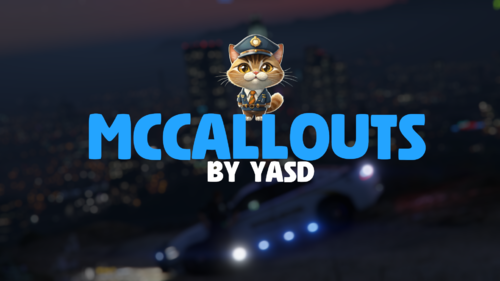
    Federal Callouts was created to give more purpose to the FIB, DOA and IAA models. In it's current state it is stable but does not have all of the planned callouts. There are currently 6 callouts included in Federal Callouts, at least 9 more are planned. Current Callouts Potential drug deal - Pretty self explanatory. You're sent out to watch if a guy sells drugs, and if he does, arrest him. Watching isn't the hard part... (currently 4 different paths the callout can go when you move in to arrest the suspect). Around 20% of the time the intel is bad (if this ends up being too frequent I may lower it). Prevent assassination - This requires more investigation. You are given a gender of the killer and an area to look for him. The assassin will strike after 1-5 minutes so your response time can be crucial. Look for the odd man out - someone who is following another person. Armored car robbery - Robbers are moving in on an armored car. You must help the guards protect the armored vehicle. If you arrive before the robber stay with the truck and wait for them to arrive. Wanted person - (previously execute arrest warrant) There is a suspect who has a warrant out for his arrest. Arrest him. Responding code 3 may make your job harder. Escaped prisoner - You're given a name, description, prior and general area. You need to find the escaped fugitive. Kidnapping - Disabled in 560 by default. I'm overhauling this callout and it'll be out in a new update soon (you can enable it manually if you want cancer) Current Features Agency detection - There are two name settings. Based on which model you pick when you go on duty, Federal Callouts will pick the more appropriate name. Suspect danger level - when looking for a fugitive or someone with an arrest warrant, dispatch will tell you that person's crimes and that will tell you roughly how dangerous they will be (armed crimes = armed suspect) Customizable callout spawnpoints - As of writing this only the drug deal callout will utilize this feature. This feature lets users specify their own spawnpoints (and remove existing one) for callouts. You can find the spawnpoints in /Plugins/LSPDFR/FederalCallouts. Each folder is for a different group of spawnpoints. For example, "Drug" contains the drug deal spawnpoints. You can use this tool or Yasds PositionTracker to created spawnpoints. File name does not matter. Tags are currently not utilized. Heading (which way you are facing in the world) is used so when creating spawnpoints for callouts that spawn a single ped like Potential drug deal make sure your character is facing the way you want the dealer to be facing. When finished, simply place the XML file in the correct folder mentioned earlier and Federal Callouts will load it the next time the game starts! Dispatch audio - All callouts support dispatch audio for when the callout pops up and many support it during the callout itself. Vehicle Repair - Just pull up to your department's garage and the mechanics will repair your car for you, good as new. I added this feature when I heard @FirstThirtyMinutes would find it useful for streams and I figured I would like it as well. More repair locations will be added as necessary. The icon will be near police stations. Of course, it will be white in-game. Links Open source: https://github.com/yasd2/FederalCalloutsRemastered Yasds Discord: https://discord.gg/utNranQJSr Videos Overview Video (Thanks Jeff Favignano) Potential Drug Deal & Assassination (Thanks FirstThirtyminutes) Here is forum thread. Installation REQUIREMENTS: LSPDFR 0.4.9 RagePluginHook 1.130 For an easy installation, open the FederalCallouts zip file and drag the two folders (LSPDFR and Plugins) into your GTA V root directory. The folders have been created in the download so that they correctly match the folders inside your GTA V directory. YOU DO NOT NEED TO LOAD THIS PLUGIN VIA THE CONSOLE OR STARTUP.RPHS. LSPDFR WILL DO IT AUTOMATICALLY Before asking for help Make sure you are running RPH 1.130 and LSPDFR 0.4.9 Make sure to include RagePluginHook.log and your RPH Version

Account

Navigation

Search

Search

Configure browser push notifications

Chrome (Android)
  1. Tap the lock icon next to the address bar.
  2. Tap Permissions → Notifications.
  3. Adjust your preference.
Chrome (Desktop)
  1. Click the padlock icon in the address bar.
  2. Select Site settings.
  3. Find Notifications and adjust your preference.