Yasd
Community Team
-
Joined
-
Last visited
Everything posted by Yasd
-
Try to remove your graphic mod, such as ENB
-
Post the Ragepluginhook.log from the main gta folder.
-
BetterHitReactions is missing DamageTrackerLib, install that. Also install the latest RageNativeUI in the main gta folder.
-
I'm not to sure on where to start explaining, did you make it ingame & ragepluginhook is running, too?
-
You didnt even go on duty in that log. Pls post the log again after you g on duty and it crashes
-
Pls post the Ragepluginhook.log from the main gta folder.
-
On, makes it easier for you 😉
-
For replace vehicles you have to do nothing in meta files. for dlc vehicles you have to add them to the dlclist Vehicles .meta defines vehicles and some of their properties. Not needed I suggest you go back to a clean gta folder and reinstall lspdfr completely additionally you can verify your game files
-
Install the RageNativeUI from StopThePed in the main gta folder.
-
Could be caused by a broken vehicle… you can either: rename mods folder to _mods and try again or: enable preloadallmodels in lspdfr.ini and then it should crash after that specific model
-
Nope doesn’t help, no crash in log.
-
Rename the folder gtav/lspdfr to _lspdfr and install the folder from the lspdfr download again
-
Either that or revert your latest changes
-
Rename your mods folder to _mods and try again
-
Post the Ragepluginhook.log from the main gta folder can you start gta on its own?
-
i do not like getting pinged, but I will help you anyways. post the Ragepluginhook.log from the main gta folder
-
Yeah, try that. Otherwise rename the mods folder to _mods and try again
-
rename mods folder to _mods
-
Do what totemsteiner said. Additionally you can add the whole gta folder as an exception in the antivirus. Then reinstall LSPDFR completely & restart your pc.
-
Could you provide more details? Did gta crash or lspdfr? Can you play gta on its own?
-
According to your log you played for 35 min, then it crashed. Hard to tell what exactly caused it, last error was from UnitedCallouts.
-
Wrong file, post the Ragepluginhook.log from the main gta folder.
-
Post the Ragepluginhook.log from the main gta folder.
-
This is a default LSPDFR feature, where a previously encountered suspect is seen again. Yes, you can turn that off. change/ add this line in gtav/lspdfr/lspdfr.ini: Ambient.DisableEscapedSuspectEncounter = true
-
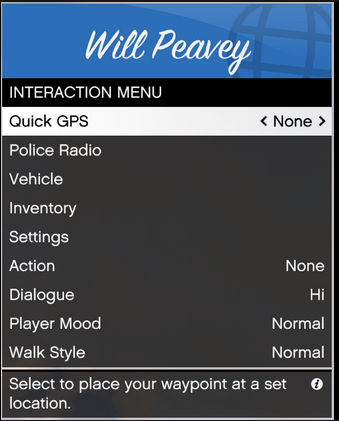
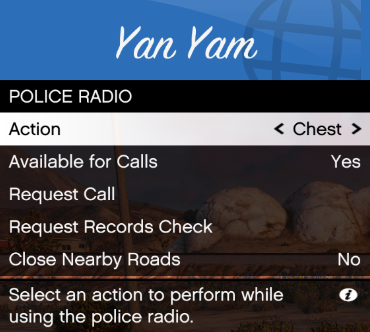
Im not Charlie, but You can increase the propability on getting callouts in gtav/lspdfr/lspdfr.ini and set the number on Callouts.Multiplier higher than 250, for example 500. Additionaly make sure you are available: When on duty, hit M, choose Police Radio and make sure Available for calls is set to yes