




Yasd
Community Team
-
Joined
-
Last visited
Everything posted by Yasd
-
ne ist des empfehlenswert?
-
agency_eup.xml
-
-
Hallo, ich habe unregelmäßig Crashes bei LSPD. Ein Blick eines Geübten kann nicht schaden. Bitte 😉RagePluginHook.log MFG Chris
-
Wie du willst, aber die 0.4.2 wird keine allzugroßen Änderungen haben entgegensatz zur 0.4.1. Ob du die Deinstallation jetzt oder später machst, ist egal, das Drüberinstallieren von der 0.4.2 ist mit einaml Drag and Drop normalerweise erledigt. Die "große" Arbeit ist erstmal das Deinstallieren. [6/2/2019 12:12:52 PM.276] LSPD First Response: Exact version does not match. Expected exactly 0.3.38.5436, found 0.4.39.22580 [6/2/2019 12:12:52 PM.276] LSPD First Response: Found problems: dependency LSPDFR (Plugins\LSPD First Response.dll) schau das LSPDFR up to date ist [6/2/2019 12:12:52 PM.539] LSPD First Response: Error while initializing plugin: SearchWarrant.Main: Die Datei oder Assembly "DarkmyreAPI, Version=2.7.6300.5082, Culture=neutral, PublicKeyToken=null" oder eine Abhängigkeit davon wurde nicht gefunden. Ungültiger Zeiger (Ausnahme von HRESULT: 0x80004003 (E_POINTER)) at SearchWarrant.Main.Initialize() [6/2/2019 12:12:52 PM.539] at .() [6/2/2019 12:12:52 PM.541] LSPD First Response: Error while creating plugin: SearchWarrant.Main: System.NullReferenceException: Object reference not set to an instance of an object. [6/2/2019 12:12:52 PM.541] at PeterUCallouts.Main.LSPDFRResolveEventHandler(Object sender, ResolveEventArgs args) [6/2/2019 12:12:52 PM.541] at System.AppDomain.OnAssemblyResolveEvent(RuntimeAssembly assembly, String assemblyFullName) Search Warrant: Installation überprüfen, ob alles richtig installiert ist. EVTL. neu installieren oder entfernen /\ Grund für Crash
-
Nun musst du herausfinden, ob es die Firewall oder das Antivirus-Programm ist. Ich habe AVG antivirus und habe viele Probleme damit. Meistens wird RagePluginHook als schädliche Datei erkannt, weil es sich in Gta einhakt. Woran genau es liegt, kann ich dir nicht sagen, aber du bsit nicht der erste, der das Problem hat 😉
-
Normalerweise musst du nur das gedownloadede Pugin mit z.b. winrar öffnen, alle Dateien makieren und per Drag and Drop in deinen GTA 5 Ordner hinüberziehen. VOrher aber die Readme.txt lesen, da ist meistens unter Installation eine Anleitung (meistens auf ENglisch) dabei.
-
Am besten Mods-Ordner löschen und Dateien neu installieren. Hoffe du hattest nicht allzuviel installiert. In solchen Fällen vor jeder Neunstallation ein Backup, entweder komplett den GTA 5 Ordner oder z. B. nur den Mods-Ordner an einem wiederauffindbarem Ort kopieren.
-
Probier mal, sämtliche ANti Virus Optionen zu deaktivieren. Ebenso deine Firewall! Nach dem Testen wieder einschalten!!
-
Du gehst in deinen GTA 5 Ordner, bei mir ist das D:\Program Files\Rockstar Games\Grand Theft Auto V. Dann einige Dateien löschen, sodass es aussieht wie in dem Video:
-
Requirements ELS requires the following elements (in addition to the files provided in the download) in order to operate: • A working PC-platform copy of the game Grand Theft Auto V. • The Visual C++ Redistributable for Visual Studio 2015, found here. • The GTA V C++ ScriptHook loader by Alexander Blade found here. • A good “visualsettings.xml” file modification to ensure ELS lights don’t appear dim or dull. • The presence of pro-ELS vehicle models. Installation Installing ELS may be done in a few easy steps: • Place the ELS.asi, ELS.ini, and ELS folder into your main GTA V game directory (this is the same folder that houses the gtav.exe file) overwriting any older ELS versions. • Unless you already possess the following file and it is more recent than the one provided, place the AdvancedHookV.dll file into your GTA V game directory. • If you do not already have any, download and install pro-ELS vehicle models to use with ELS. • Launch your game.
-
Schlechte Fehlerbeschreibung... Hast du den Edit Mode bei OpenIV angemacht? Bist du im Mods Ordner? Sicher das GTA nicht währenddessen läuft? Bitte Rückmeldung obs jetzt funktioniert.
-
Probier doch mal: Firewall deaktivieren sicher gehen, das alles bei Antivirus deaktiviert ist. evtl. bei antivirus auf die whitelist/ anti blockliste setzen Nach dem Testen aber wieder Firewall und Antivirus einschalten! Rückmeldung obs funktioniert hat
-
My Solution: CRIME_REPORT_Key: B (default) BACKUP_MENU: B (default) If you're using Ultimate Backup, change this key (for example to Z) and not the LSPD BACKUP_MENU or CRIME_REPORT_Key. Chris
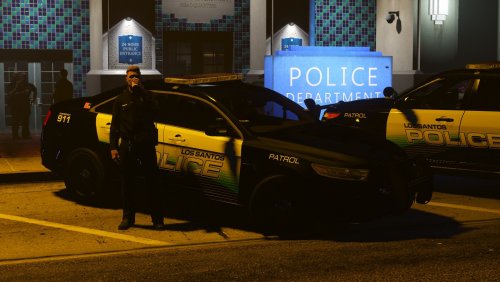 The vehicles are awesome, but: vehicle "police" and "police2" and police3 are flipping at high speed in curves. Solution or fix please? 🙂 Then 5 Stars
- 97 comments
- 28 reviews


Account
Navigation
Search
Configure browser push notifications
Chrome (Android)
- Tap the lock icon next to the address bar.
- Tap Permissions → Notifications.
- Adjust your preference.
Chrome (Desktop)
- Click the padlock icon in the address bar.
- Select Site settings.
- Find Notifications and adjust your preference.
Safari (iOS 16.4+)
- Ensure the site is installed via Add to Home Screen.
- Open Settings App → Notifications.
- Find your app name and adjust your preference.
Safari (macOS)
- Go to Safari → Preferences.
- Click the Websites tab.
- Select Notifications in the sidebar.
- Find this website and adjust your preference.
Edge (Android)
- Tap the lock icon next to the address bar.
- Tap Permissions.
- Find Notifications and adjust your preference.
Edge (Desktop)
- Click the padlock icon in the address bar.
- Click Permissions for this site.
- Find Notifications and adjust your preference.
Firefox (Android)
- Go to Settings → Site permissions.
- Tap Notifications.
- Find this site in the list and adjust your preference.
Firefox (Desktop)
- Open Firefox Settings.
- Search for Notifications.
- Find this site in the list and adjust your preference.