




Yasd
Community Team
-
Joined
-
Last visited
Everything posted by Yasd
-
Hello, i found a bug which accured multiple times. I accepted a callout, and instantly the message came, that one person was killed and the pursuit was over. But hitting "m" for menu and i want to force a callout, the text is grey/ cant force a callout. when i hit "n" for the pursuit menu, i tried to forcefully end the callout, then the pursuit notification down left appears and a weird sound which sound like a normal force end, but multiple times behind each other. Also the map does not flash blue and red and theres no red point for the suspect or police units. At the log end i tried the forcefully end the callout 2 times, then i closed the game. At this time there were no callouts installed, but lspdfr itself. RagePluginHook.log
-
Sieht den Crash so aus? Dann kannst du leider warten bis Ragepluginhook ScripthookV LSPDFR geupdatet sind. Immer ein Backup machen, dann kann dir sowas nicht passieren. Oder so eine große Aktion nicht in der Zeit machen wo ein Update rauskommt.
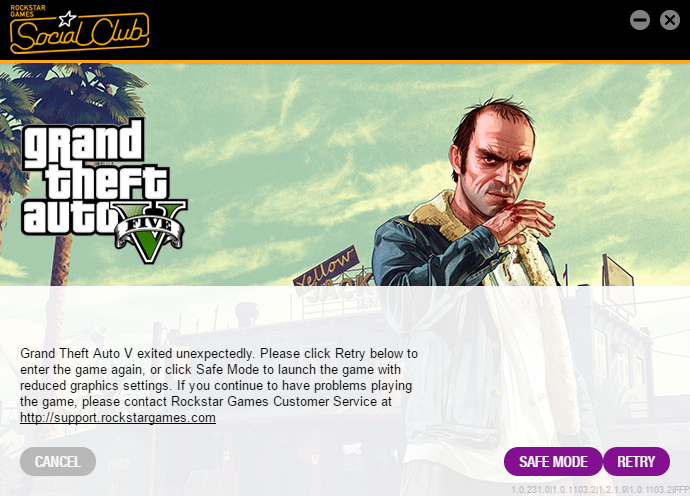
-
nice answer... it will take very long since you need all mods to play -> lspdfr(Very long) ragpluginhook(about 4 months) scripthookv(fast) -> but then you need to wait for the plugin developer to update their plugins.
-
i just researched, it only took 4 months 😄
-
ok this picture is a typicall crash and can be everything. (/stop help)
-
can you post a screenshot?
-
bitte screenshots deines gta 5 ordners. außerdem den inhalt der datei startup.rphs oder die datei kannst du auch alternativ posten.
-
1 or 2 weeks @aRragingCanadian
-
Gerne, jedoch ist dies ein bekanntes Problem und sollte immer als erstes in Betracht gezogen werden. Außerdem gibt es in diesem Forum ein FAQ, welches du bei neuen auftretenden Problemen als erstes lesen solltest. Ich verlinke den Artikel hier unten.
-
Das Problem tritt auf wenn dein Antivirenprogramm Ragepluginhook blockiert. Trotzdem kannst du versuchen erst GTA zu starten. Sobald du in GTA die Sirenen im Ladebildschirm hörst, switchst du auf deinen Desktop mit Alt + Tab und startest Ragepluginhook Eventuell Ragepluginhook testweise als Administrator starten
-
Welches Antivirenporgramm hast du? Schalte dies ab und probier es nochmal
-
Try to rename the mods folder to anything else, so the mods folder doesnt load ingame. Start your game again and check if the error still exists. If not, you probably have a problem with the installed vehicle. If it still exits, its something different 😉
-
Poste bitte die Datei Ragepluginhook.log. DIe befindet sich im Hauptverzeichnis von GTA. Kommt die Meldung nachdem das Spiel geladen hat oder lädt das Spiel überhaupt nicht? Die Frage ist, wo kommt die Datei her? Möglicherweise ist die Datei: - outdated - blockiert von Antivirenprogramm
-
Poste bitte die Ragepluginhook.log. Die befindet sich im Hauptverzeichnis von GTA.
-
Poste bitte die Datei Ragepluginhook.log. Die befindet sich im Hauptverzeichnis in GTA.
-
Startest du auch Ragepluginhook? Das ist auch gut so. Das ist normal beim ersten Start. *Charakter*
-
Redest du von Basic Callouts? schau das Video bei 5:31 Du könntest das Auto abschleppen lassen und dann den Einsatz über z. B. PoliceSmartRadio manuell beenden.+
-
Exception message: Die Datei oder Assembly "PoliceSmartRadio, Version=1.2.0.0, Culture=neutral, PublicKeyToken=null" oder eine Abhängigkeit davon wurde nicht gefunden. Das System kann die angegebene Datei nicht finden. eventuell hast du die datei police radio falsch oder gar nicht installiert. Neu installieren! Falls es danach immer noch nicht geht, entferne alle Plugins, die du installiert hast, um zu checken, ob es an den Plugins liegt
-
Poste bitte die Datei "Ragepluginhook.log", die ist im Hauptverzeichnis von GTA.
-
lol seit wann kann man einsätze im forum installieren? tja ein jahr später ne antwort zu bekommen macht kein sinn.
-
Nope, there is no way to get an older version: Only the latest is available for download and supported.
-
DirectX 10.1 - Pixel Shader 4.1. DirectX 11.0 - Pixel Shader 5.0 GTA does not support DX 12. You need 11 or 10.1. you can have 12 and 11 installed. By the way i just googled this.. i didnt know this either. so can you... @rabbit1988 looks like a character problem...
-
Read the FAQ to solve this error.
-
Make sure you have the newest version of the plugins (ArrestManager, Traffic Policer) In the moment the newest version of the plugins from Albo are working, but the plugins are not made for 0.4.2. We need to wait for Albo to update.


